

8 Best Jotform Alternatives for 2026 (Free & Paid Options)
Jotform has built a strong name in the SaaS form-building space. It’s easy to use, offers thousands of templates, and provides everything from simple contact forms to complex workflows. For many teams, it’s the go-to solution for quick form creation.
But like every SaaS product, Jotform isn’t for everyone. Some users run into limitations once they try to scale, collaborate, or customize beyond the basics. Enterprise pricing can feel restrictive, and features like custom domains or team access sit behind steep upgrades. That’s why many people start looking for alternatives that offer more control, flexibility, and better long-term value.
I’ve spent enough time building forms – both with SaaS tools and WordPress plugins – to know what works and what doesn’t. I’ve tested multiple options, compared features, and looked for tools that genuinely fit users coming from Jotform’s ecosystem.
If you’re exploring alternatives or even considering switching to WordPress, this guide is for you. I’ve rounded up eight Jotform alternatives that balance ease of use, performance, and cost – so your transition feels natural, not painful.
TL;DR
- Jotform is powerful but can feel restrictive when scaling or managing advanced needs.
- Many modern form builders now provide comparable features for less cost, especially within WordPress.
- Fluent Forms stands out for its performance, flexibility, and rich free plan with direct integrations.
- Forminator and Formidable Forms offer advanced features and data-driven workflows.
- Everest Forms and Ninja Forms focus on simplicity for growing businesses.
- WS Form is ideal for developers needing full technical control.
- Typeform brings modern, conversational form experiences.
- Bit Form offers strong integrations at an affordable price.
- Jotform remains great for hosted solutions, but if you want ownership, flexibility, and better value, these alternatives will serve you better.
SaaS vs WordPress: what’s the difference
Before diving into the alternatives, let’s clarify one important difference: most of the tools compared here are WordPress-based. So, understanding how SaaS and WordPress differ will help you make a smarter choice – especially if you’re considering a switch.
Why people choose SaaS products
SaaS tools like Jotform are all about convenience. You sign up, log in, and start building forms immediately. There’s no need for installation or maintenance, no hosting setup, and no dealing with security updates. Everything runs on their servers, which means your forms are accessible from anywhere with an internet connection.
You also don’t have to worry about performance or backups – the provider handles that. It’s quick, reliable, and built for people who want results fast without diving into technical details.
Why people choose WordPress plugins
On the other hand, WordPress plugins give you full control. Your data stays on your own server, so you don’t pay per submission or worry about storage limits. You can customize forms exactly how you want, match them to your site’s design, and integrate directly with other WordPress tools.
There’s also the cost factor. While SaaS tools charge recurring fees, WordPress plugins often provide lifetime deals or affordable annual plans. Once you set up your site, switching to a WordPress form builder feels surprisingly easy – you gain ownership without losing usability.
If you’re comfortable managing a WordPress site, the move from SaaS to plugin-based tools is simpler than it sounds. You get more control, more flexibility, and far fewer recurring costs.
Why people liked Jotform
Jotform earned its popularity for good reasons. It’s one of the most comprehensive form builders on the market, with a massive library of templates that help you get started instantly. Whether you need a registration form, payment form, or survey, there’s probably a ready-made version waiting for you.
The pricing is competitive compared to other SaaS tools, especially for users managing forms across multiple projects. Jotform also includes hundreds of widgets – small, functional add-ons that expand what your forms can do, from embedding videos to adding signatures or calculations.
It’s a true plug-and-play platform. You don’t need to touch a line of code, and the drag-and-drop builder feels natural even for beginners. That combination of flexibility and accessibility made Jotform a staple for marketers, educators, and small teams.
Why people are looking for Jotform alternatives
Still, even great products have their drawbacks – and for Jotform, these gaps start to show when you try to grow.
Team management is one of the biggest pain points. Many users I know, have struggled to bring teammates into the same account without jumping to the expensive Enterprise plan. The price jump between Pro and Enterprise is huge, and there’s no middle-ground option.
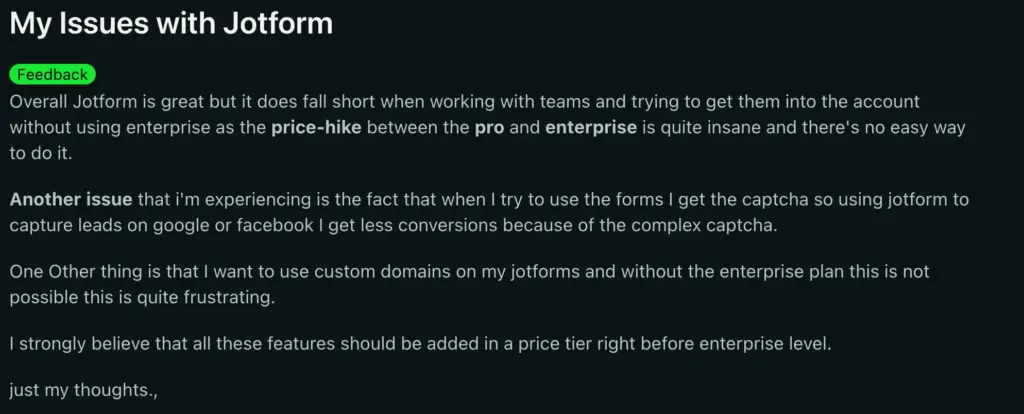
Another recurring issue is the built-in CAPTCHA. While it’s meant to reduce spam, it often adds friction for legitimate users, especially on lead capture campaigns from Google or Facebook ads. Fewer conversions, more frustration.
Custom domains are another limitation. Unless you upgrade to Enterprise, you can’t fully white-label your forms – something many small businesses expect today.
These aren’t small inconveniences. They affect conversions, team workflows, and brand presentation. And while Jotform continues to improve, these constraints push many users to look for more adaptable tools.
If your forms are a key part of your marketing or data collection strategy, it’s worth exploring options that don’t hide essentials behind enterprise paywalls. That’s why I built this list – to help you find alternatives that deliver freedom, flexibility, and fair pricing.
How I lined up the Jotform alternatives
When I test form builders, I don’t just look at features. I try to think from the user’s perspective – what problems are you trying to solve, and how much freedom do you need?
So for this comparison, I looked at six main factors that matter most:
- Ease of use: The builder should feel intuitive, even for non-technical users.
- Feature richness: You shouldn’t need ten add-ons just to do basic tasks.
- Drag-and-drop simplicity: You should be able to build visually, not through menus.
- Integrations: Strong, ready-to-use connections with CRMs, payment gateways, and marketing tools.
- Support: Reliable help when you need it – not hidden behind premium tiers.
- Cost-effectiveness: Pricing that makes sense, both short-term and long-term.
Every plugin and platform listed here checks these boxes to some degree. The goal is to help you find the one that fits your workflow best.
| Plugin | Free Version Strength | Pro Pricing | Notable Free Features | Ideal For |
|---|---|---|---|---|
| Jotform | Excellent – hosted and automation-rich | From $34/year (scales by usage) | 10,000+ templates, workflow automation, app integrations | Businesses managing forms across platforms |
| Fluent Forms | Excellent – full-featured and integration-rich | From $79/year or $349 lifetime | Conditional logic, conversational forms, multi-column layout, Slack, Mailchimp | Small businesses and users who want full control |
| Forminator | Excellent – interactive and generous | From $15/month (WPMU DEV) | Payments, polls, quizzes, Google Sheets, Slack | Interactive sites, small business engagement |
| Everest Forms | Good – simple and flexible | From $69/year | Multi-column layouts, conditional logic, payment support via add-ons | Users who want simplicity with customization |
| Ninja Forms | Good – modular and beginner-friendly | From $99/year (add-ons separate) | Drag and drop, templates, email marketing integration | Small businesses and agencies managing multiple sites |
| Formidable Forms | Strong – technical and data-driven | From $79/year | Calculations, dynamic tables, form-to-post, advanced logic | Users needing advanced or data-rich forms |
| WS Form | Excellent – developer-grade flexibility | From $59/year | Conditional branching, calculations, debugging, responsive controls | Developers or power users who want total control |
| Typeform | Strong – hosted, visual, and conversational | From $28/month | Interactive conversational forms, surveys, logic jumps | User research and storytelling-style forms |
| Bit Form | Strong – integration-heavy and affordable | From $39/year | Google Sheets, CRMs, multi-step forms, webhooks | Freelancers, startups, and automation-focused users |
Fluent Forms
Fluent Forms and Jotform share the same core vision: making form creation intuitive, fast, and accessible. Both tools let you build and publish forms visually without any coding. But when you start exploring how they function behind the scenes, the differences become clear.
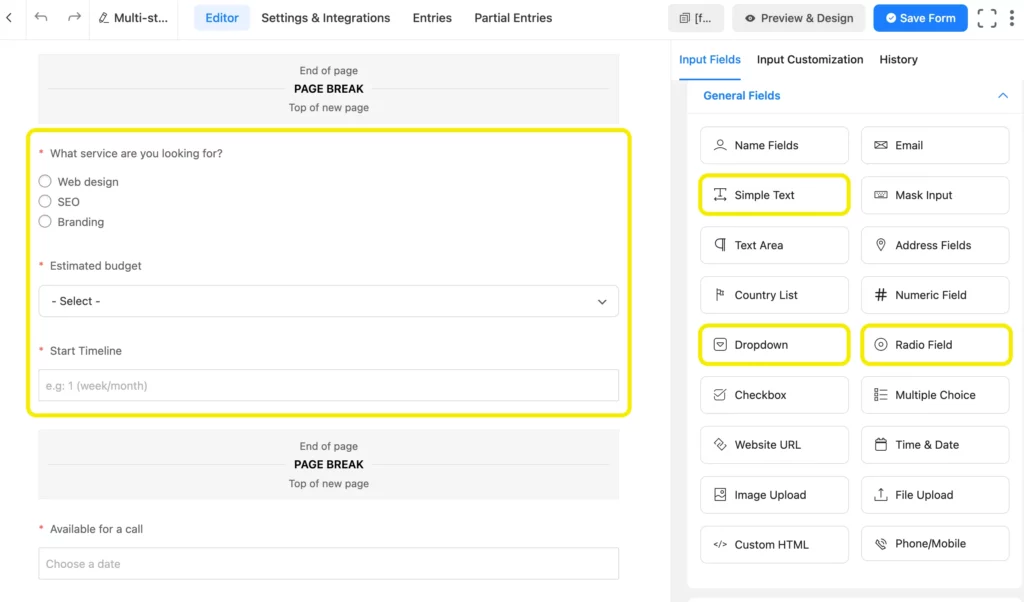
Jotform operates entirely in the cloud. It’s convenient, but that also means your data, performance, and customization options are tied to their ecosystem. Fluent Forms, on the other hand, lives inside WordPress – which gives you total control over data ownership, form styling, and site performance.
From a feature standpoint, Fluent Forms matches Jotform’s flexibility while adding deeper integrations and workflow control. You can create multi-step forms, conditional flows, or even conversational-style forms that mimic the interaction level of Jotform or Typeform.
The free version includes serious capabilities: payment collection through Stripe, real-time notifications in Slack, campaign sync with Mailchimp and FluentCRM, and customer management through Fluent Support – all native, all free.
Fluent Forms is also lightweight, meaning your forms load faster and your site doesn’t depend on third-party servers. It gives you the same creative power Jotform offers but keeps everything under your ownership. For small businesses or site owners who want to avoid recurring SaaS costs while retaining full control, Fluent Forms is the smoothest transition from Jotform’s hosted experience.
Also, you can head to the Jotform vs Fluent Forms blog, for a further detailed comparison.
Pricing: Free on WordPress.org. Pro starts at $79/year with lifetime plans from $349.
Build Smarter Forms for Free

Bit Form
Bit Form and Jotform share a common strength: integration and automation. But they differ greatly in how they deliver it.
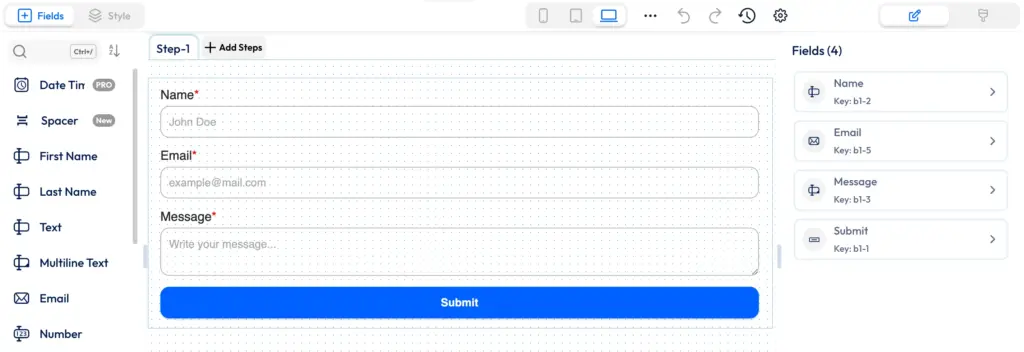
Jotform’s integrations are extensive but often depend on middle layers like Zapier or tiered pricing. Bit Form, meanwhile, brings those connections directly into WordPress. Even its free version supports Google Sheets, CRMs, and webhooks – allowing automated workflows from the start.
The builder itself is fast, lightweight, and simple to use. You can create conditional, multi-step, or payment-enabled forms without extra add-ons. Because it runs within WordPress, everything from entries to integrations is under your full control.
What really makes Bit Form appealing is its value. The premium plan starts low and often includes lifetime deals, making it one of the most affordable automation-ready tools in the WordPress ecosystem. It’s perfect for freelancers and small businesses who want the integration depth of Jotform but prefer owning their data and skipping recurring SaaS costs.
Pricing: Free version available; Pro starts at $39/year with lifetime options.
Forminator
Forminator and Jotform both excel at user-friendly form creation, but their strengths appeal to slightly different audiences. Jotform focuses on workflow automation, while Forminator leans toward interaction and flexibility.
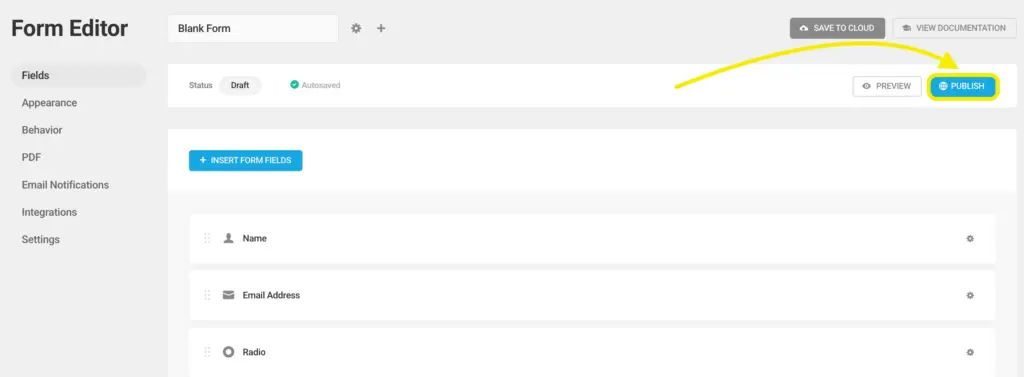
Forminator’s drag-and-drop builder feels just as approachable as Jotform’s, but it adds a layer of creativity that’s often missing in SaaS tools. You can build polls, quizzes, and calculators alongside traditional forms – perfect for sites that want to engage users directly on-page. These features work seamlessly inside WordPress, so you’re not juggling external embeds or scripts.
Integration-wise, Forminator is generous. Google Sheets, Slack, and Stripe all connect directly in the free version, allowing you to automate data flow without needing Zapier or paid connectors. In comparison, Jotform relies heavily on its app ecosystem or external middleware to achieve similar automation – which adds cost and setup steps.
Performance is another edge. Since Forminator runs locally, you’re not limited by response caps or storage tiers. You can collect as many entries as your hosting allows, without worrying about hitting plan limits.
If you want a tool that balances simplicity with creative engagement and keeps you independent from SaaS constraints, Forminator makes the transition from Jotform feel almost effortless.
Pricing: Free core plugin; Pro available through WPMU DEV at $15/month.
Everest Forms
Everest Forms and Jotform share one thing in common: they’re both designed to make form building painless. But where Jotform shines through templates, Everest Forms shines through adaptability.
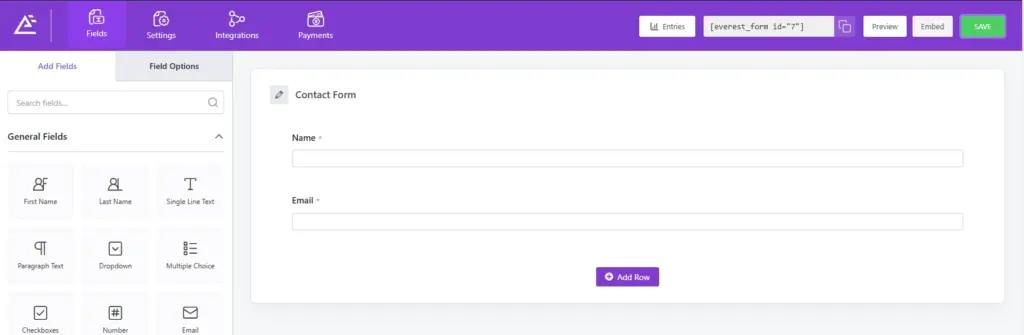
Jotform gives you a massive template library but limits how deeply you can integrate the form’s design into your site. Everest Forms changes that dynamic. Inside WordPress, you can customize layouts, add multi-column designs, and match every field to your theme’s style – all without touching code. It’s form building that feels personal, not platform-driven.
The free version covers most essentials like conditional logic and basic form templates. And if you need payments, email marketing, or CRM integrations, those can be added through lightweight extensions. The plugin remains clean, fast, and easy to manage.
The biggest advantage is ownership. Unlike Jotform, where your data lives on external servers, Everest Forms stores everything inside your WordPress dashboard. It’s a practical choice for users who want simplicity without feeling boxed into subscription tiers.
Pricing: Free version available; premium plans start at $69/year.
Ninja Forms
Ninja Forms and Jotform both target users who want a friendly, visual experience. They focus on drag-and-drop creation and a smooth learning curve. But Ninja Forms approaches flexibility differently.
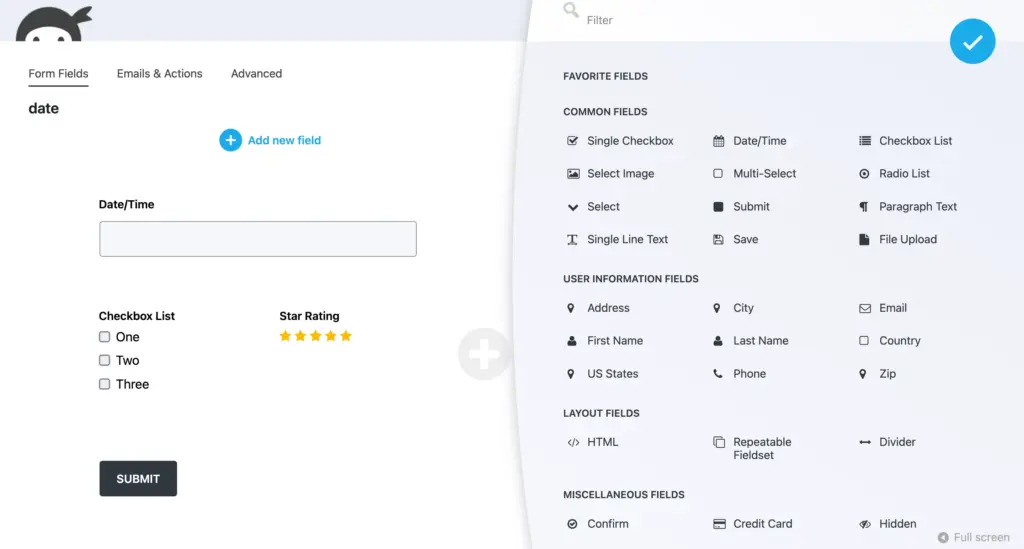
Jotform bundles all features into its hosted tiers, meaning you pay progressively as you need more integrations or submissions. Ninja Forms, however, uses a modular system. You start free, and when you need a specific function – say PayPal, Mailchimp, or conditional logic – you purchase only that add-on. This makes it ideal for smaller teams or agencies that manage multiple client sites without overpaying.
The interface is clean, and everything feels self-explanatory. You can build contact forms, lead capture forms, or feedback forms quickly, and each one integrates neatly into your site’s existing design. Jotform’s forms, while visually appealing, sometimes feel detached from the site’s aesthetic because of their hosted nature.
If you’re looking for a flexible, affordable, and WordPress-native option that grows only when you need it to, Ninja Forms offers a balanced middle ground between simplicity and scalability.
Pricing: Free core plugin; paid plans start at $99/year.
Formidable Forms
Formidable Forms and Jotform approach form building from two distinct perspectives. Jotform prioritizes accessibility, while Formidable focuses on capability.
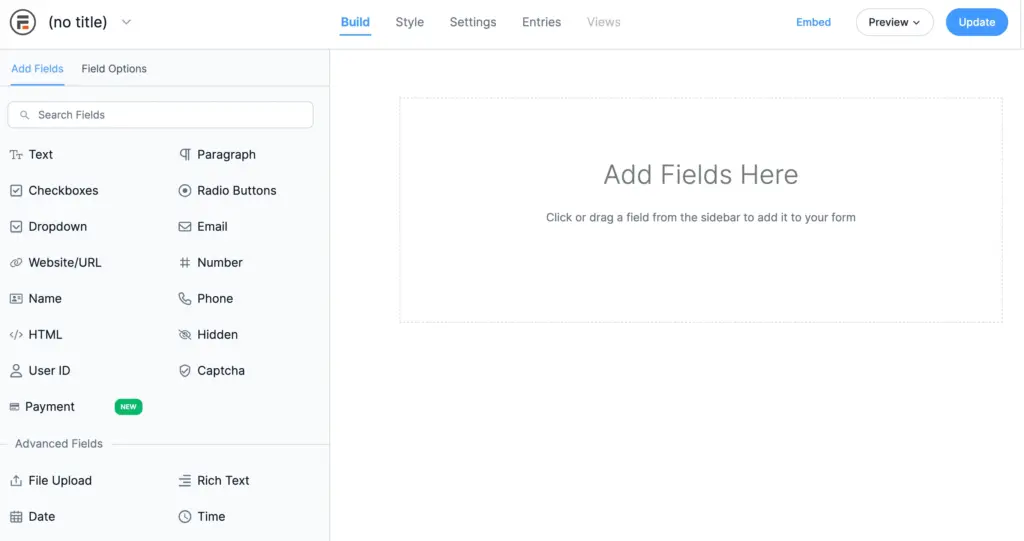
At first glance, both use intuitive visual builders. But once you explore Formidable’s features, you realize it’s built for users who view forms as functional data tools – not just input boxes. You can create calculators, dynamic listings, directories, and even dashboards that display submitted data directly on the frontend.
Compared to Jotform’s workflow-based automation, Formidable gives you structural control. You can transform form submissions into WordPress posts, apply filters and logic, and visualize data without leaving your site. That’s a level of customization Jotform’s cloud model simply doesn’t offer.
Formidable is ideal for projects that rely heavily on form-generated content, such as real estate listings, job boards, or educational applications. If you’ve reached the limit of what Jotform can do within its hosted confines, Formidable gives you the flexibility to build beyond forms – into data management and automation.
Pricing: Core plugin available for free, pro version starts at $79/year with higher tiers for advanced integrations and data views.
WS Form
WS Form and Jotform both provide a visual form-building experience, but WS Form operates on an entirely different technical level. It’s designed for developers and advanced users who want granular control over every element.
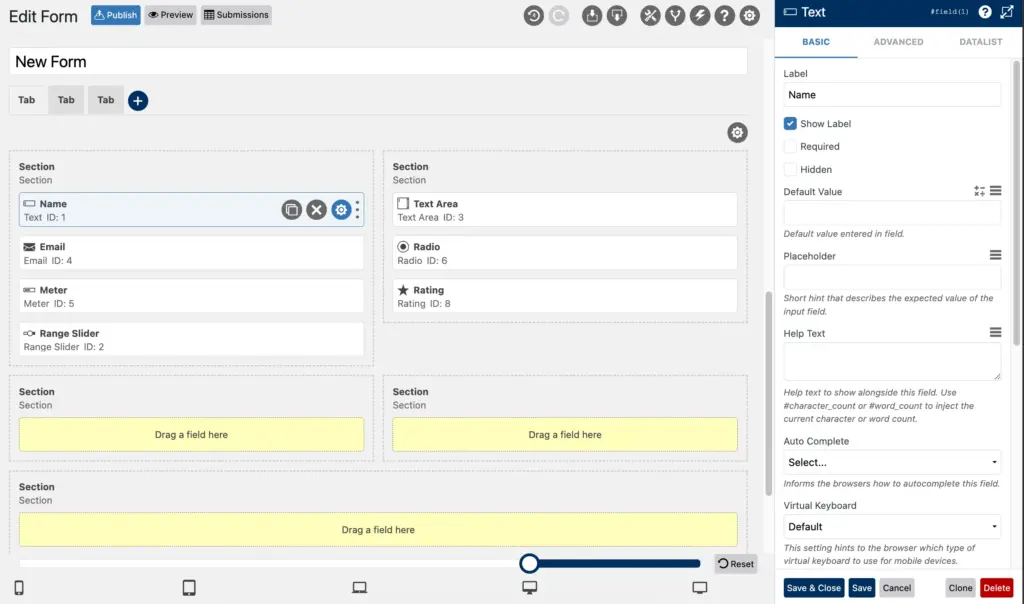
Where Jotform keeps things straightforward, WS Form opens the hood. It lets you build multi-tabbed forms, add conditional branches, and create dynamic data connections that respond to user behavior in real time. You can populate fields using WordPress posts, user data, or even external APIs – all visually, without custom code.
Another big advantage is testing and performance optimization. WS Form includes built-in debugging tools, accessibility checks, and responsive breakpoints so you can ensure every form works perfectly across devices.
Jotform’s simplicity is its strength, but that same simplicity can feel limiting if you’re building complex workflows or client-facing dashboards. WS Form fills that gap by combining technical power with a drag-and-drop interface that still feels natural.
Pricing: Free version available on WordPress.org; Pro plans start at $59/year.
Typeform
Typeform and Jotform are both SaaS form builders, but they take very different design paths.
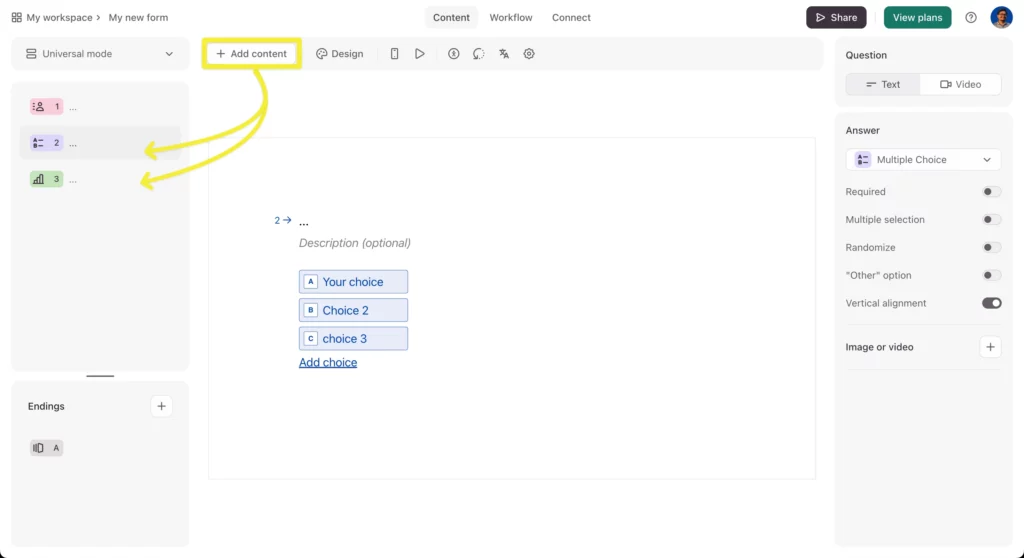
Jotform focuses on versatility – it’s about having every possible template and widget ready to go. Typeform focuses on experience. Its forms flow like conversations, presenting one question at a time to keep users engaged. This design makes it especially effective for surveys, quizzes, and customer feedback, where completion rate matters more than volume.
While both platforms support conditional logic and integrations, Typeform stands out for its visual storytelling approach. Every interaction feels fluid and personal. However, it does come with usage-based pricing, which can get expensive for teams handling large response volumes.
If your priority is engagement and you care about how your forms feel to users, Typeform delivers an unmatched experience. But if you want something scalable and cost-controlled, you might find better balance among the WordPress-based options.
Pricing: Starts at $28/month, scaling with responses.
Now, how to decide
Jotform has earned its place as a strong SaaS solution, but it isn’t the only path forward. Today’s alternatives give you more flexibility, better pricing, and deeper control.
If you want a fast, all-in-one form builder with ownership and rich free features, Fluent Forms is the most balanced choice.
If your projects rely on interactivity or data processing, Forminator and Formidable Forms are your best picks.
If you prefer simplicity and guided setup, Everest Forms and Ninja Forms will feel natural.
For developers who want technical freedom, WS Form is hard to beat.
If you love conversational forms, Typeform offers unmatched design.
And for cost-efficient automation, Bit Form gives incredible value.
In short, Jotform is dependable, but these alternatives prove that flexibility and performance no longer require a subscription lock-in. The WordPress ecosystem has matured – giving you the freedom to build, own, and scale forms the way you want.

This is Sumit. He’s a physics major who’s trying to understand both the physical as well as the WordPress worlds. Whenever he’s not busy, plays fifa or spends time with his family.



Leave a Reply