Fluent Forms Template Library

Remote Work Ergonomic Assessment Template

Manage employee health and safety with this remote work ergonomic assessment

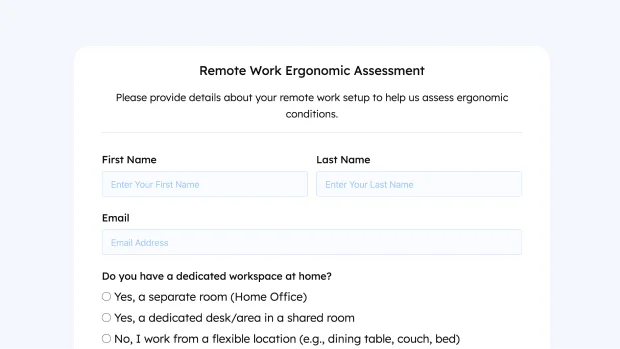
Remote Work Ergonomic Assessment

Remote Work Ergonomic Assessment (#717)

Remote Work Ergonomic Assessment

Please provide details about your remote work setup to help us assess ergonomic conditions.


Not at all Comfortable Highly Comfortable

About this template...

This remote work ergonomic assessment form helps HR teams, safety officers, and workplace wellness coordinators evaluate employee home office setups and identify ergonomic risks. Whether you’re supporting a fully remote workforce, hybrid teams, or transitioning to work-from-home policies, this form collects essential details to assess comfort, prevent injuries, and recommend improvements.

The form asks whether the employee has a dedicated workspace, what type of chair and desk they use, and how their monitor setup is configured (laptop only, single/multiple external monitors, ultrawide, or hybrid). Keyboard and mouse type questions cover built-in devices, standard external peripherals, ergonomic options, mechanical keyboards, or trackballs.

A comfort rating slider (1 to 10) allows employees to rate their current workspace, and an open-ended field invites them to describe any discomfort or issues they experience. This data helps organizations prioritize ergonomic support, provide equipment stipends, or offer personalized workspace consultations.
Remote Work Ergonomic Assessment

Features of this Template

  • Dedicated workspace question covering home office, shared space, or flexible locations.
  • Chair type selection including ergonomic, standard, executive, gaming, dining, active seating, and other.
  • Desk type options covering fixed-height, standing, converter, corner, floating, temporary, lap, and other.
  • Monitor setup covering laptop only, single, dual, triple, ultrawide, curved, or hybrid configurations.
  • Keyboard and mouse type covering laptop built-in, standard, ergonomic, mechanical, trackball, and other.
  • Comfort rating slider (1 to 10 scale) for subjective workspace assessment.
  • Open-ended discomfort description field for detailed feedback.
  • Easy to customize workspace options, equipment types, and assessment criteria.