About this template...
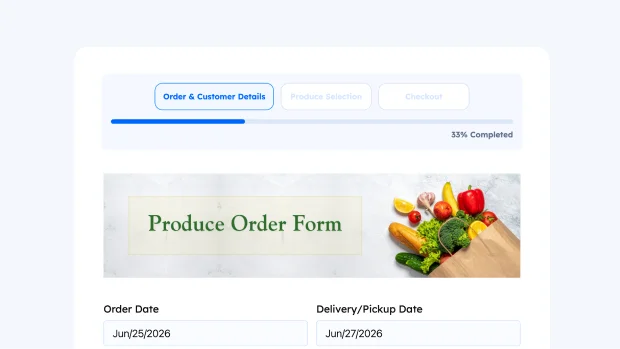
This produce order form helps wholesale suppliers, farm distributors, and food vendors collect bulk orders from restaurants, cafes, grocery stores, and catering businesses in a streamlined way. Whether you’re managing daily deliveries, weekly restocks, or seasonal orders, this form captures all the essential details to process orders quickly and accurately.
The form guides customers through three steps, Order & Customer Details, Produce Selection, and Checkout. Buyers enter order date, delivery or pickup date, name, business name, and contact phone. They choose between delivery (with a $5 fee) or pickup. The delivery address fields or pickup locations appear conditionally.
The produce selection step organizes items into Vegetables & Leafy Greens and Berries & Fresh Fruits. Each product shows unit type, quantity per unit, and price. Buyers select items and enter quantities.
The checkout step displays an order summary with itemized products, quantities, and line totals. A notes field allows special instructions. Multiple payment options, Stripe, PayPal, Mollie, and PayStack, make checkout flexible and simple. Ready to customize and easy to embed, this template works for any wholesale food ordering scenario.