About this template...
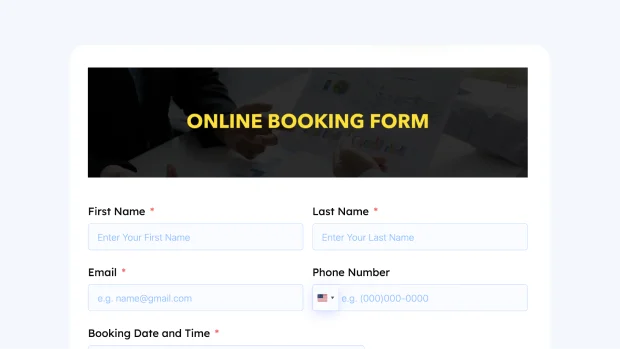
Phone calls and manual scheduling create gaps in availability tracking, missed bookings, and unnecessary back-and-forth between staff and customers. An Online Booking Form moves that process to your WordPress site, letting customers submit booking requests directly with all the details your team needs to confirm the appointment.
This template collects the essential information for any booking in a clean, organized layout. Name, email, and phone fields identify the customer and provide two contact channels for confirmation or follow-up. The Time and Date field lets customers specify their preferred appointment slot, giving your team a clear starting point for scheduling. Radio fields handle structured preference questions such as service type, location, or session format, keeping those responses consistent and easy to filter across submissions.
The Text Area field gives customers space to describe their requirements, share special requests, or provide any context that helps your team prepare for the appointment. The Custom HTML field lets you display booking policies, cancellation terms, or preparation instructions directly inside the form so customers have the information they need before submitting. The Two Column Container keeps the layout compact and easy to scan, reducing the visual weight of the form without removing any necessary fields.
For teams that need a more complete booking and scheduling system, Fluent Forms integrates with FluentBooking. FluentBooking handles availability management, automated confirmations, and calendar sync directly from your WordPress site. If your booking volume grows or you need more control over scheduling logistics, the integration is a natural next step from this form.
This Online Booking Form works for service businesses, consultants, clinics, salons, fitness instructors, and any WordPress site that handles appointment scheduling and needs a consistent, low-friction intake process.