

Introducing FluentPlayer: A Conversion-First Video Player for WordPress
You embed a video on your site. Someone watches it and leaves. You have no idea who they were and no way to follow up.
FluentPlayer fixes that. It’s a new video player for WordPress from WPManageNinja, the team behind Fluent Forms, FluentCRM, FluentCommunity, and many more. It offers you full control over how your videos look, behave, and interact with viewers, all from your WordPress dashboard.
TL;DR
- FluentPlayer is a video player for WordPress, built by the team behind Fluent Forms & FluentCRM.
- Offers six player presets, video chapters, autoplay modes, language switching, and more.
- Interactive layers let you add forms, CTAs, email capture, and hotspots directly inside videos.
- Pro adds playlists with grid and standard layouts, video analytics, and subtitles.
- Supports self-hosted video, YouTube, Vimeo, BunnyCDN, Mux, and HLS streaming.
- Integrations with FluentCRM, Fluent Forms, FluentCommunity, Mailchimp, and Google Analytics.
Full Control over Playback and Appearance
Player presets
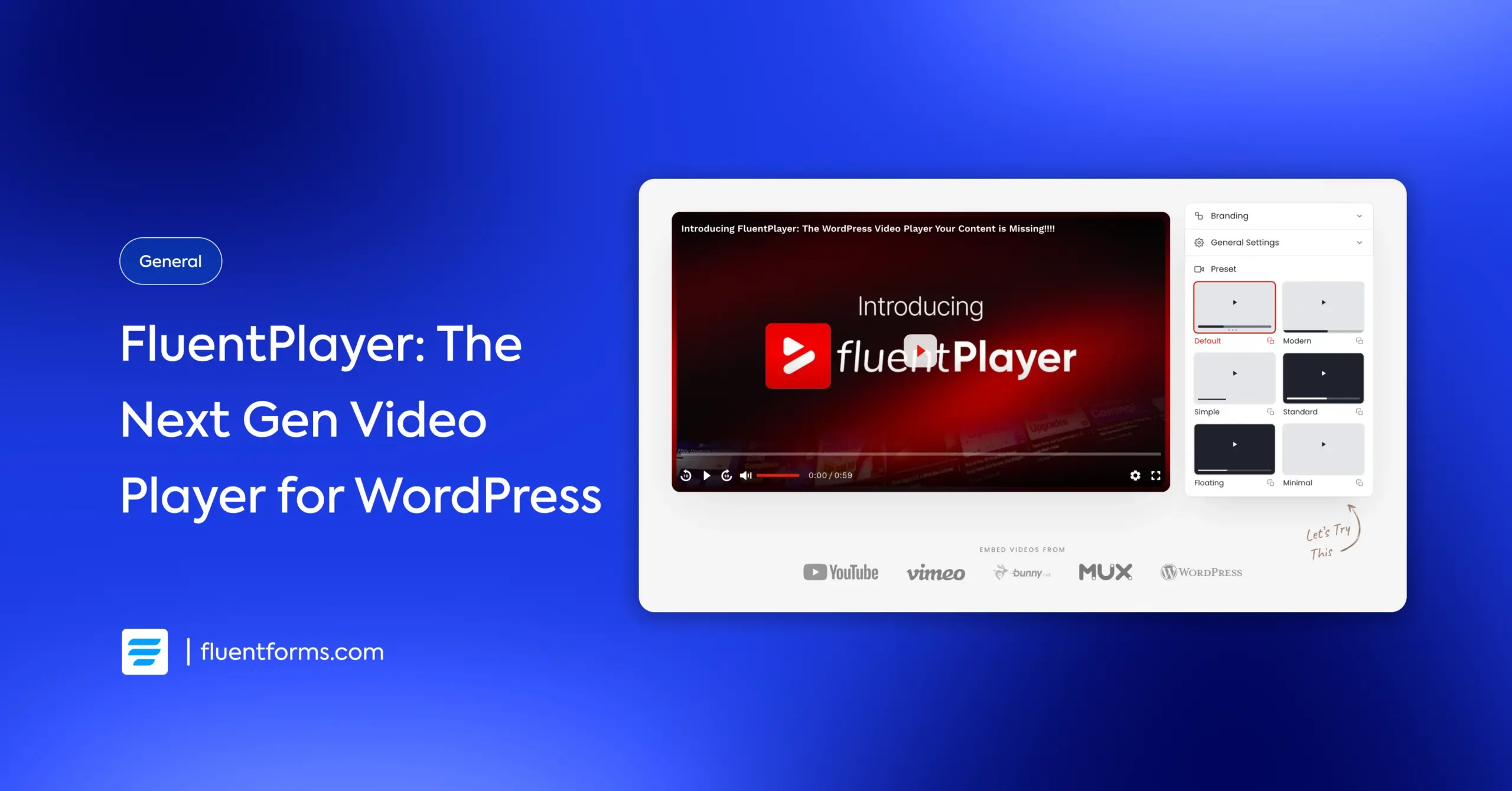
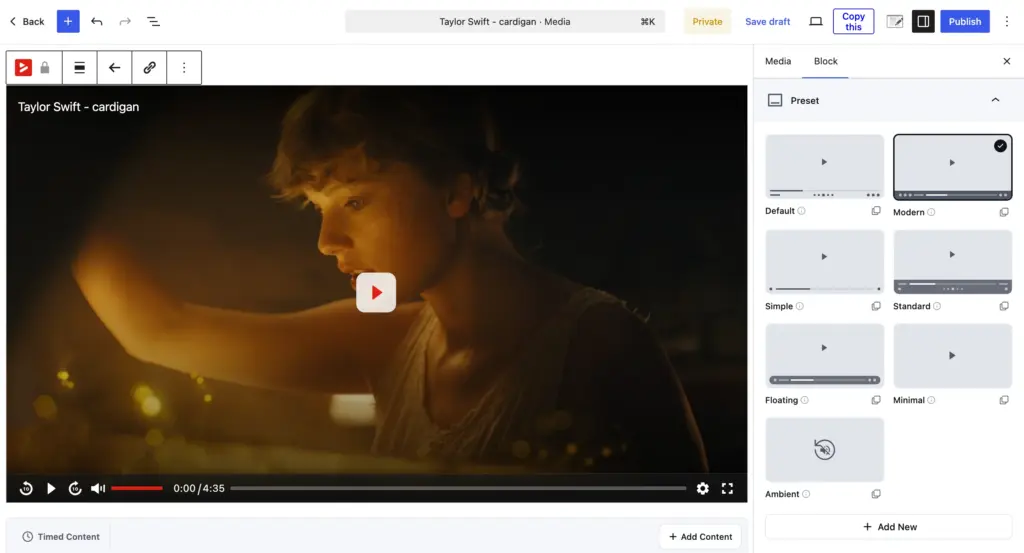
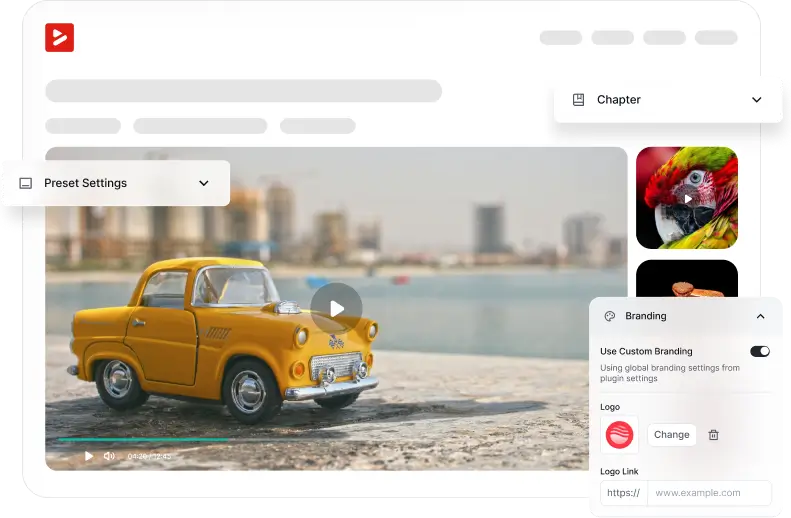
FluentPlayer comes with six player presets: Default, Modern, Simple, Minimal, Standard, and Floating. Pick one from the right-hand panel, and your video player matches the tone of your site without any custom CSS.
Pro users get an additional Ambient preset, and the ability to build fully custom presets from scratch.
Chapters and navigation
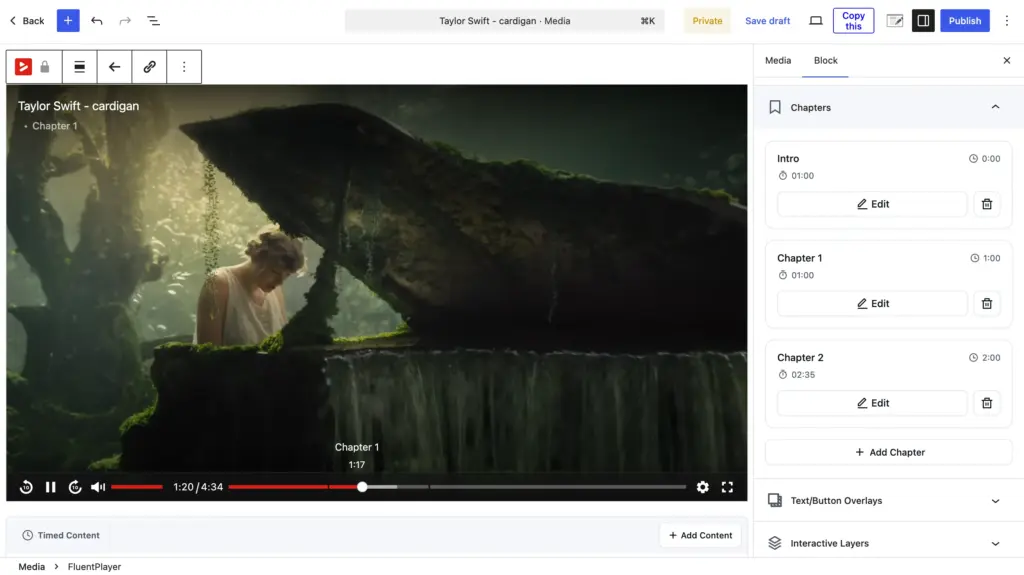
Chapters let you break long videos into labeled sections. Viewers click a chapter title and jump straight to that segment. For tutorials, course lessons, or anything longer than a few minutes, this keeps the navigation smooth.
Autoplay modes & user experience
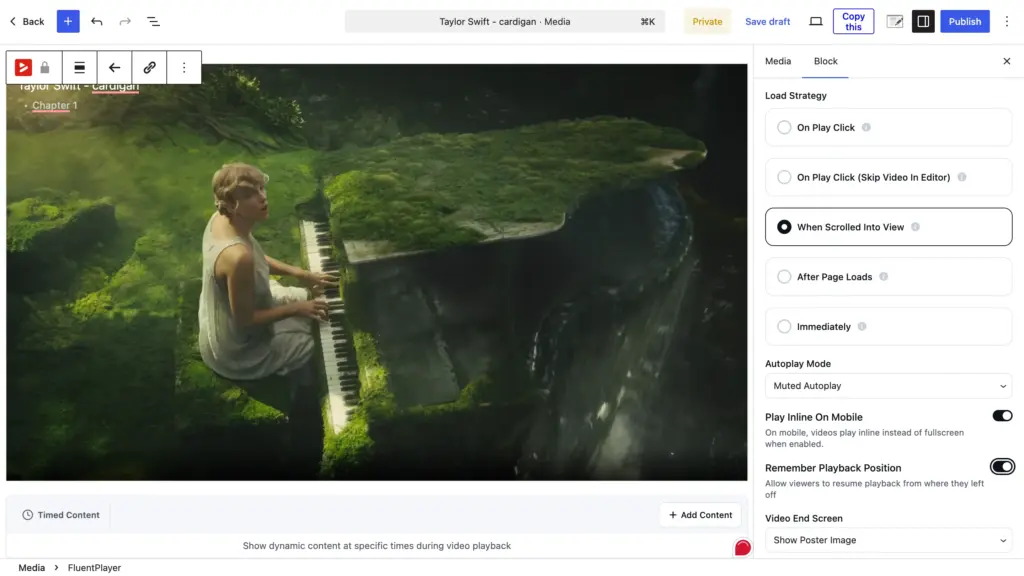
Two autoplay modes give you control over how videos start. Muted autoplay works for background or hero content. Standard autoplay with sound works for pages where the video is the focus. Besides, you can turn autoplay off, especially when the video is not the focus.
Speed control and picture-in-picture are also free. Viewers adjust playback speed or pop the video into a floating window while they browse the rest of your page.
With FluentPlayer Pro, the player can remember the playback position, so viewers can continue watching from where they paused.
Language and subtitles
Language switching (swapping the whole audio/video file per language) is built into the free version. Viewers pick their preferred language right from the player controls.
FluentPlayer Pro expands this with custom subtitle support and YouTube subtitle import, so you don’t have to rebuild captions from scratch.
Get Better Control over Videos with FluentPlayer
Turn Your Videos into Conversion Tools
Player presets and chapters offer your users a premium video experience. But FluentPlayer goes beyond that and brings you the right tools to convert your viewers.
Interactive layers
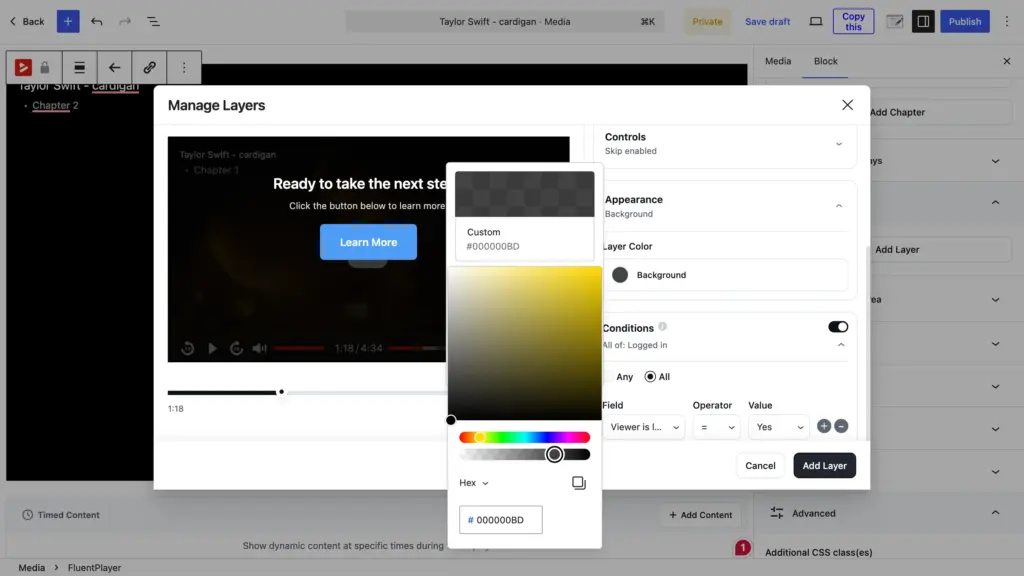
Interactive layers sit on top of your video at specific timestamps. In the free version, you get a native Fluent Forms layer and an email capture layer. A viewer watching your product demo sees a signup form right in the player when their interest is piqued, without leaving the page.
Pro adds CTA banners, clickable hotspots, ad layers, and shortcode layers. Each layer has its own timing and display rules. Pro also includes conditional logic: a first-time visitor sees the email form, while a returning FluentCRM contact skips it and gets a course offer instead. You can easily set this up in the Conditions panel.
Timed content
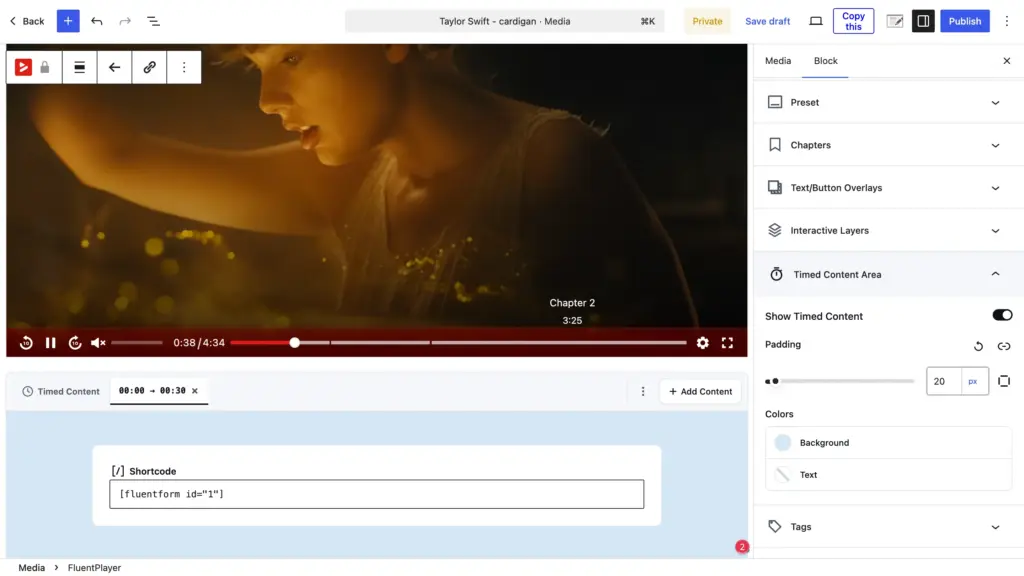
Timed Content (Pro) takes a different approach. Instead of overlaying elements on the video, it renders a full WordPress block region below the player that changes as the video plays. You set a time range, and the content for that range appears in sync with playback.
Any Gutenberg block works here. A Fluent Forms form, a call-to-action button, a product card, or a text block with key takeaways. The content updates automatically as the viewer progresses, so what appears beneath the video always matches what’s happening on screen.
Custom branding
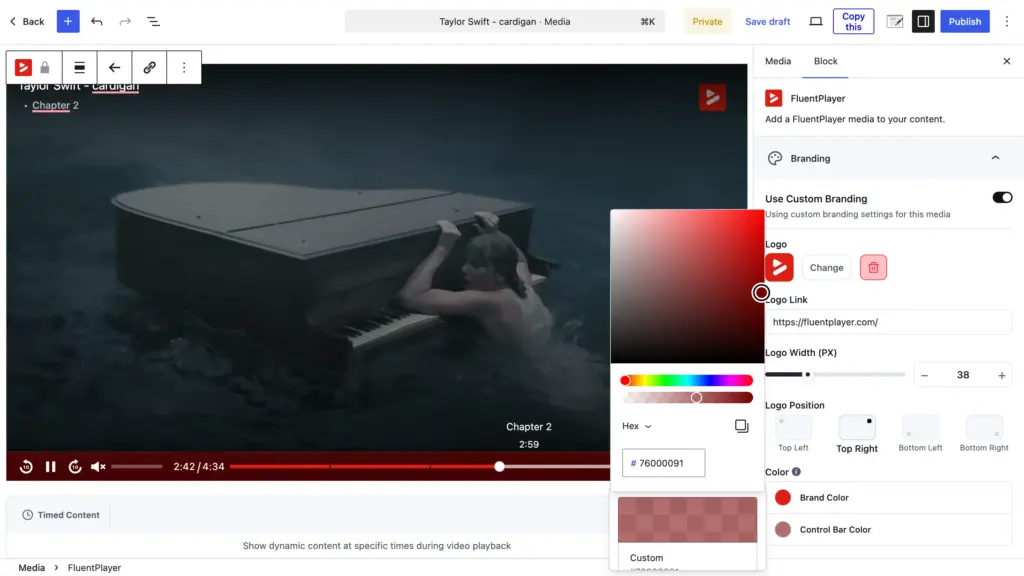
Custom branding ensures every player on your site looks like yours. Add your logo, set your brand colors, and customize the control bar from Block > Branding. This is available in the free version.
Video analytics
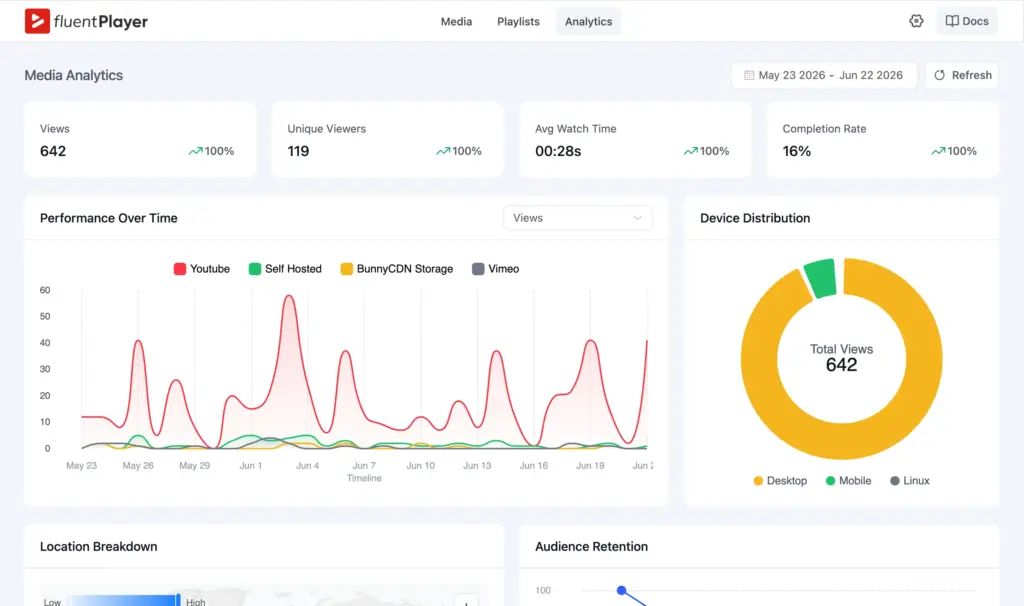
Video analytics (Pro) show you how viewers interact with your videos. The dashboard tracks views, unique viewers, average watch time, and completion rate for each video. An audience retention graph shows the exact second viewers drop off.
You also get device distribution, location breakdown, and new vs. returning viewer data. All of it stays in your WordPress database.
Playlists that Keep Viewers Watching
Instead of scattering videos across separate pages, you group them into playlists. Viewers move through the sequence automatically, and you control the playback order.
FluentPlayer offers two playlist layouts: standard (sidebar list) and grid. Both are fully customizable. You adjust colors, borders, typography, and box shadows to match your site design through the playlist appearance settings.
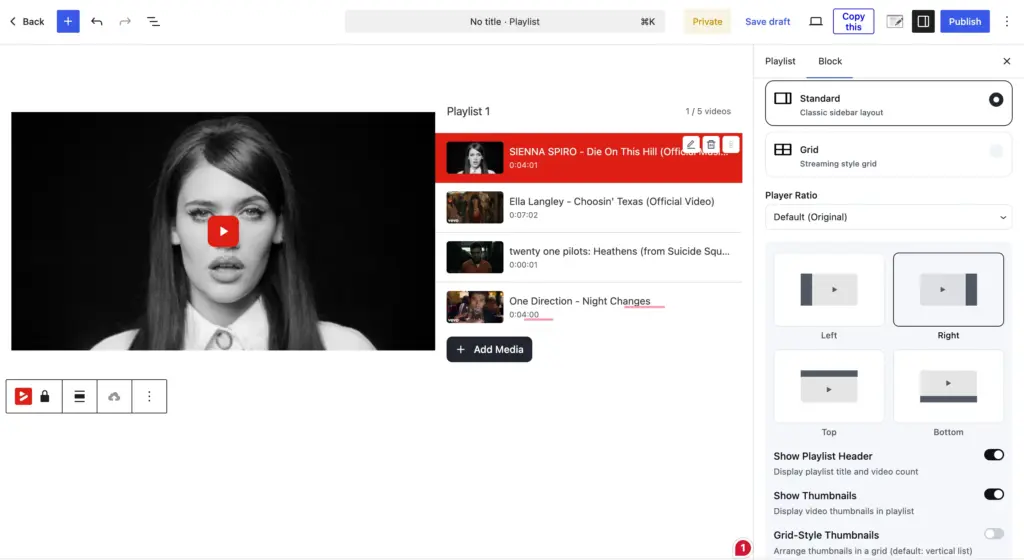
‘Playlist’ is a Pro feature. They’re great for community and learning sites, since viewers stay on one page and progress through lessons without extra navigation.
Connect FluentPlayer with Tools You Already Use
FluentPlayer is built to fit into the setup you already have, both on the media side and the plugin side.
Media sources
The free version supports self-hosted video from your media library, YouTube, Vimeo, and audio files. Pro adds BunnyCDN Stream and Storage, Mux, Cloudflare R2, Cloudflare Stream, Gumlet Video, Gumlet Stream, and HLS streaming for sites that need professional-grade delivery or already use a dedicated video host.
WordPress plugins and tools
FluentPlayer connects with the Fluent ecosystem and popular third-party tools.
Free integrations:
- Fluent Forms: embed forms directly inside videos to collect leads, registrations, or payments
- FluentCRM: sync captured contacts into your CRM with tags and lists, then trigger automations
- FluentCommunity: embed videos and playlists inside community spaces for courses and gated content
Pro integrations:
- Mailchimp: send in-video email captures to your Mailchimp lists
- Google Analytics: track video engagement alongside your site analytics
- Webhooks: connect FluentPlayer with any third-party service or custom workflow
- LearnDash: build and sell courses with a WordPress LMS.
Because FluentPlayer is built by WPManageNinja, the connections between Fluent plugins are native. A viewer fills out a form inside your video, and that contact shows up in FluentCRM instantly, tagged and ready for follow-up.
Who Is FluentPlayer for
Course creators and educators
If you sell or deliver courses on WordPress, FluentPlayer gives you structured playlists, chapters, and resume playback. Pair it with FluentCommunity and your learners watch, progress, and complete lessons without leaving your site. The Fluent Forms layer lets you collect quiz responses or registrations mid-video.
Marketers and lead generation teams
You’re already driving traffic to landing pages with videos. FluentPlayer turns those views into contacts. Email capture and CTA layers appear at the exact moment a viewer is engaged. Conditional rules make sure repeat visitors see a new offer, not the same form twice. Analytics tell you which videos convert and where viewers drop off.
Agencies managing client sites
You build sites for clients who want video but don’t want complexity. Player presets let you configure a branded player once and reuse it across every page. When you manage multiple client sites, the same preset workflow keeps videos consistent without repeating setup work on each project.
Membership and community site owners
Gated video content is a core part of your membership value. FluentPlayer embeds natively inside FluentCommunity, so members watch content in context. Playlists organize learning paths.
Content creators and podcasters
You produce video or audio regularly and need a player that organizes a growing library. Chapters, playlists, and media tagging keep your content browsable as it scales. FluentPlayer also handles audio files directly from your media library, so podcasters don’t need a separate plugin.
FluentPlayer Pro Pricing
Every plan offers the full Pro feature set. The only difference is how many sites your license covers, so you pick based on how many sites you run. These plans are a one-time payment for a lifetime license, with the Agency tier adding a monthly option if you want to split the cost.
| Plan | Sites | Price |
| Personal | 1 site | $199 (lifetime license) |
| Freelancer | 5 sites | $399 (lifetime license) |
| Studio | 25 sites | $599 (lifetime license) |
| Agency | 50 sites | $799 one-time, or $89 x 9 months (lifetime license) |
Grab FluentPlayer Lifetime Deal
Get Started with FluentPlayer
The free version of FluentPlayer is available on WordPress.org. Install it, add your first video, and you’re up and running in minutes.
FluentPlayer Pro is launching soon for when you’re ready to scale and need playlists, analytics, advanced interactive layers, or premium video hosting support.
Get Better Control over Videos with FluentPlayer

Sarika writes for Fluent Forms and loves to offer insights into small businesses. She’s curious and enjoys discussing ideas, interests, and perspectives. In her free time, she’s either marvelling at architectural beauties or trying different cuisines.


Leave a Reply