

9 Powerful Things You Can Do with Fluent Forms Free Version
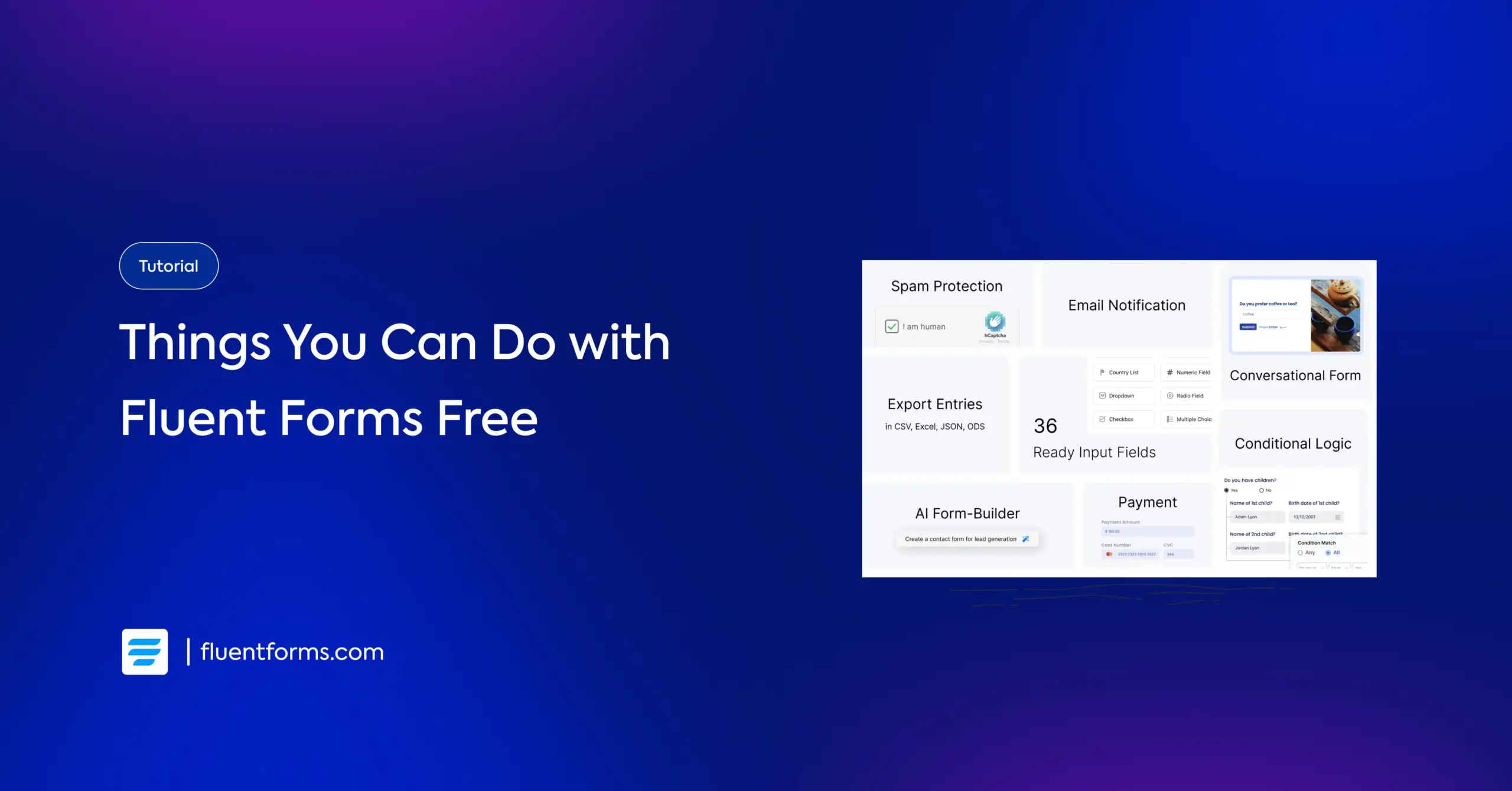
Most people assume a free WordPress form plugin means basic contact forms and not much else. Locked fields, missing templates, and “upgrade to unlock” messages are common enough that the assumption is fair.
Fluent Forms‘ free version doesn’t fit that pattern. Once you look past the simple contact-form use case, you can build a surprising amount without touching a paid plan: conditional logic, conversational forms, Stripe payments, AI-assisted form creation, and more.
This tutorial walks through nine things you can actually do with Fluent Forms Free and why 700,000+ people use this every day, with an honest look at where the free version’s limits are and when Pro becomes worth considering.
TL;DR
- Fluent Forms Free includes a solid set of input fields and ready-made templates for common use cases
- The AI Form Builder can generate a working form from a plain-text description
- Conditional Logic lets you show or hide fields based on earlier answers
- Conversational Forms turn a static form into a one-question-at-a-time chat-style experience
- You can schedule forms to open and close automatically, or restrict access with a password
- Email notifications can be configured to send full submission details to you and your respondents
- Stripe payments are supported without needing a paid form builder
- Form export and import make it easy to reuse or migrate form setups
- Some PDF generation is available depending on the specific workflow and add-on support
- The free version suits straightforward workflows; high-volume or advanced integrations are where Pro comes in
Explore What’s Possible with Fluent Forms Free
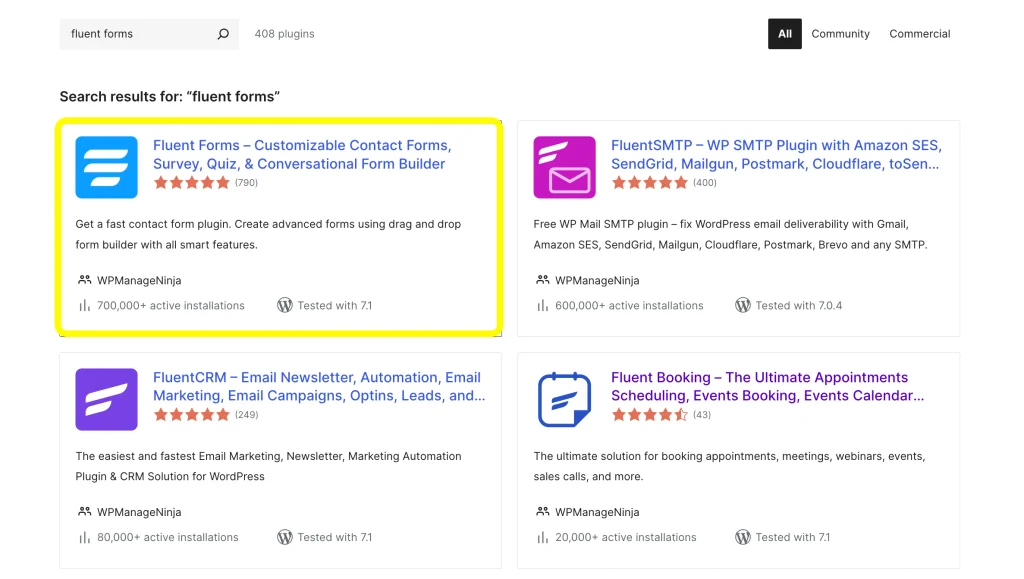
1. Create practical forms using the free fields and templates
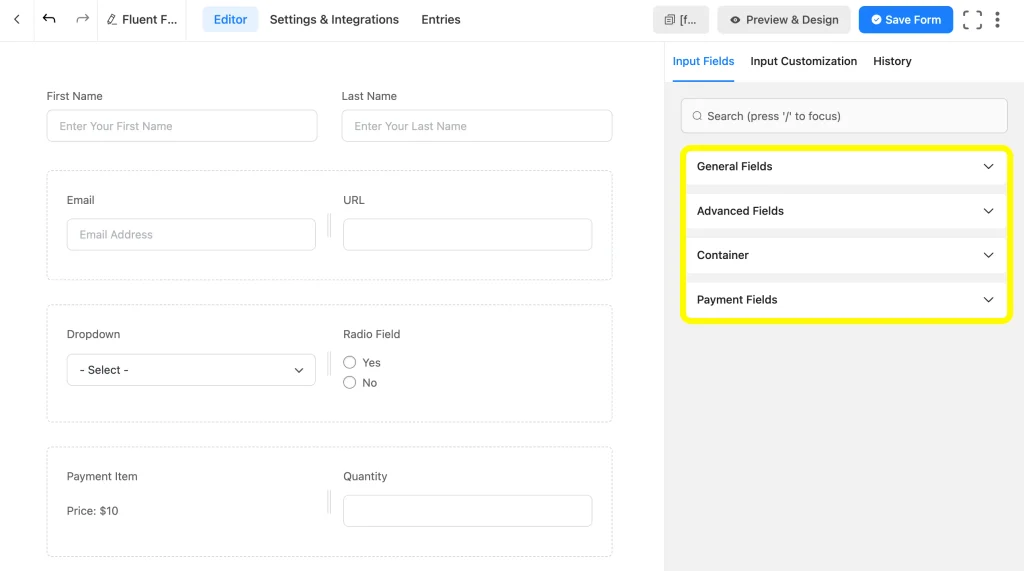
Fluent Forms Free ships with a wide range of input fields including Name, Email, Text Area, Address, Numeric, Dropdown, Radio, Checkbox, Time, & Date, Website URL, reCAPTCHA, Multi-column Containers, etc.
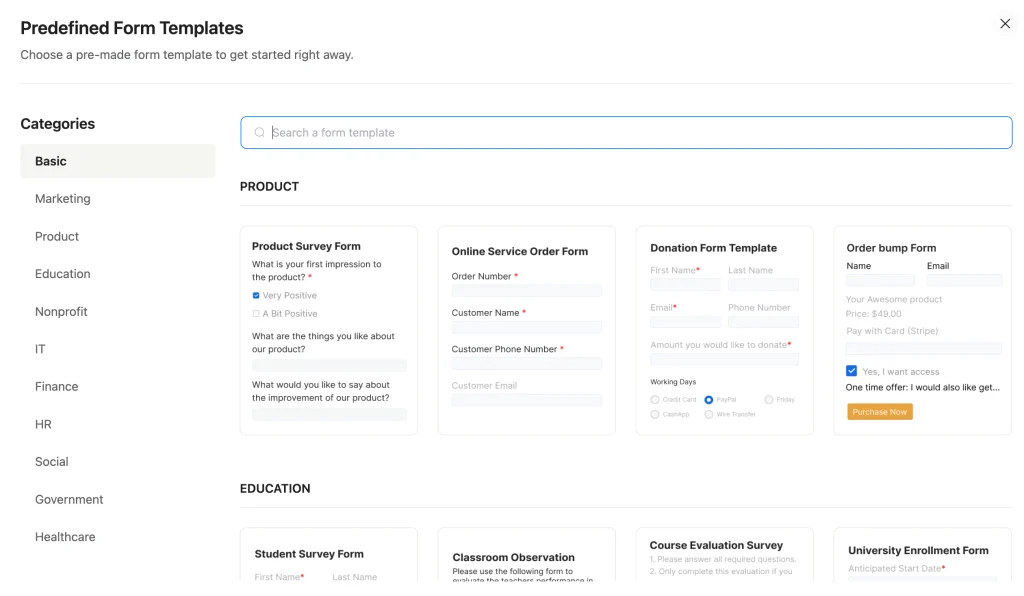
For a freelancer or small business owner, this means you’re rarely starting from a blank canvas. Pick a template close to what you need, adjust the fields, and you have a working form in minutes rather than hours.
2. Build forms instantly using the AI Form Builder
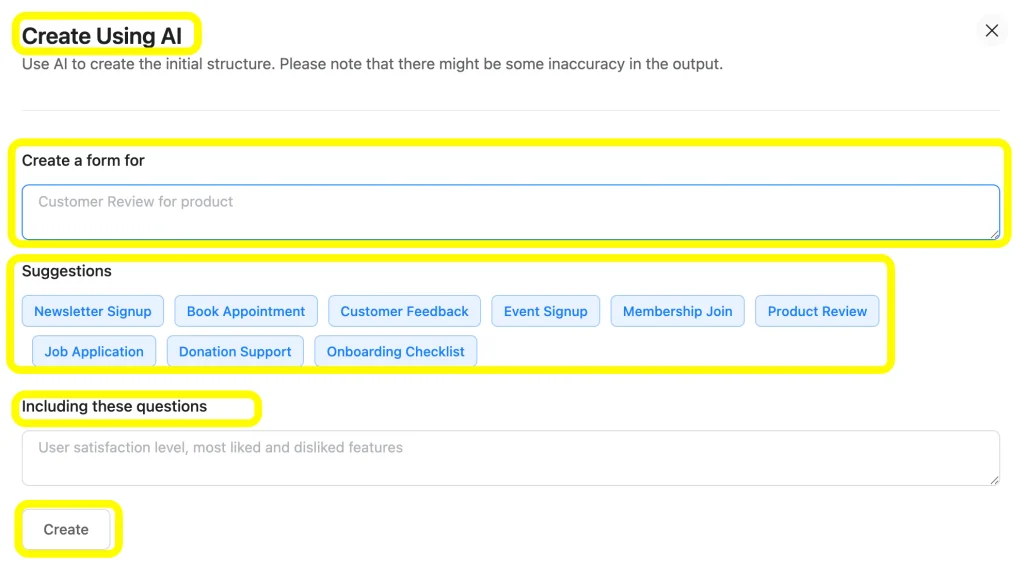
The AI Form Builder lets you describe the form you want in plain language, such as “a job application form with name, resume upload, and years of experience”, and it generates the field structure for you.
This is particularly useful if you’re not sure which fields a given use case actually needs. Instead of researching what a proper event registration form should include, you describe the goal and refine the output from there.
3. Create smarter forms with Conditional Logic
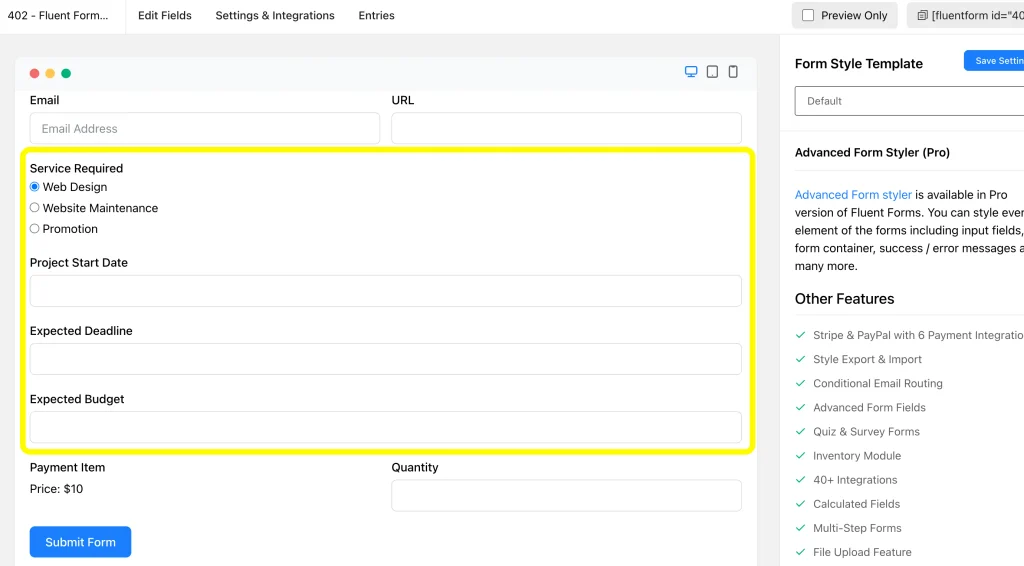
Conditional Logic shows or hides fields based on a respondent’s earlier answers. A small business offering multiple services can build one service inquiry form where selecting “Web Design” reveals questions about platform and budget, while selecting “Consulting” reveals a different set entirely.
Instead of building three separate forms for three services, one form adapts itself. That’s a meaningfully more capable workflow than a static contact form, and it’s available without upgrading.
4. Create Conversational Forms for better engagement
Conversational Forms present one question at a time in a chat-like flow instead of a long list of fields all at once. For feedback forms, quizzes, or onboarding questionnaires, this format tends to feel less like paperwork and can hold a respondent’s attention better than a traditional layout.
Toggling a form into conversational mode takes a setting change, not a rebuild, so it’s easy to test which format your audience responds to.
5. Schedule and restrict forms to control access
Not every form should be open indefinitely. The feature of limiting and scheduling forms in Fluent Forms Free lets you set a start and end date, so an event registration form closes automatically once the event fills up or the date passes.
To enable this, go to the Settings & Integrations tab and then to Scheduling & Restrictions, and set up as per your preference.
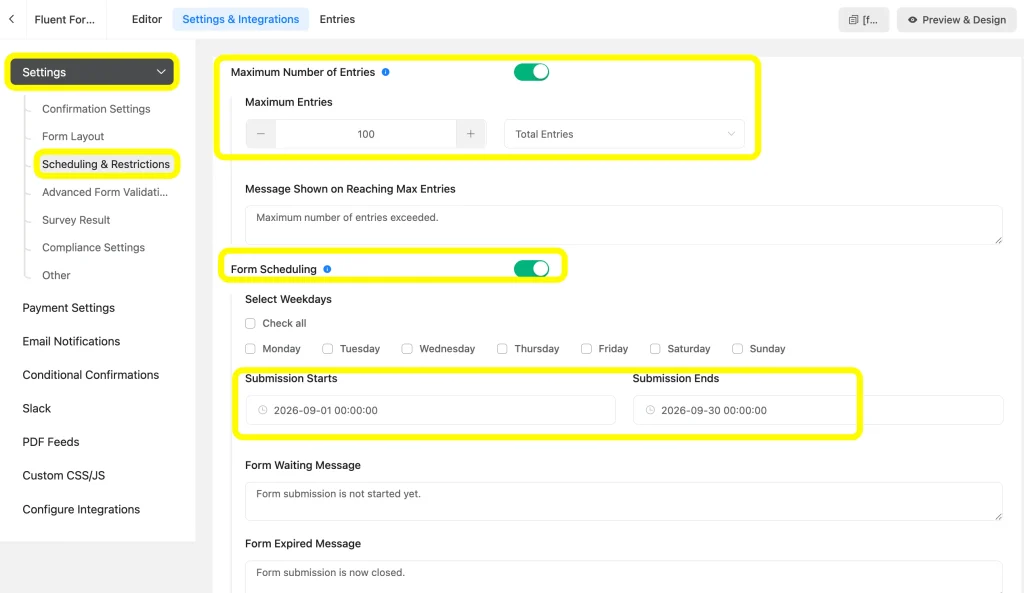
Similarly, you can set up people from which IP addresses or countries need to be restricted from submitting a form.
6. Send email notifications with complete submission details
Collecting a submission is only half the job. You also need to know it happened. Fluent Forms Free supports confirmation and notification emails that send full submission details to you, your team, or the respondent automatically.
For a service inquiry or request form, this means you’re not manually checking a dashboard for new entries. The relevant details land in your inbox as soon as someone submits.
Go directly to the Settings & Integration tab’s Email Notifications and set up the notification along with the Shortcodes.
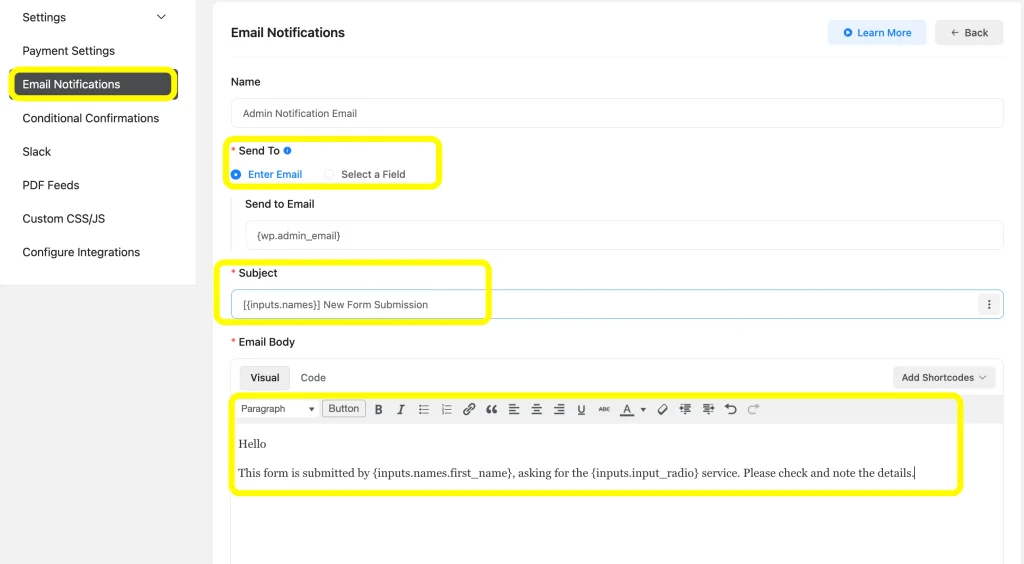
There are Configure Routing and Add Media options in the Email Notifications, which are available in the Pro version of Fluent Forms.
7. Accept Stripe payments without a paid form builder
It’s a common assumption that payment collection requires a premium plugin. Fluent Forms Free includes Stripe integration, so a straightforward payment form, a simple product order, a donation form, or a one-time service fee can be built and taken live without a Pro license.
This won’t replace a full e-commerce setup with subscriptions, coupons, and multiple gateways, but for a single, simple payment flow it’s genuinely usable out of the box.
While a 1.9% fee per transaction will be charged in the free version, Pro removes this charge.
8. Export and import forms easily
If you manage forms across multiple sites, or you’re moving a site to a new host, exporting and importing forms means you don’t have to rebuild every form from scratch. A form built once can be reused across projects, which is especially handy for agencies managing several client sites with similar form needs.
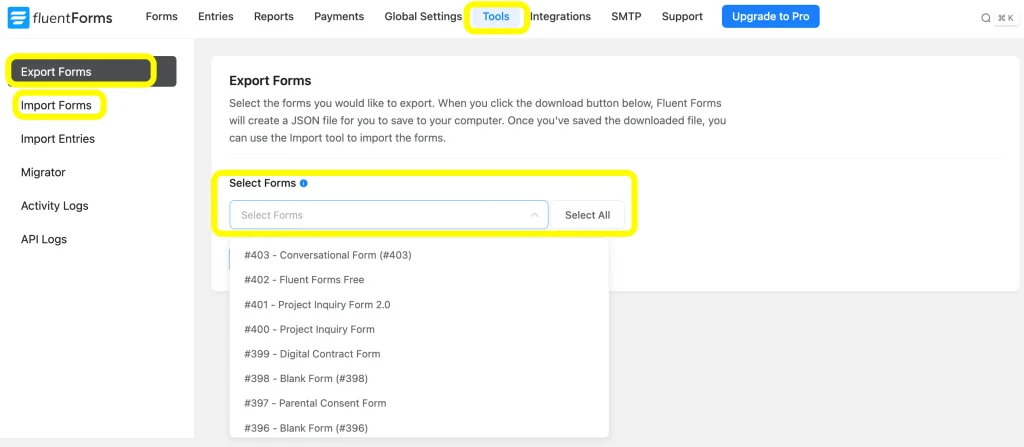
This amazing feature saves your time and makes the work more organized. Anyway, if you want to Import Entries, you need the Pro version here.
9. Generate PDFs from form submissions
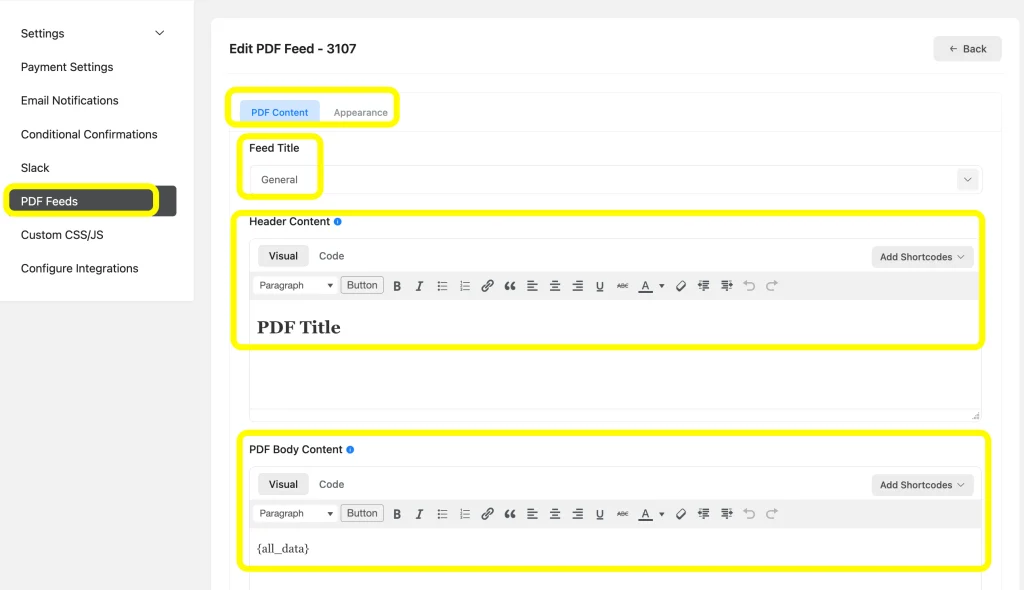
Depending on the workflow, Fluent Forms Free can allow you to generate a PDF from a submission. You can use this for anything that needs a downloadable record, like an application confirmation or a registration receipt. This will be a limited feature for the free version compared to the PDF customization available in Pro, because fields and features like File Uploads will be unavailable in the free version.
Go to the Settings & Integrations tab’s PDF feeds and then customize the PDF Content, Appearance, Header Content, PDF Body Content, and Footer Content. You can copy the PDF download link and use it in the confirmation settings to allow users to get downloadable PDFs after the form submission.
Practical Results You Can Achieve with Fluent Forms Free Version
Putting these features together, Fluent Forms Free can realistically support:
- Request forms
- Contact and lead forms
- Service inquiry forms
- Event registration forms
- HR application forms
- Customer feedback forms
- Simple payment forms
- Downloadable submission records
Check the free templates page to get the complete idea and choose from the prebuilt forms.
How Fluent Forms Free Helps Your Business
A single form can gather a lead, branch based on their answer, notify your team, and send a PDF confirmation, all without a paid plugin or a developer on retainer.
For freelancers, small business owners, and anyone testing whether WordPress forms are the right fit before committing a budget to a premium tool, that combination covers more ground than the “just a contact form” reputation suggests.
When You Should Consider Fluent Forms Pro
Fluent Forms Free is well suited to straightforward, lower-volume workflows. A few signs you may be outgrowing it:
- You need advanced payment features like multiple gateways or coupons
- Your forms require deep integrations with CRMs, email marketing tools, or other business software
- You’re generating a high volume of submissions and need more detailed reporting or management tools
- Your team needs multi-step forms with more complex logic than conditional field display
- You need pro fields like File Upload, Checkable Grid, Ratings, Rich Text Input, etc.
- You need Pro features like Quiz & Survey or Landing Page Mode
If none of that applies yet, there’s little reason to upgrade Fluent Forms Pro before you actually hit a limit. You can compare the two tiers directly on the Free vs Pro page when you’re ready to decide.
Go Beyond Basic Forms with Fluent Forms Free
The gap between “a contact form plugin” and “a plugin that runs real business workflows” is smaller than most people expect with Fluent Forms Free. Conditional logic, conversational formatting, Stripe payments, and AI-assisted building cover a lot of what a small business, freelancer, or content creator actually needs day-to-day. Fluent Forms Free covers more ground than most free plugins; start building, and you’ll find the limits later than you expected
Ready to see what your forms could handle with more advanced integrations, payment flexibility, and reporting? Get Fluent Forms Pro and build on what you’ve already started with the free version.
FAQs
1. Is Fluent Forms Free actually free to use, or is it a limited trial?
It’s a permanently free plugin available on WordPress.org, not a time-limited trial. You can use it indefinitely without upgrading.
2. Can I accept payments with Fluent Forms Free?
Yes. Stripe integration is included in the free version for straightforward payment forms, though more advanced payment features are Pro-only.
3. Will I need Fluent Forms Pro eventually?
It depends on your workflow. If you need advanced integrations, high-volume reporting, or complex payment setups, Pro fills those gaps. Many smaller workflows never need to make that jump.
4. What integrations are available with Fluent Forms Free?
Fluent Forms Free supports several direct integrations and add-ons without requiring a Pro license. The free version includes integrations such as FluentCRM, FluentSMTP, FluentSupport, FluentBooking, FluentCommunity, FluentBoards, Ninja Tables, WP Social Ninja, Turnstile, CleanTalk, Akismet, Mailchimp, Slack, Stripe, reCAPTCHA, hCaptcha, etc.
5. Is there a limit on how many forms or submissions I can have on the free version?
Fluent Forms Free doesn’t cap the number of forms you can create or the number of entries you can collect. Limits tend to show up around specific features and integrations rather than volume.
6. Does Fluent Forms Free include spam protection?
Yes, the free version includes basic spam-prevention options like honeypot fields and Google reCAPTCHA support, so you’re not left exposed just because you haven’t upgraded.
7. What happens to my forms and entries if I switch to Pro later, or deactivate the plugin?
Upgrading to Pro builds on top of your existing free installation, so your forms and entries carry over rather than starting fresh. Deactivating the plugin keeps your data in the database, but uninstalling it removes the plugin’s data, so export anything you need to keep first.
8. Can I use Fluent Forms Free without knowing how to code?
Yes. Fluent Forms is designed as a visual, drag-and-drop form builder, so users can create and configure forms without writing code. Developers can use custom code or CSS when they need more control, but coding isn’t required for creating standard forms.
9. Can I customize the design of forms created with Fluent Forms Free?
Yes. You can customize various aspects of your forms to match your website’s appearance. The exact styling capabilities available depend on whether you are using the Free or Pro version, so check the current feature availability when planning more advanced design customizations. You can also use the Gutenberg Form Styler in the free version.

Hi, this is Aparup. I am a Literature postgraduate, mixing my creative thoughts with my experience in the tech industry to surpass AI. Professionally, I am a content marketer seeking solutions to users’ problems regarding WordPress.




Leave a Reply