

How to Retain Black Friday Customers: Turn Deal Shoppers Into Repeat Buyers
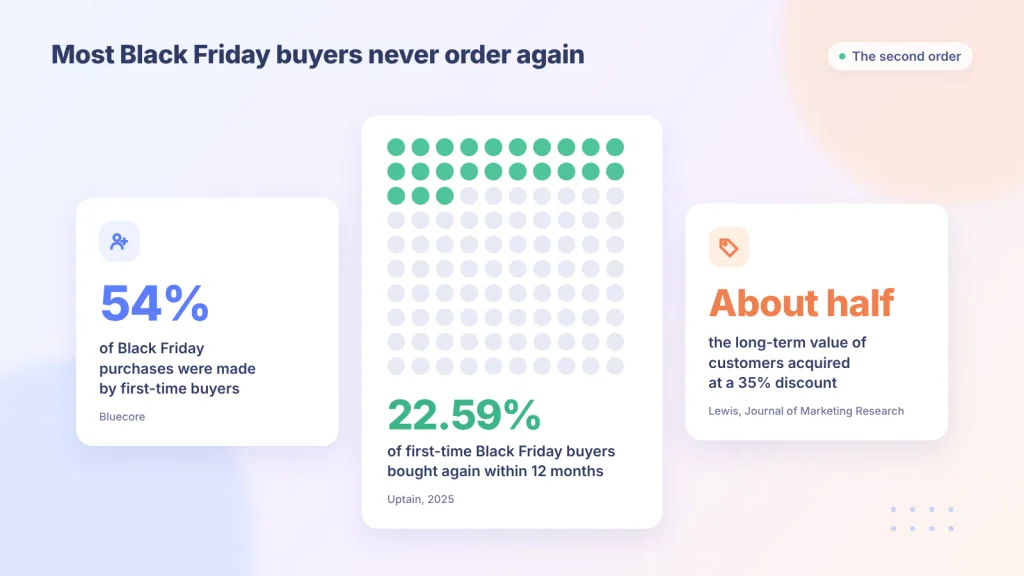
Black Friday brings a wave of first-time buyers, and most of them never order again. Uptain’s 2025 study of thousands of online shops found that only 22.59% of first-time Black Friday buyers bought again within 12 months.
You can raise that number with a few well-timed follow-ups and one short form. I’ll show you how to retain Black Friday customers and set up a post-purchase preference form with Fluent Forms.
TL;DR
- Fewer than one in four first-time Black Friday buyers come back within a year, so the weeks after the sale decide what the sale is really worth.
- Black Friday buyers fall into three groups: deal hunters, gift buyers, and genuine new fans. Each group needs a different follow-up.
- Your order data can’t tell you which group someone is in, so ask them with a one-question form after they buy.
- Fix delivery and support problems first, and send help before you send offers.
- Make the second offer about the product (a refill, an accessory, early access) rather than a deeper discount.
- The free Fluent Forms plugin and FluentCRM’s free plan can collect answers and tag every buyer automatically.
What It Means to Retain Black Friday Customers
Retaining Black Friday customers means getting people who first bought from you during the sale to place a second order, ideally at a normal price. The second order is the milestone to aim for, because it shows the first purchase wasn’t only due to the discount.
- Most Black Friday buyers are new to you. Bluecore found that 54% of Black Friday purchases were made by first-time buyers, and about 22% of those buyers came back, taking 108 days on average to do it.
- Most of them don’t return. In Uptain’s data, 77.41% of first-time Black Friday buyers never placed another order within a year.
- Deep discounts attract less loyal customers. A study by Michael Lewis in the Journal of Marketing Research (2006) found that customers acquired with a 35% discount were worth about half as much over time as customers who paid full price.
Black Friday is mostly a big pile of first orders. Whether those orders turn into repeat customers depends on what you do next.
Why Most Black Friday Buyers Don’t Come Back
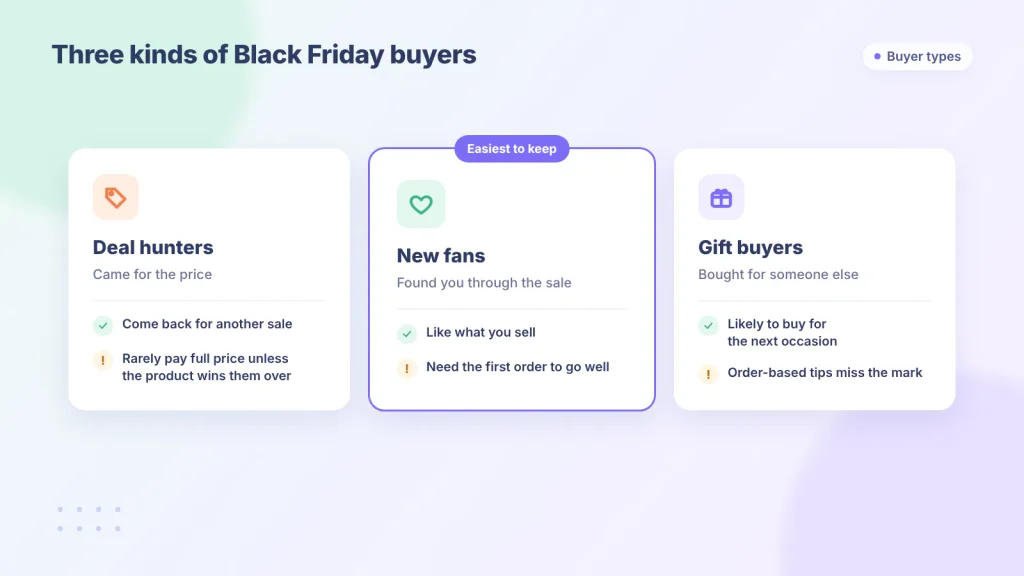
Black Friday buyers leave for different reasons, so one generic follow-up sequence can’t fix all of them. Think of three groups instead.
- Deal hunters came for the price. They’ll come back for another sale, but rarely at full price unless the product wins them over.
- Gift buyers bought for someone else. They have no personal interest in the product, so recommendations based on their order miss the mark.
- New fans found you through the sale and like what you sell. They’re the easiest to keep, as long as their first experience goes well.
7 Ways to Retain Black Friday Customers
Make the first order go right
The first order decides whether there will be a second one. A late package or an ignored question is often the whole reason a new buyer never returns.
- Send clear delivery updates, and tell people early if shipping is slower than usual.
- Give buyers one obvious place to report a problem. A short support form linked from your order confirmation works well.
- Connect that form to Slack so every new request shows up in your team’s channel right away.
- Hold marketing emails for anyone with an open issue. An offer sent to someone who is still waiting for a package makes things worse.
Ask buyers who the order was for
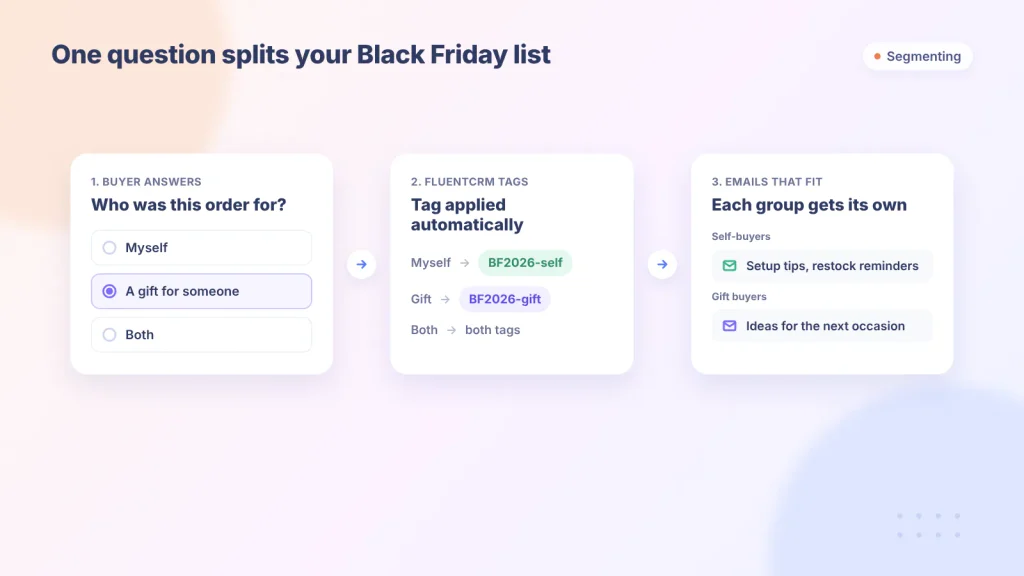
One question, “Who was this order for?”, splits your Black Friday list into people who might come back for themselves and people who bought a gift. The answer changes almost every email you send them afterward.
Add one optional question about what they’d like to hear from you, such as product tips, restock reminders, or gift ideas. With Fluent Forms, each answer can apply a tag in FluentCRM, so the segmenting happens on its own once it’s set up. I’ll walk through the build later in this guide.
Send help before you send offers
The first emails after delivery should help the buyer use what they bought. Setup steps, care instructions, or a short how-to give people a reason to like your store.
This matters most for deal hunters. A product they understand and enjoy is the best argument for paying full price next time.
Time the second offer to the product
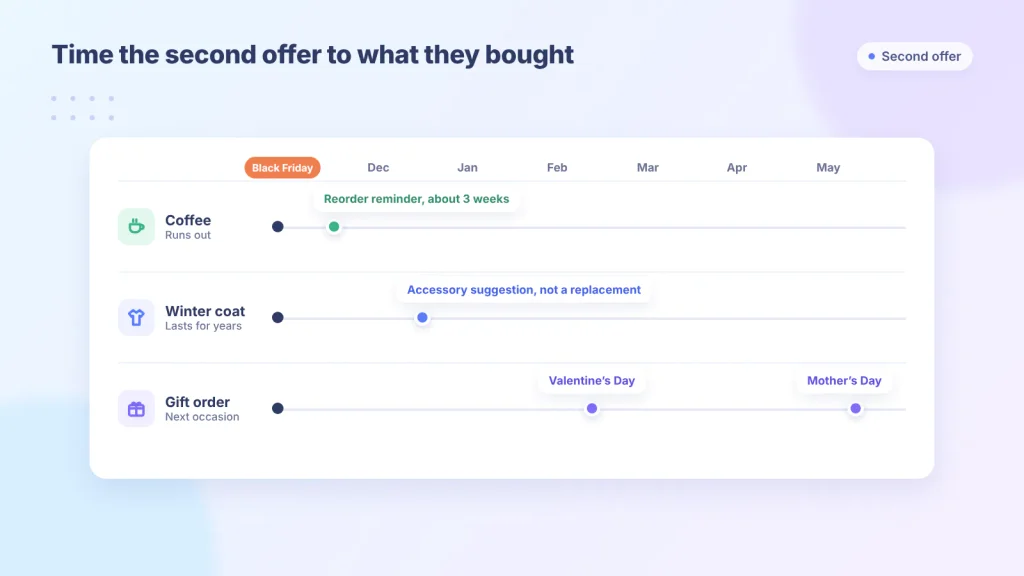
The right moment for a second offer depends on what someone bought, not on a fixed number of days. A one-month supply of coffee needs a reorder reminder in about three weeks, while a winter coat needs an accessory suggestion, not a replacement.
Gift buyers run on a different clock entirely. Their next likely purchase is the next gifting occasion, such as Valentine’s Day, Mother’s Day, or a birthday, so a reminder close to that date beats a “you might also like” email in December.
Give a reason to return that isn’t a bigger discount
A second-order offer works best when it adds value instead of cutting the price again. Since discount-acquired customers already tend to be worth less over time, training them to wait for the next sale makes that gap wider.
Better options include:
- A refill, accessory, or bundle that fits the first order
- Free shipping on the second order
- Early access to new products or the next sale
- A loyalty perk, such as a gift with their next purchase
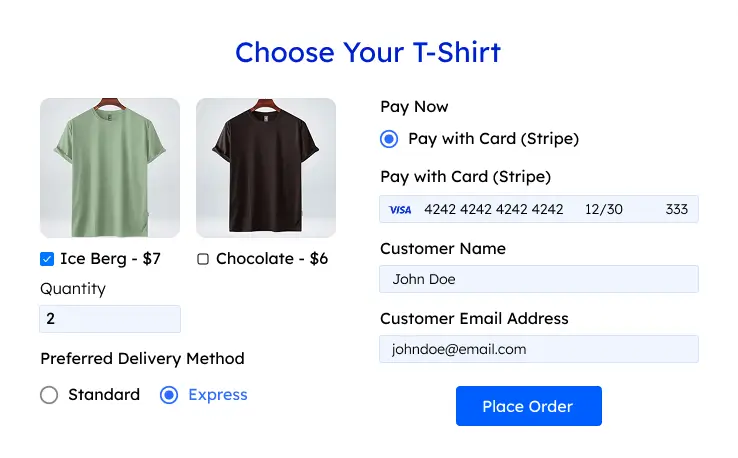
If you take orders through Fluent Forms payment forms, you can add coupon codes for a targeted second-order offer. Coupons require Fluent Forms Pro.
Ask for feedback once they’ve used it
Ask for feedback after the buyer has had time to use the product, not while it’s still in transit. A short survey two or three weeks after delivery tells you what to fix while the buyer still cares enough to answer.
Keep it to two or three questions. Fluent Forms’ Net Promoter Score and Ratings fields (both Pro) suit this well. When someone reports a problem, reply personally.
Measure Black Friday buyers as their own group
Your overall repeat purchase rate hides how Black Friday buyers behave, because loyal customers who would have ordered anyway inflate it. Track first-time Black Friday buyers separately.
The number to watch is the second-purchase rate: the share of first-time Black Friday buyers who placed a second order by day 30, 60, and 90. Compare it with first-time buyers from a normal month or from last year’s Black Friday. Tagging buyers makes this comparison much easier.
A 90-Day Plan to Retain Black Friday Customers
The day ranges are starting points, so stretch them for slow-shipping or long-lasting products.
| When | Goal | What to send |
| Days 0-3 | Confirm and reassure | Order confirmation with tracking, return policy, a support form link, and the “Who was this order for?” form |
| Delivery – day 14 | Help them use it | Setup or care tips and one how-to. No offers yet. |
| Days 14-30 | Learn how it went | A short feedback survey, then a review request |
| Days 30-60 | Earn the second order | A product-matched offer: refill, accessory, bundle, or early access |
| Days 60-90 | Bring back quiet buyers | One reminder tied to their original order. Gift buyers get an idea for the next occasion. |
| Day 90 | Measure | Compare the second-purchase rate with a normal-month group of first-time buyers |
Build a Post-Purchase Preference Form With Fluent Forms
This form asks every Black Friday buyer who the order was for and what they’d like to hear about, then tags them in FluentCRM. You’ll need the free Fluent Forms plugin and FluentCRM.
1. Create a blank form
Go to Fluent Forms → New Form → New Blank Form. Name it “Black Friday Buyer Preferences.”
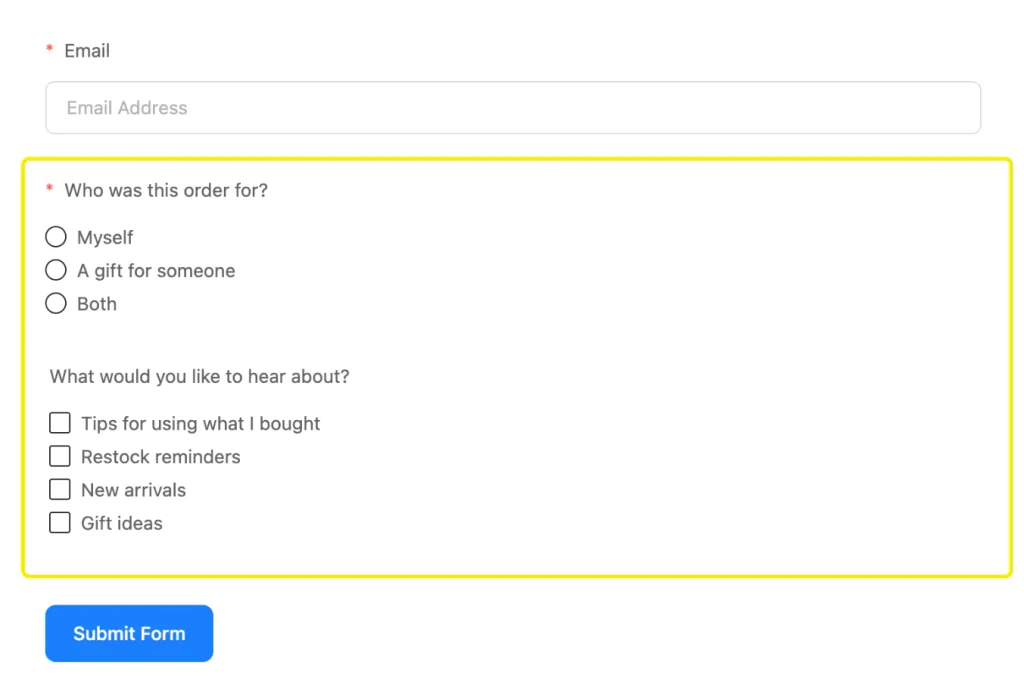
2. Add the email and “who was this for?” questions
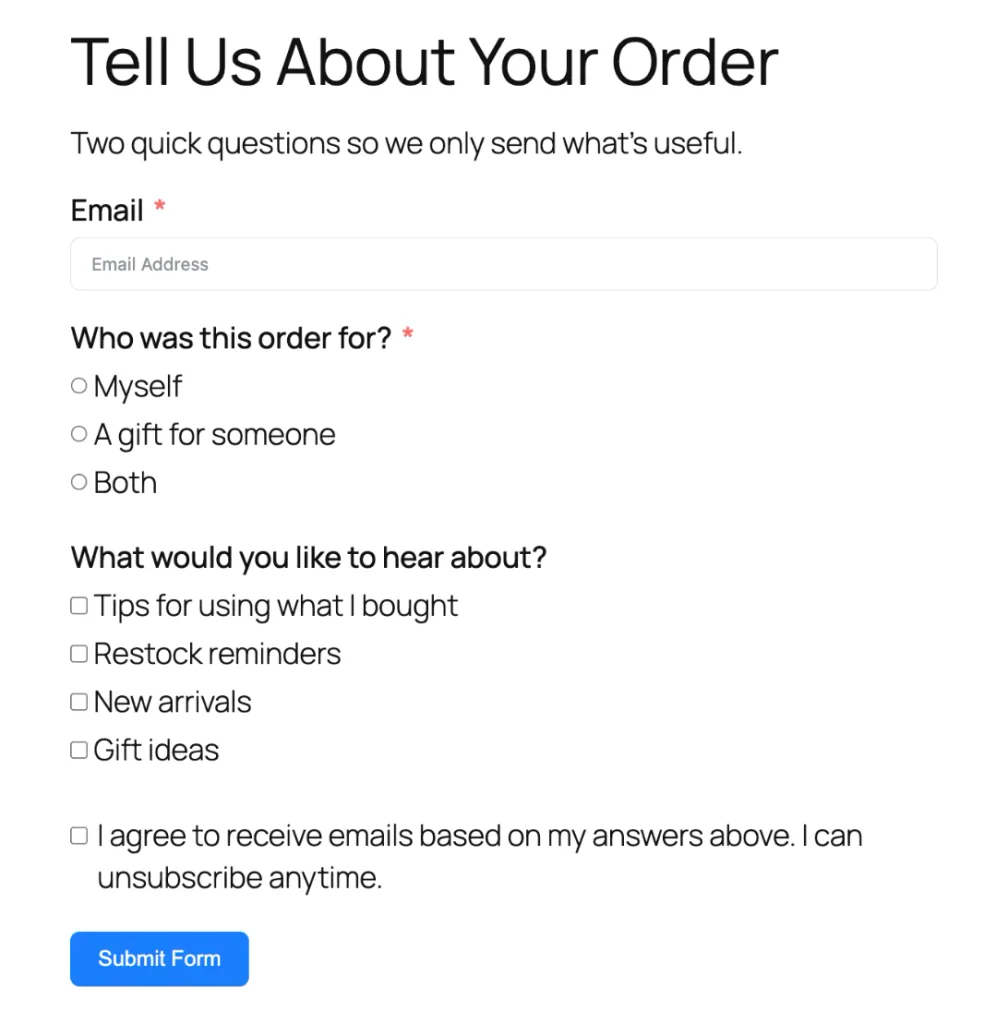
Add these two fields from the input fields panel and mark both as required:
- Email: so each answer connects to the right customer in FluentCRM.
- Radio: label it “Who was this order for?” with three options: Myself, A gift for someone, and Both.
Then add a Checkbox field labeled “What would you like to hear about?” with options such as Tips for using what I bought, Restock reminders, New arrivals, and Gift ideas. Leave this one optional so the form stays quick.
3. Capture the order number with a hidden field
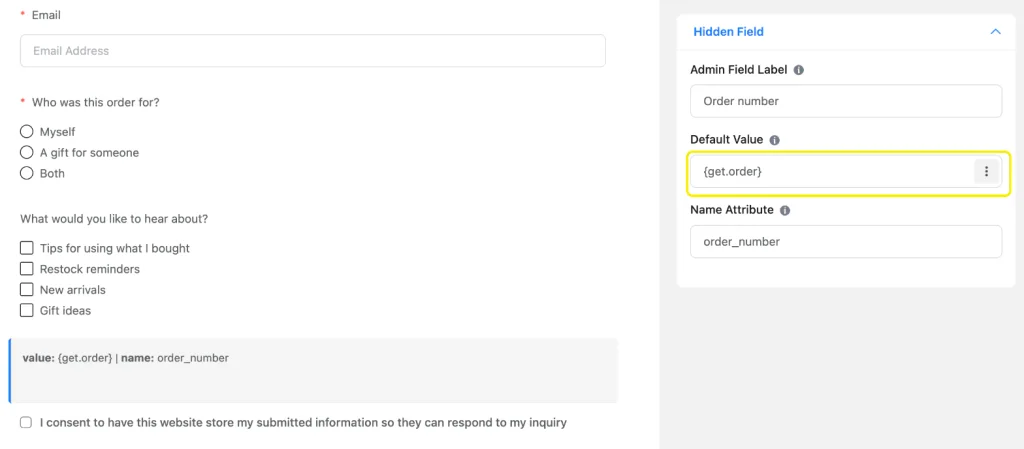
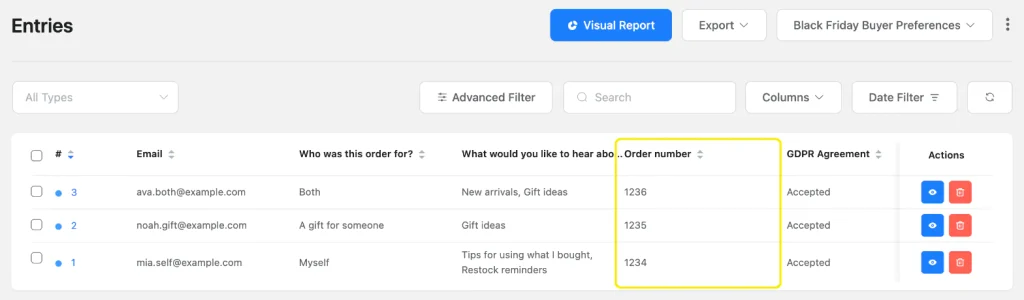
Add a Hidden Field and set its Default Value to {get.order}. When you link to the form as yoursite.com/preferences/?order=1234, the order number saves with the answer without the buyer typing anything.
4. Add consent and a thank-you message
Add a GDPR Agreement field and use its Description to say you’ll email them based on their answers. This field is always required, so no one can submit without agreeing.
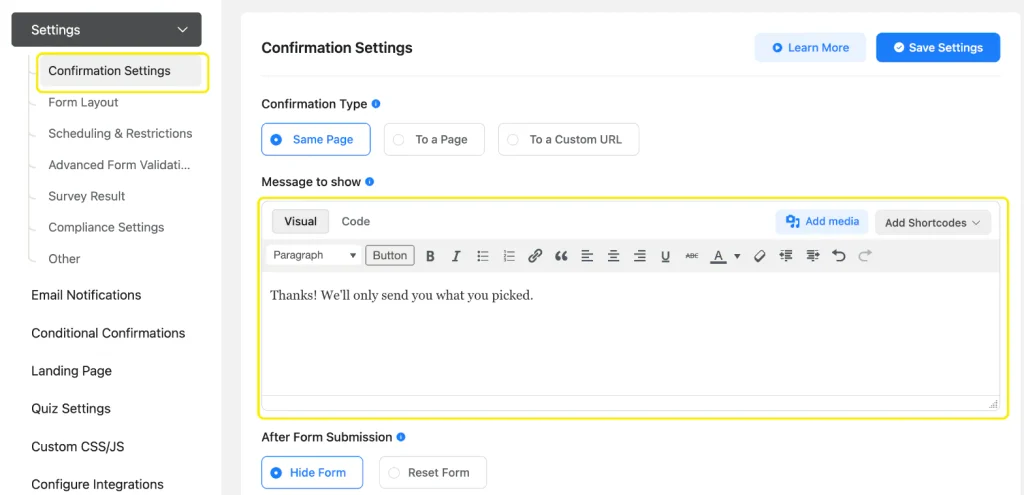
Next, open Settings & Integrations → Confirmation Settings and write a short thank-you message, such as “Thanks! We’ll only send you what you picked.”
5. Connect the form to FluentCRM and tag by answer
With FluentCRM installed, go to Settings & Integrations → Configure Integrations → Add New Integration → FluentCRM Integration. Map the Email field and pick a list, such as “Black Friday 2026 Buyers.”
Create that list and the two tags in FluentCRM first, under Contacts → Lists and Contacts → Tags. That way they show up in the feed’s dropdowns.
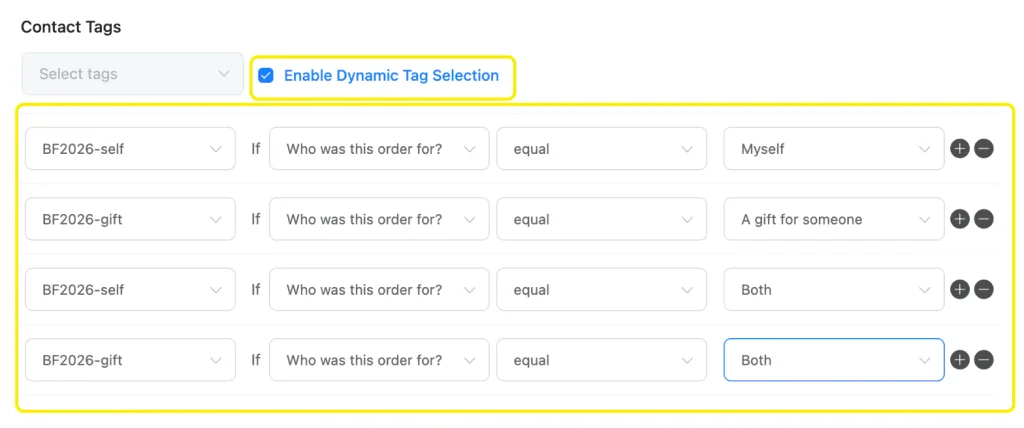
Then turn on Dynamic Tag Selection and add one row per answer:
- Set Tag “BF2026-self” when “Who was this order for?” equals Myself
- Set Tag “BF2026-gift” when it equals A gift for someone
- Set both tags (two rows) when it equals Both
The FluentCRM integration and Dynamic Tag Selection are free. Once these rows are mapped, every new submission gets the right tag on its own.
6. Send a thank-you email automatically
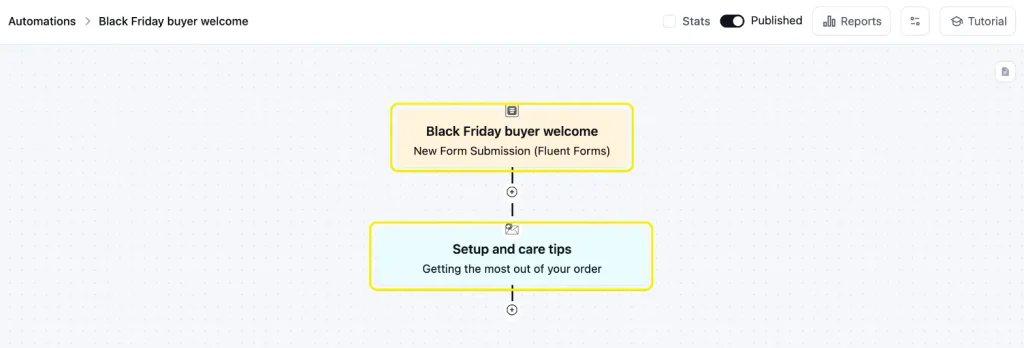
In FluentCRM, go to Automations → New Automation and choose the New Form Submission (Fluent Forms) trigger. Select your preference form, then add a Send Custom Email action with your first help email, such as setup tips or care instructions. Save it, then switch the automation from Draft to Published.
Later, when you send gift ideas or refill reminders, choose the matching tag as the campaign’s recipients. That way gift buyers and self-buyers never get each other’s emails.
7. Share the form link with buyers
Add the form to a page and publish it. Then put the link where every Black Friday buyer will see it: your order confirmation email, your thank-you page, and the first help email.
Keep the ask short, for example “Two quick questions so we only send what’s useful.” People answer more readily when they can see it takes seconds.
8. Test it with each answer
Open the form link in a private window, add ?order=1234 to the end, and submit once for each answer. Then check three things: the order number appears in Fluent Forms → Entries, each test contact has the right tag in FluentCRM, and the thank-you email arrived.
Free vs Pro at a Glance
Everything in the build above works on the free plugin. Pro adds the extras mentioned in the tactics. Check the full free vs. pro breakdown.
| Feature | Free | Pro |
| Email, Radio, Checkbox, Hidden, and GDPR Agreement fields | Yes | Yes |
| FluentCRM integration with Dynamic Tag Selection | Yes | Yes |
| Slack alerts for support requests | Yes | Yes |
| Feed-level Conditional Logic on FluentCRM feeds | No | Yes |
| Net Promoter Score and Ratings fields | No | Yes |
| Coupon codes on payment forms | No | Yes |
FAQs
How soon should I contact Black Friday buyers after they order?
Right away, but with service messages, not offers. Send the order confirmation and tracking first, help emails after delivery, and save the second-order offer for around day 30, adjusted to how long the product lasts.
Should I offer another discount to bring them back?
Customers acquired through deep discounts tend to be worth less over time, so a refill, bundle, free shipping, or early access usually keeps more of your margin than another percentage off.
How can I tell gift buyers apart from regular customers?
Ask them. A one-question form after purchase (“Who was this order for?”) is the most reliable way, because the order itself looks the same either way. In Fluent Forms, each answer can tag the buyer in FluentCRM automatically.
What’s the best metric for Black Friday retention?
The second-purchase rate of first-time Black Friday buyers, checked at 30, 60, and 90 days. Compare it with first-time buyers from a normal month so loyal repeat customers don’t skew the result.
Get Your Preference Form Live Before the Sale
Set up your preference form before Black Friday starts, so the form link goes out with the very first order confirmation. After that, the 90-day plan mostly runs on the tags your buyers give you.
Start free with Fluent Forms and build your preference form this week.
Build Smarter Forms for Free

Sarika writes for Fluent Forms and loves to offer insights into small businesses. She’s curious and enjoys discussing ideas, interests, and perspectives. In her free time, she’s either marvelling at architectural beauties or trying different cuisines.


Leave a Reply