

Black Friday Checklist 2026: A Week-by-Week Plan for WordPress Businesses
Black Friday 2026 falls on November 27, and what you do from now decides how it goes. Ordering stock, planning your offer, building an email list, and testing your site all take weeks, so they can’t wait until November.
This checklist breaks the work into six phases, from early October to the week after Cyber Monday. I’ll show you what to do in each phase, how to know you’re done, and which forms on your WordPress site need attention for the sales season.
TL;DR
- Black Friday 2026 is Friday, November 27. Cyber Monday is Monday, November 30.
- Start in early October: offer, margin, and stock decisions come first because suppliers and carriers need the most lead time.
- In 2025, Black Friday online sales grew faster than Cyber Monday for the second year running, so plan your strongest offer and stock for Friday, not Monday.
- Open an early access list in late October and fix email authentication before your big sends, since Gmail and Yahoo filter bulk senders that skip it.
- Audit every form on your site, not only checkout: signup, order, support, and refund forms all get more traffic and more spam during the sale.
- Set a freeze date about 10 days before Black Friday and stop updating plugins, themes, and layouts after it, except for security fixes.
- After Cyber Monday, switch off promotions on schedule, handle refunds through a form, ask buyers for feedback, and write down what to change for next year.
What Is a Black Friday Checklist
A Black Friday checklist is a dated list of tasks that prepares a business for the Black Friday and Cyber Monday sales period. It covers offers, stock, marketing, the website, checkout, customer support, and post-sale follow-up and assigns each task a deadline so you don’t leave planning and preparation to the final week.
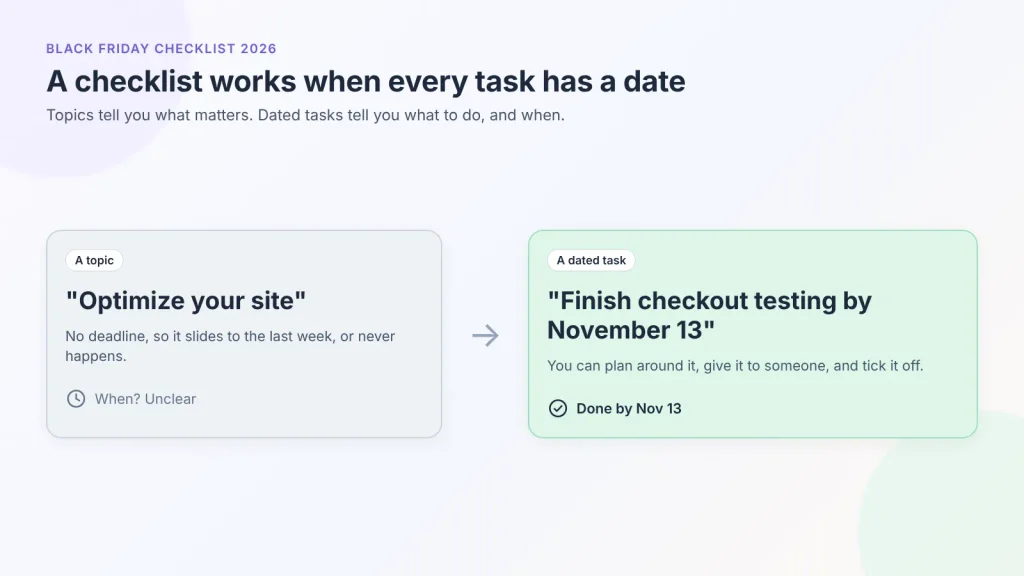
The dates make it useful. A vague instruction like “optimize your site” doesn’t tell you when to do it. “Finish checkout testing by November 13” does, so you can plan around it and tick it off.
Black Friday 2026 Key Dates
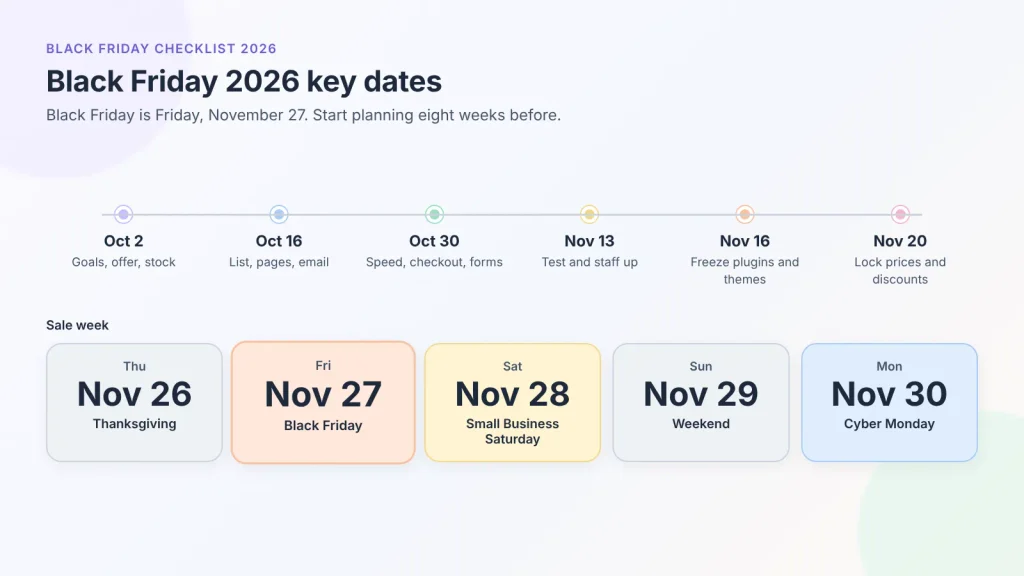
Black Friday is always the day after Thanksgiving in the United States, which falls on the fourth Thursday of November. In 2026, that puts the core sales window between November 26 and November 30.
| Date | Event or deadline |
| Friday, October 2 | Early October phase starts: goals, offer, and stock |
| Friday, October 16 | Late October phase starts: early access list, landing page, email |
| Friday, October 30 | Early November phase starts: site, checkout, and form testing |
| Friday, November 13 | Mid-November phase starts: test purchases and support prep |
| Monday, November 16 | Suggested freeze date for plugins, themes, and layout changes |
| Friday, November 20 | Suggested promotion lock: no more changes to prices or discount rules |
| Thursday, November 26 | Thanksgiving (US) |
| Friday, November 27 | Black Friday |
| Saturday, November 28 | Small Business Saturday |
| Monday, November 30 | Cyber Monday |
| Tuesday, December 1 onward | Close out promotions, process refunds, send feedback requests |
If you’re reading this later in the season, start at the phase that matches today’s date and pull forward anything marked as needing lead time.
What Last Year’s Numbers Tell You
Friday is now the day to plan around
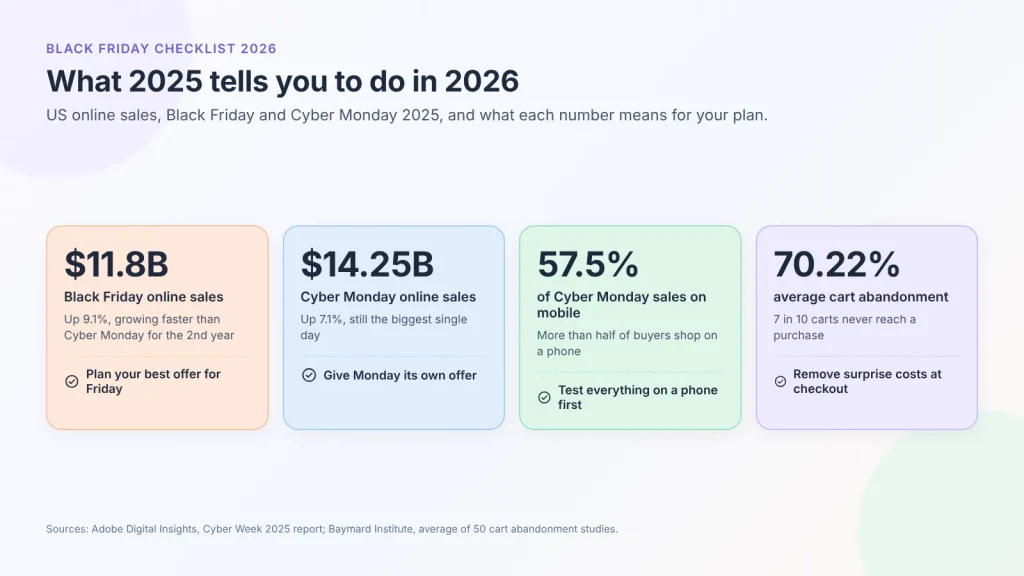
According to Adobe’s 2025 Cyber Week data, US shoppers spent $11.8 billion online on Black Friday (up 9.1% year over year) and $14.25 billion on Cyber Monday (up 7.1%). It was the second year in a row that Black Friday grew faster. Cyber Monday is still the bigger day, but the growth is moving earlier, so launch your best offer on Friday or before and have stock ready for it.
| Phase | Dates (2026) | Focus | Done when |
| Early October | Oct 2 – Oct 16 | Goals, offer, stock | Offer rules, margin floor, and stock levels are written down and confirmed with suppliers |
| Late October | Oct 16 – Oct 30 | List, landing page, email | Early access list is live, sale page is drafted, all emails are written and authenticated |
| Early November | Oct 30 – Nov 13 | Speed, checkout, forms | Key pages load fast on mobile, checkout has no surprise costs, every form is tested and protected |
| Mid-November | Nov 13 – Nov 26 | Test, freeze, support | Test orders and a test refund pass, freeze date is set, backup is restorable, support replies are ready |
| Black Friday week | Nov 27 – Nov 30 | Monitor and adjust | Promotions switched on and off on time, no unresolved checkout or payment errors |
| After Cyber Monday | Dec 1 – Dec 14 | Close out, retain, review | Old promotions removed, refunds handled, feedback requested, post-mortem written |
Early October: Goals, Offer, and Stock
Start with the tasks that need the most time. For example, if your best-selling product takes six weeks to restock, you have to order it now, or it won’t arrive before the sale.
Pick a goal and a minimum profit per order
Pick one primary goal for the sale: revenue, new customers, average order value, or clearing old stock. Then set a minimum profit per order (that you won’t go below).
You need both the goal and the minimum profit together. Without the minimum, you could have your biggest sales day and still lose money on it.
- Revenue: track revenue, orders, and conversion rate.
- New customers: track first-time orders and cost per new customer.
- Average order value: track items per order and bundle uptake.
- Clearing stock: track units sold for the specific products you want gone.
Write down last year’s numbers (or your best recent month) next to each target, so you have a baseline to compare against in December.
Calculate your profit before choosing a discount
Work out what’s left from each order at the sale price, then choose the discount. The formula is short:
Sale price – (product cost + payment fees + shipping you cover + packaging and fulfillment) = profit per order
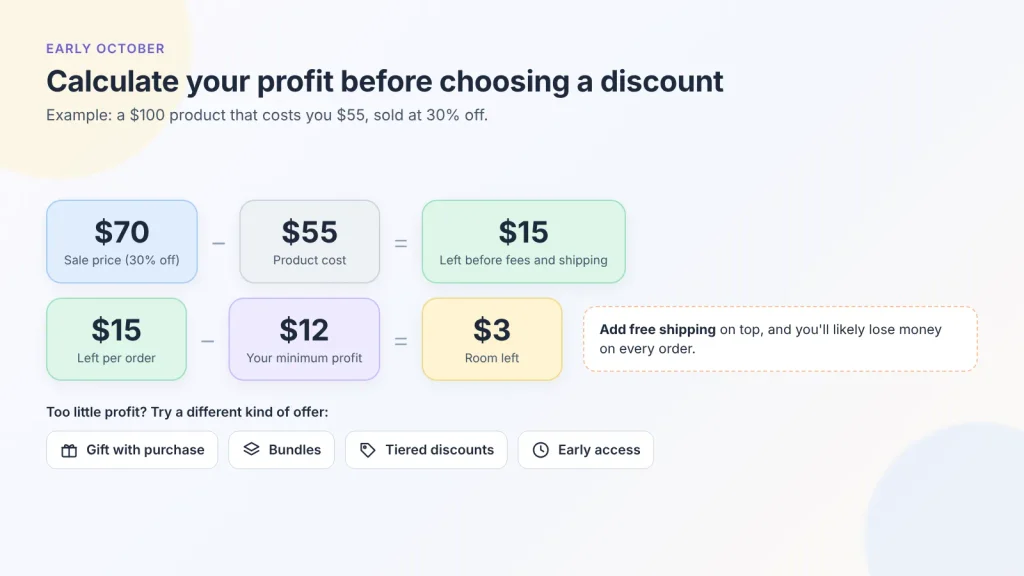
A product that sells for $100 and costs $55 leaves $45 at full price. At 30% off, the price is $70 and only $15 is left before fees and shipping. If the least you want to make on each order is $12, that offer leaves you only $3 of room. If you also offer free shipping, you’ll likely lose money on every order.
If the discount leaves you too little profit, try a different kind of offer instead of a smaller discount:
- Bundles: raise the order value so one shipping cost covers more items.
- Tiered discounts: for example, 10% off over $75 and 20% off over $150.
- Gift with purchase: a free item costs you only what you paid for it, but the buyer values it at its full price.
- Early access instead of a deeper cut: your list gets the same deal a day sooner.
Document the final rules in one place: eligible products, exclusions, minimum spend, whether discounts stack, and exact start and end times with time zone. Your emails, landing page, and checkout settings will all be built from this document.
Check the 30-day price rule if you sell in the EU
If you sell to customers in the European Union, any advertised discount has to be measured against the lowest price you charged in the 30 days before the reduction. This comes from the EU’s Omnibus Directive, and Black Friday is when consumer regulators pay the most attention to it.
It necessarily means, a price drop in early November changes your Black Friday reference price. K&L Gates gives a worked example: an item normally priced at €100 that dropped to €80 within the past 30 days can’t advertise a €70 Black Friday price as “30% off,” because the saving has to be calculated from €80.
So if you’re selling to the EU buyers, avoid pre-sale price cuts on your hero products in the month before Black Friday, and check your own country’s guidance before you publish “% off” claims.
Confirm stock and fulfillment limits
For each product you plan to promote, calculate how many units you can actually sell:
Sellable stock = stock on hand – (reserved or pending orders + damaged units + a safety buffer)
Then contact suppliers now to confirm restock lead times, since lead times tend to stretch in October and November as every brand reorders at once. Check your carrier’s holiday pickup schedule and delivery cutoffs too.
Shipping has limits too. Estimate how many orders you (or your team) can pick, pack, and ship per day, and compare that with the volume you expect. If you could get more orders than you can ship on time, limit the offer or give longer delivery times now.
This phase is complete when your goal, margin floor, offer rules, and sellable stock per product are written down, and suppliers and carriers have confirmed dates.
With the offer settled, the next assignment is making sure people hear about it before the ad auction gets expensive.
Late October: List, Pages, and Email
Ads get expensive in late November because every brand is advertising at once. Your email list, past customers, and blog posts bring in visitors for free, so build those up first.
Open an early access list
An early access list lets people get your Black Friday deal before everyone else. Fluent Forms’ Subscription Form template already has the name and email fields you need. Retitle it “Get early access to our Black Friday sale,” and change the description to what subscribers get and when.
A few settings to change:
- Schedule it (free): under Settings & Integrations → Scheduling & Restrictions, set the date the form closes, plus a closed message pointing to the live sale.
- Send it to your email tool: connect the form to the platform you’ll send from. The FluentCRM integration is free, though FluentCRM itself is a separate plugin with its own free and paid plans.
- Tag the source: add a tag like “BF26 early access” so you can email this group separately and measure it later.
- Keep consent clear: say in the form’s description that subscribers will get sale emails, so they’re expecting them.
Place the form where interested people can easily find it: your homepage, top product pages, post-purchase pages, and blog posts that get steady traffic.
Build a sales landing page
Send all Black Friday traffic to one dedicated page, not your homepage. A single page is easier to test, easier to link from every email and ad, and has time to get indexed if you publish it early.
Publish it now with the early access form on it, then switch to the live offers on launch day. Above the fold, state what the offer is, which products it covers, and when it ends.
Use the same URL every year (for example, /black-friday/). The page keeps its search rankings from one year to the next.
Put your return policy and holiday shipping deadlines on this page too. Shoppers want to know two things if they can return it and whether it will arrive in time.
- Add your holiday return window, for example “Gifts bought now can be returned until January 15.”
- Add the last day to order for delivery before the holidays, based on your carrier’s cutoff dates.
- Show the same dates on product pages and in the cart, not only on the landing page.
Get your email ready
Your biggest email sends of the year are about to happen, and inbox providers are strict about them. Google’s sender guidelines treat anyone sending more than 5,000 messages a day to Gmail addresses as a bulk sender, and Yahoo enforces a similar set of rules. To bulk send, you must:
- Authenticate your domain with SPF and DKIM, and publish a DMARC record.
- Include a one-click unsubscribe option in marketing emails.
- Keep your spam complaint rate below 0.3%.
Check these with your email platform now and clean your list: remove addresses that haven’t opened in many months, because complaints from cold contacts usually land you in spam.
Don’t forget the emails your WordPress site sends by itself, such as order confirmations and form notifications. By default, many hosts send these unauthenticated; routing them through an SMTP service fixes that.
Write every email now
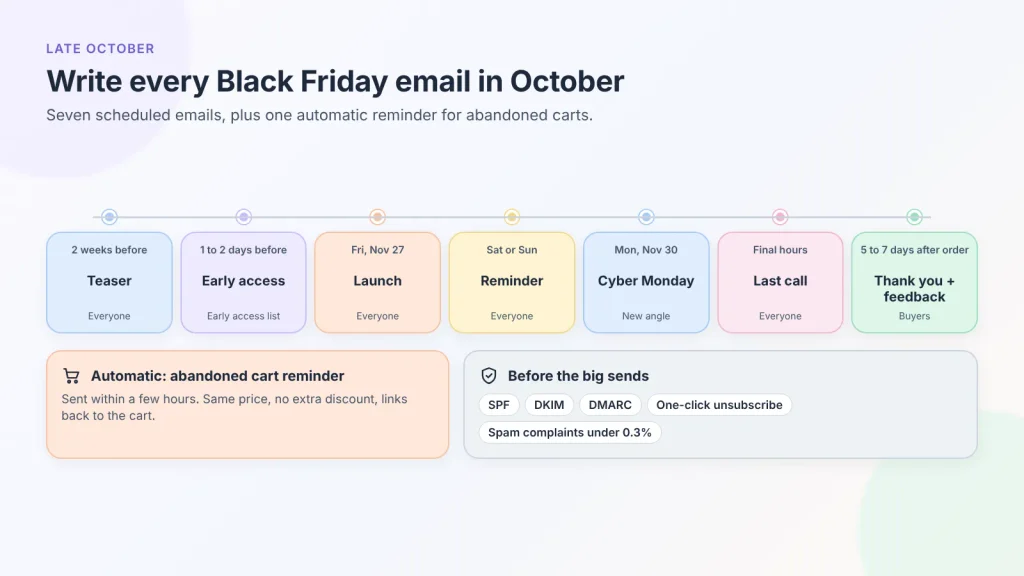
Write all your emails in October to free up your time during the sale. A typical sequence includes:
- Teaser, about two weeks out, to everyone
- Early access opens, a day or two before Black Friday, to the early access list only
- Launch email, Black Friday morning, to everyone
- Reminder, Saturday or Sunday
- Cyber Monday email with a distinct angle
- Last call, the final hours of the sale
- Thank-you and feedback request, five to seven days after the order
Load them into your email platform, set send times with the correct time zone, and send yourself a test of each one on a phone.
Don’t rely on email alone. Pick at least one more channel, such as SMS, social media posts, or paid ads. Schedule those messages on the same dates as your emails, so shoppers see the same offer everywhere.
Set up abandoned cart emails
Someone who adds a product to the cart and leaves was close to buying. An automatic reminder email brings some of them back, so set one up before the sale. Most store platforms and email tools can send these.
- Send the first reminder within a few hours, while the shopper still remembers the cart.
- Show the products, the sale price, and when the offer ends.
- Link straight back to the cart, not to the homepage.
Don’t add an extra discount to the first reminder. If shoppers learn that leaving gets them a better deal, they’ll keep doing it.
Test it once: add a product to the cart using your own email address, leave the site, and check that the reminder arrives with the right prices.
This phase is complete when the early access form is live and collecting, the landing page is published, domain authentication passes, every email in the sequence is written and scheduled, and the abandoned cart reminder has passed a test.
Early November: Site Speed, Checkout, and Forms
On a WordPress site, you manage the hosting, plugins, and caching yourself. That means you also have to test them yourself.
Test speed and capacity
Measure your landing page, top product pages, cart, and checkout on mobile with a tool. Fix the obvious causes first: oversized images, unused plugins, and third-party scripts like chat widgets, countdown timers, and ad tags.
A fast page can’t always handle a crowd. It can load quickly for one visitor and slow down when 300 people check out at once. Ask your host what your plan’s limits are, whether you can scale up for a few weeks, and how fast an upgrade takes effect. If you need more capacity, upgrade now so you can test the new setup before the traffic arrives.
Remove checkout friction
Go through checkout as a first-time customer on a phone and remove anything that makes it longer or more surprising:
- Show shipping costs and delivery estimates before the final step.
- Offer guest checkout and invite account creation after purchase.
- Ask only for information that’s necessary to deliver the order.
- Offer the payment methods your customers use, including digital wallets if your gateway supports them.
- Make the discount visible in the cart, so buyers can see it applied before they pay.
- Offer buy now, pay later if your payment gateway supports it. It lets buyers split a bigger order into smaller payments. Adobe reported that buy now, pay later drove more than $1 billion in US online spending on Cyber Monday 2025.
Audit every form on the site
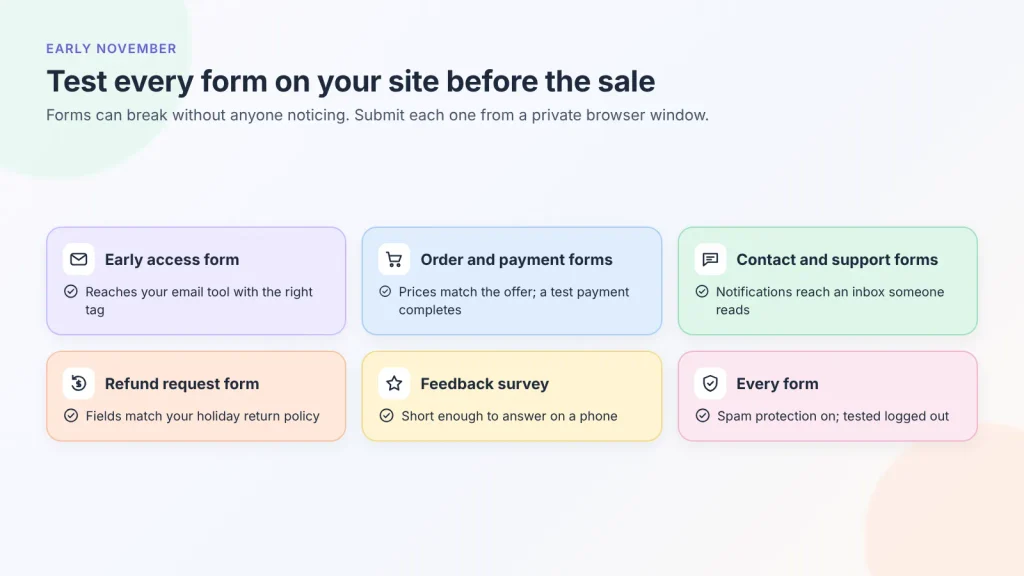
During Black Friday, every form on your site gets more traffic, more questions, and more spam. Test each form in a private browser window. Visitors may see a cached version of your page that you don’t see when you’re logged in. Here are some forms you may need for the season:
- Early access form
- Order or payment forms
- Contact and support forms
- Refund or return request form
- Feedback or survey form
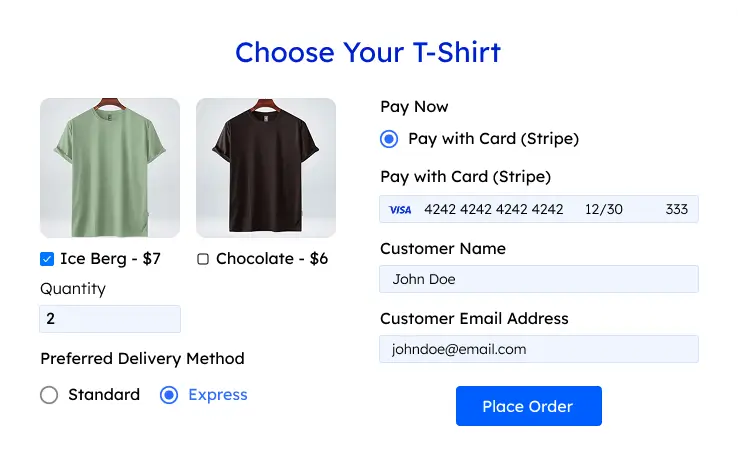
If you take payments through forms rather than a cart, Fluent Forms is equipped to take product orders with quantities. The user sees a payment summary and selects payment methods. You can collect payments right from the form via Stripe, PayPal, Mollie, Razorpay, Paystack, Square, Paddle, and Authorize.net.
Payment fields and the Stripe gateway are available in the free version, with a 1.9% Fluent Forms fee per transaction on top of Stripe’s own fees. Pro removes that fee and adds the rest of the other gateways. Pro also supports coupon codes and inventory.
Turn on spam protection
Signup and contact forms on busy sale pages are common targets for bots. Fluent Forms includes several free spam protection options:
- Honeypot: a hidden field that bots fill and people don’t. Turn it on under Global Settings → General → Miscellaneous.
- Cloudflare Turnstile, hCaptcha, or reCAPTCHA: add your provider’s keys under Global Settings → Security, then add the field to the forms that need it.
Set up sales tracking
You can only learn from this year’s sale if you measure it. Check that your analytics tool records each step of a purchase: viewing a product, adding it to the cart, starting checkout, and buying. If you run ads, check that each ad platform records sales too.
Place one test order and make sure it shows up in your analytics with the right amount. Then add UTM tags to every Black Friday email and ad link, so you can see which channel brought in each sale.
Warn your payment provider
A sudden jump in transaction volume can look like fraud to a payment processor and trigger a review or a payout hold. If you expect several times your usual volume, contact your gateway in advance, confirm your payout schedule over the holiday weekend, and check that your account details and business verification are complete.
This phase is complete when key pages load quickly on mobile, checkout shows all costs early, every form has been submitted as a logged-out visitor, spam protection is on, sales tracking records a test order, and your payment provider is notified about the spike.
Mid-November: Test, Freeze, and Staff Up
Run full test purchases, including a refund
Place real test orders from the landing page to the confirmation email, on a phone and on a desktop. Use a short test sheet with three columns: scenario, expected result, and actual result.
- A normal order of a promoted product
- An order that qualifies for a tiered discount or free shipping threshold, and one that just misses it
- A failed payment, to see what the buyer sees and whether a paid order gets created by mistake
- A full refund, from request to money returned
Set a freeze date for plugin and theme updates
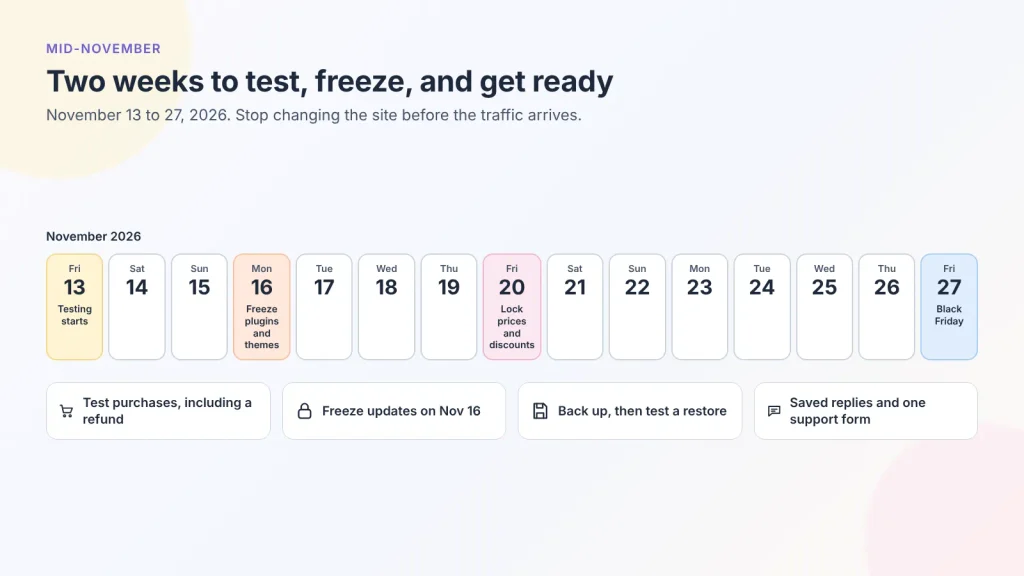
Plugin and theme updates are the most common cause of a WordPress site breaking right before a sale. Pick a date, about 10 days before Black Friday, after which nobody updates plugins, themes, or page layouts. For 2026, Monday, November 16 works. The only exception is a security fix, and even then, test it on a staging copy first.
Set a second lock date for the offer itself (for example, November 20) so prices and discount rules stop changing too.
Back up and write a rollback plan
Take a full backup (files and database) right after the freeze, and confirm you can restore it. Try restoring it once, so you know it works if you need it.
Then write a one-page incident plan:
- Who to call for hosting, payments, and site problems, with phone numbers
- Where the latest backup is and how to restore it
- Which change to undo first if the site breaks (usually the most recent one)
- How to confirm checkout and orders are working again after a fix
Prepare support
People who ask questions are the most likely to buy, and slow replies might lose those sales. Prepare saved replies for the common questions: shipping cutoffs, delivery times, returns, sizing, and “the code didn’t work.”
Give customers a clear place to ask. Fluent Forms’ Support Form template is ready to use, connect it to Fluent Support to simplify your support team’s tasks.
For instant alerts, the free Slack integration posts each new support submission to a team channel, so nobody has to refresh an inbox. If you need requests about refunds and pre-sale questions to go to different people, conditional email routing (Pro) helps with that.
This phase is complete when every test scenario passes, the freeze date is set, a restorable backup exists, and support has saved replies for common customer queries.
Black Friday Week: Monitor and Adjust
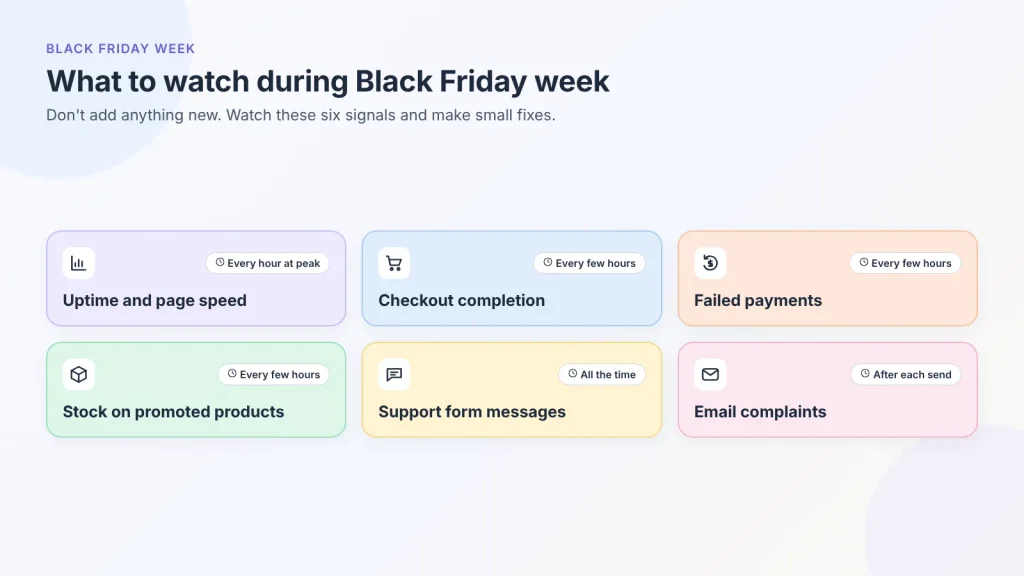
Don’t add anything new this week. Watch your stats, make small fixes, and answer customers.
What to watch and how often
| Signal | How often | What it can mean |
| Site uptime and page speed | Every hour during peak times | Hosting limits, a plugin problem, or a traffic spike |
| Checkout completion rate | Every few hours | A pricing, shipping, or payment issue |
| Failed payments | Every few hours | A gateway problem or a fraud rule blocking real buyers |
| Stock on promoted products | Every few hours | Time to pause ads or swap a featured product |
| Support form submissions | Continuously | A confusing offer, a broken code, or a delivery concern |
| Email complaints and unsubscribes | After each send | Sending too often or to the wrong segment |
Support messages often reflect the problem. For example, if ten people ask about the same discount code in an hour, it indicates the code is broken.
Decide in advance what you’ll do when something breaks
Write simple rules before the sale so you can easily take time-sensitive decisions later:
- If a promoted product sells out, pause ads pointing to it and feature the next product on the landing page.
- If checkout errors rise, undo the most recent change, then test a purchase.
- If the site slows down, disable the heaviest non-essential scripts (chat, popups, countdowns) and check speed.
- If a discount applies wrongly, fix the rule, then honor orders already placed at the advertised price.
On Monday, switch to your Cyber Monday offer at the time you planned, then check the landing page, cart, and emails to confirm the Black Friday version is gone.
This phase is complete when every promotion started and ended on schedule, and there are no open checkout, payment, or pricing issues.
After Cyber Monday: Close Out and Keep the Customers
What you do in early December decides whether Black Friday buyers come back. It’s also when you learn what to change next year.
Switch off promotions cleanly
Remove all signs of your holiday promotions as soon as prices go back to normal:
- Discount codes and automatic discounts
- Banners, announcement bars, and countdown timers
- The landing page’s offer copy (keep the URL for next year)
- Sold-out products still linked from sale pages or emails
- Scheduled emails that mention the sale
If you sell in the EU, your Black Friday price now counts as your lowest price for the next 30 days. So any December discount on the same product has to be measured from that sale price, not the full price.
Handle refunds and returns through a form
A refund request form collects the order number, product, reason, and preferred resolution in one submission. Fluent Forms’ Refund Request Form template includes these fields plus a required checkbox confirming the customer has read your refund policy.
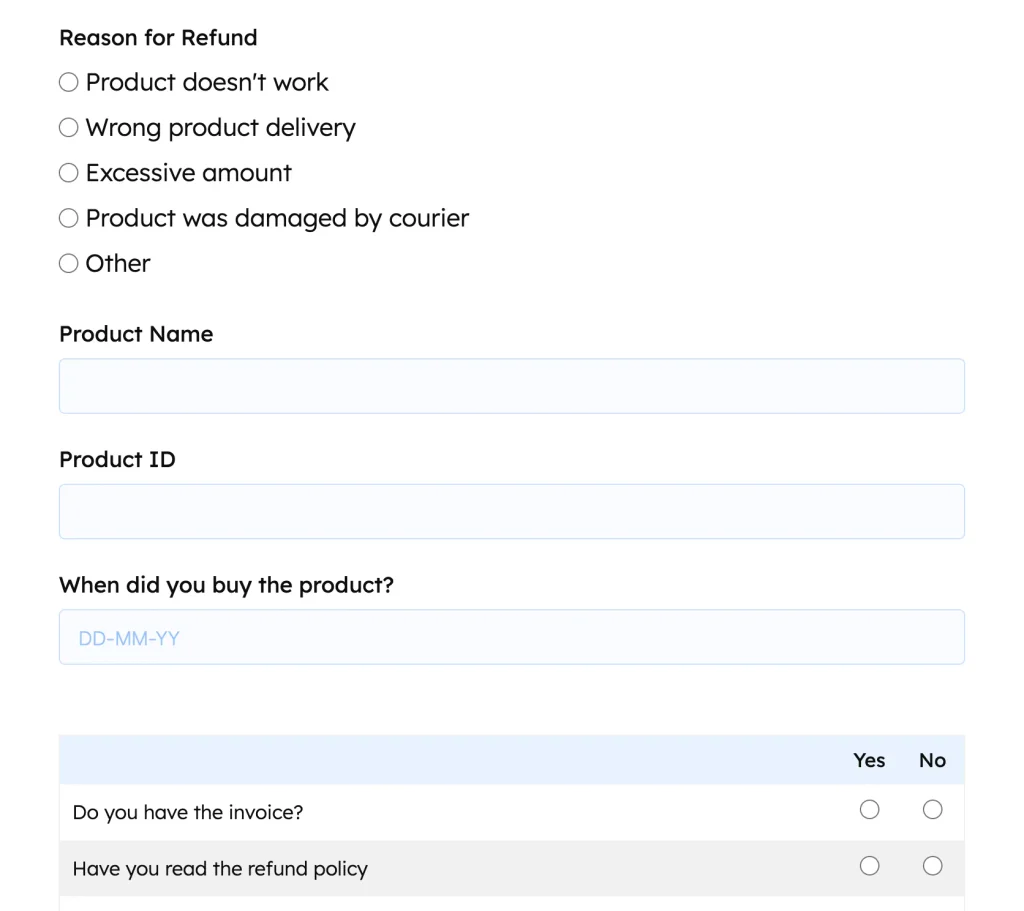
Review requests in Fluent Forms → Entries, where you can filter them and export the list to CSV for your records.
Ask for feedback while the order is fresh
Send a short survey five to seven days after delivery, when buyers have used the product but still remember the purchase. Ask two or three things: how satisfied they are, what almost stopped them from buying, and what they’d like to see next.
The Client Satisfaction Survey Form template is a ready starting point. If the survey you choose uses Ratings or Net Promoter Score fields, those require Fluent Forms Pro.
The “what almost stopped you” answer is the most useful one. It tells you exactly which friction to remove before next Black Friday.
Welcome your new customers
Many Black Friday buyers are ordering from you for the first time. A short welcome email series gives them a reason to come back when there’s no sale on.
- A few days after delivery: thank them and share tips for using the product.
- About a week later: show products that go well with what they bought.
- A few weeks later: tell them what’s new, without another discount.
Tag first-time buyers in your email tool, so they get this series instead of the emails you send to long-time customers.
Write the post-mortem
Within two weeks, write a one-page review. Use the same headings every year so the documents are easy to compare:
- Goal, target, and actual result
- Profit per order compared with your margin floor
- Best and worst performing offers and emails
- Stockouts, fulfillment delays, and refund volume
- Technical problems and how long each took to fix
- Top three support questions and top three survey answers
- Three changes for next year
Save it with this checklist, and start planning next year from there.
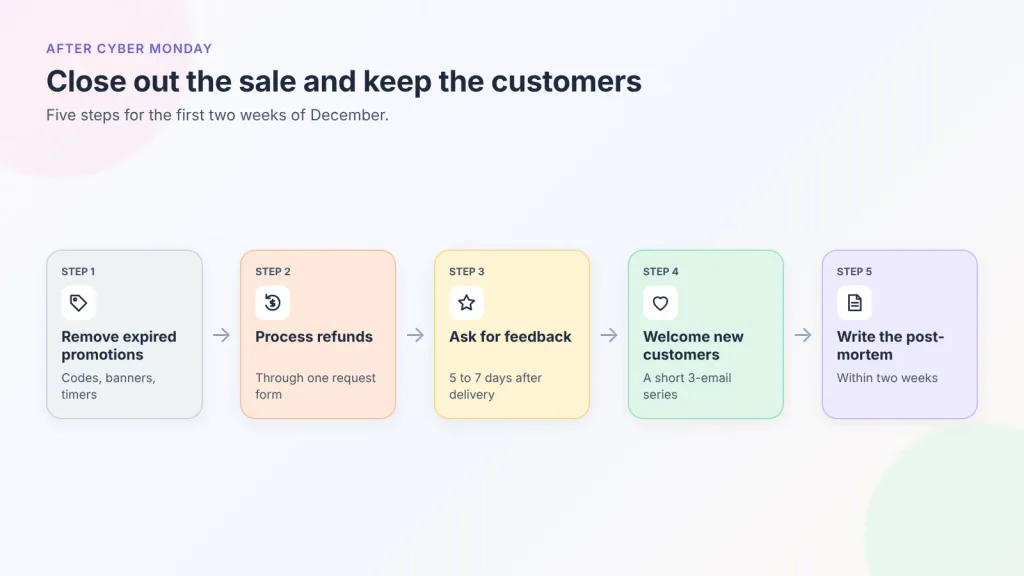
This phase is complete when every promotion is removed, refunds are processed, feedback requests have gone out, the welcome series is running, and the post-mortem insight is saved.
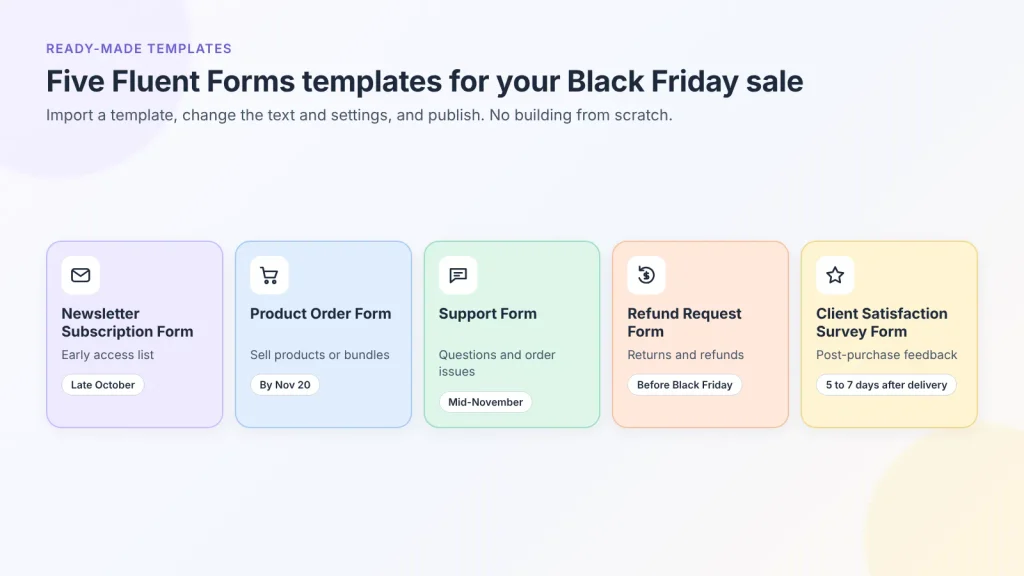
Fluent Forms Templates for Your Black Friday Sale
Each of these templates is ready to import, so you can adjust the text and settings rather than building forms from scratch. Download them from the Fluent Forms template library.
| Template | Black Friday Role | When to publish | Note |
| Newsletter Subscription Form | Early access list | Late October | Retitle for early access; schedule a close date |
| Product Order Form | Sell products or bundles through a form | Ready by the promotion lock date | Phone/Mobile field requires Pro |
| Support Form | Pre-sale questions and order issues | Mid-November | Add order number and topic fields |
| Refund Request Form | Returns and refunds | Before Black Friday, linked from order emails | Match fields to your holiday return policy |
| Client Satisfaction Survey Form | Post-purchase feedback | 5-7 days after delivery | Ratings and NPS fields require Pro |
Black Friday Mistakes That Cost the Most
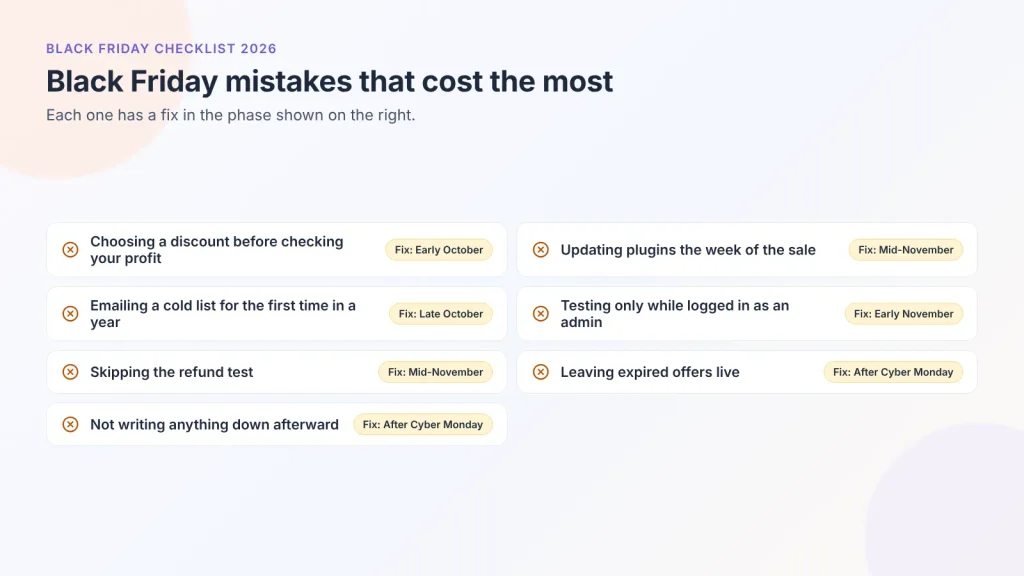
- Choosing a discount before checking your profit. If every order loses money, more orders only means a bigger loss.
- Updating plugins the week of the sale. Set the freeze date and keep it.
- Emailing a cold list for the first time in a year. Complaints from unengaged contacts hurt delivery to everyone else.
- Testing only as a logged-in admin. Customers see the cached, logged-out version of your site.
- Skipping the refund test. Refund requests come in December, so you need to know the process works before they do.
- Leaving expired offers live. Old banners and expired codes create support tickets and lost trust.
- Not writing anything down afterward. Without notes, you might repeat the same mistakes next year.
FAQs
When is Black Friday 2026?
Black Friday 2026 is Friday, November 27. Thanksgiving is Thursday, November 26, Small Business Saturday is November 28, and Cyber Monday is Monday, November 30.
When should I start preparing for Black Friday?
Start in early October, about eight weeks before a November 27 Black Friday. Offer, stock, and supplier decisions need the most lead time, and email list building only pays off if it starts before ad costs rise in November.
What should a Black Friday checklist include?
A complete Black Friday checklist covers goals and margins, the offer and its rules, stock and fulfillment, email and landing pages, site speed and checkout, forms and spam protection, payment provider readiness, testing and backups, support, live monitoring, and post-sale follow-up. Each task should have a deadline.
How early should I open a Black Friday early access list?
Open it in late October, about four to six weeks before Black Friday. That gives you time to grow the list while ads are cheaper. Early access is also a clear reason to sign up, and you don’t have to set the price yet.
How do I stop spam on Black Friday forms?
Turn on a honeypot and add Cloudflare Turnstile, hCaptcha, or reCAPTCHA to forms on busy sale pages. In Fluent Forms, all four are free. Start with honeypot and Turnstile, since they add the least friction for real buyers.
Do I need Fluent Forms Pro for a Black Friday sale?
No. Signup, support, refund, and order forms, form scheduling, spam protection, and Stripe payments all work in the free plugin. Pro adds coupon codes, inventory limits, more payment gateways, conditional email routing, and fields like Phone/Mobile and Ratings.
How big should a Black Friday discount be?
There’s no standard percentage. Calculate profit per order at the sale price after product cost, payment fees, shipping, and fulfillment, then choose a discount that still leaves you the minimum profit you want. Bundles, tiers, or gifts usually protect margin better than a higher discount.
Are Black Friday discounts regulated?
In the EU, yes. Advertised price reductions must be measured against the lowest price charged in the 30 days before the reduction, under the Omnibus Directive. Rules differ in other countries, so check your local consumer protection guidance before publishing “% off” claims.
Should I run my sale from Black Friday through Cyber Monday?
Most stores do, and it spreads order volume across several days. Give Cyber Monday its own angle, such as a different product group or bundle, rather than repeating Friday’s offer, and switch the messaging at a scheduled time.
What should I do after Black Friday?
Remove expired promotions, process refunds and returns, send a feedback survey five to seven days after delivery, and write a one-page post-mortem comparing results with your goals. That document becomes the starting point for next year’s checklist.
Start Your Black Friday Checklist Today
Black Friday is November 27, and the early October tasks take the most time, so the best day to start is today. Begin with two dates: your freeze date and the day you stop changing prices. Then work through the phases in order, and use each “Done when” line to check you’re ready to move on.
Install the free Fluent Forms plugin and set up your early access list with the Subscription Form template. Schedule its close date, and put it on your sale page. That list will be the least expensive lead you get all season.
Build Smarter Forms for Free

Sarika writes for Fluent Forms and loves to offer insights into small businesses. She’s curious and enjoys discussing ideas, interests, and perspectives. In her free time, she’s either marvelling at architectural beauties or trying different cuisines.


Leave a Reply