

Fluent Forms vs Everest Forms: A Comparative Analysis
No coding, no hassle, just drag and drop and say ‘Wow!’ That’s the beauty of having the right form plugin for WordPress.
Your form-building efforts can soon turn into lead-collecting results once your site is designed with the perfect form builder. And in WordPress, users demand a faster form submission experience. That is how form builder plugins like Fluent Forms and Everest Forms grab attention instantly.
Here, you will get a clear and concise comparison between two competitive form builder plugins: Fluent Forms and Everest Forms, showing the strengths and weaknesses, ins and outs.
Let’s dive in to quickly get an overview of how the plugins’ editors, fields, and settings work and how effective they are.
TL;DR
- Fluent Forms and Everest Forms offer similar core fields in the free versions, and neither compromises the form security
- Fluent Forms has a built-in AI Form Builder, and Everest Forms requires an API key
- Fluent Forms stands out in the number of free fields and the variety of integrations
- You will get more payment options in Fluent Forms
- Both plugins have multiple security measures, including Cleantalk and Akismet
- Fluent Forms has 6,00,000+ active installations, and Everest Forms has 1,00,000+ active installations
- The field customization option is limited in Everest Forms compared to Fluent Forms
Everest Forms and Fluent Forms at a glance
Both Everest Forms and Fluent Forms are beginner-friendly, drag-and-drop contact form plugins that are highly customizable for a variety of purposes. These WordPress plugins are available in both free and pro plans, each with its own value.
Fluent Forms and Everest Forms have some commonalities in terms of fields and features, while acquiring exceptional attributes. These two WordPress form builder plugins offer ready-made fields for instant form building, useful integrations, pre-built forms, and advanced features, including CAPTCHA, coupons, and more.
Still, users prefer to meet business demands while choosing a form builder plugin rather than a big bunch of features. That’s why making a choice becomes necessary.
Free input fields
Fluent Forms has 30+ free input fields, and Everest Forms has 25+ free input fields; while they have some common fields, such as Name fields, Email, Address fields, Multiple Choice, Dropdown, Checkbox, Website URL, Custom HTML, Simple/Paragraph Text, Number/Numeric field, Date & Time, Hidden Field, etc.
Fields that Fluent Forms has in the free version but Everest Forms doesn’t:
- Radio field
- Recaptcha
- hCaptcha
- Turnstile
- Terms and Conditions
- GDPR Agreement
- Custom Submit Button
- Payment Item
- Subscription
- Custom Payment Amount
- Item Quantity
- Payment Method
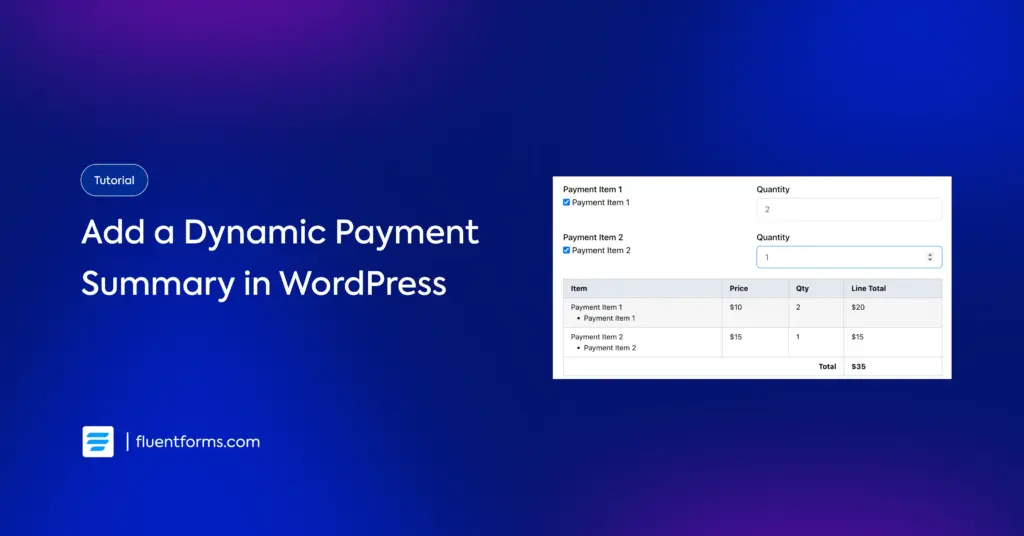
- Payment Summary
Fields that Everest Forms has in the free version but Fluent Forms doesn’t:
- File Upload
- Image Upload
- Phone
- WYSIWYG
- Rating
- Likert
- Scale Rating
Advanced fields and features
Like most WordPress form builders, Fluent Forms and Everest Forms have similar fields in their free versions, where not exact ones, then the closest ones are available. The practical differences are visible mostly in the pro features.
Fluent Forms has many advanced fields in its Pro version, including File Upload, Phone/Mobile, Form Step, Color Picker, Rich Text Input, Save and Resume, Quiz Score, Coupon, etc. For detailed information, you can check the blog: Every Fluent Forms Input Fields Explained.
Everest Forms also has advanced fields such as Password, Signature, Range Slider, Color, Coupons, etc. Anyways, unlike Fluent Forms, Everest Forms has kept two common and regularly useful fields, Multiple Choice and Checkboxes, limited to the Pro version.
Fields adding and customization
Adding fields in Fluent Forms is a little simpler than doing so in Everest Forms. Besides drag-and-drop, a single click can add a field to the form in Fluent Forms.
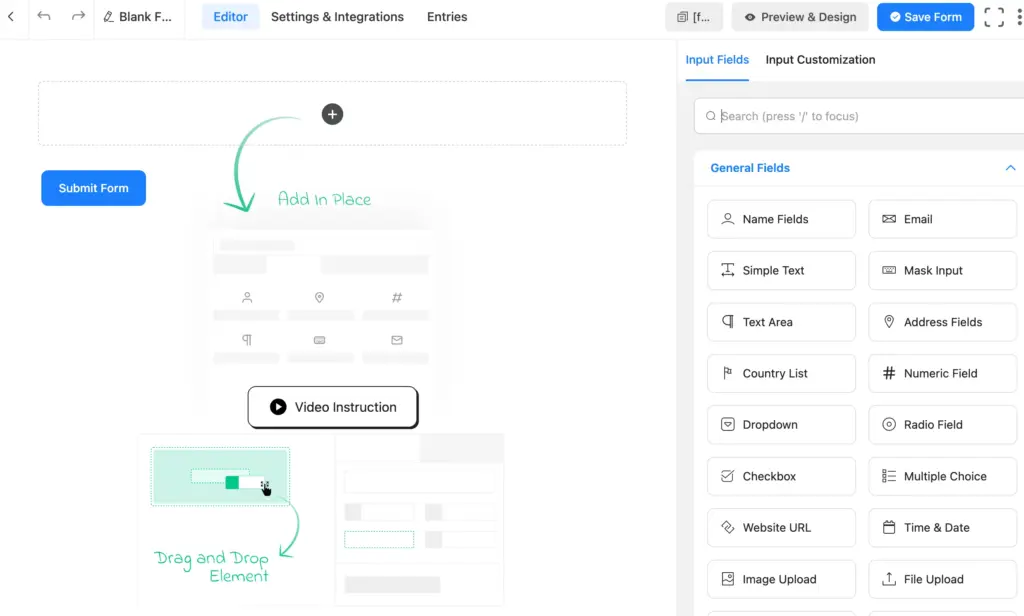
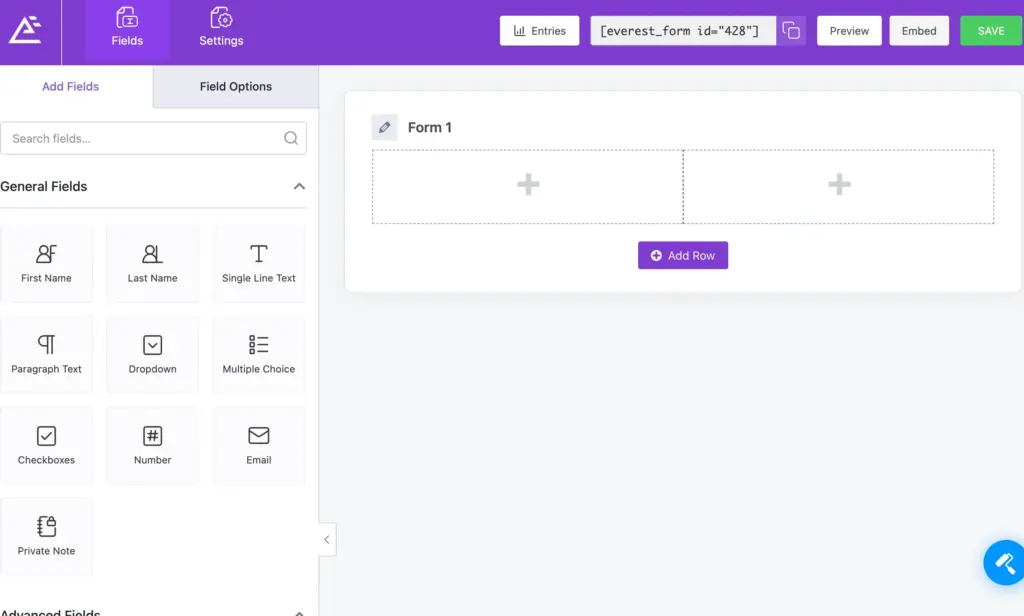
Everest Forms requires dragging every time. The dragging is pretty smooth in both plugins, and each has field search options.
In Fluent Forms, field customization is extended to changing the Element Label, Admin Field Label, Placeholder, Label Placement, and making Required/Not Required. It also comes with several advanced customization options, including Default Value, Container Class, Element Class, Help Message, Prefix Label, and Suffix Label, Minimum and Maximum Value(where applicable).
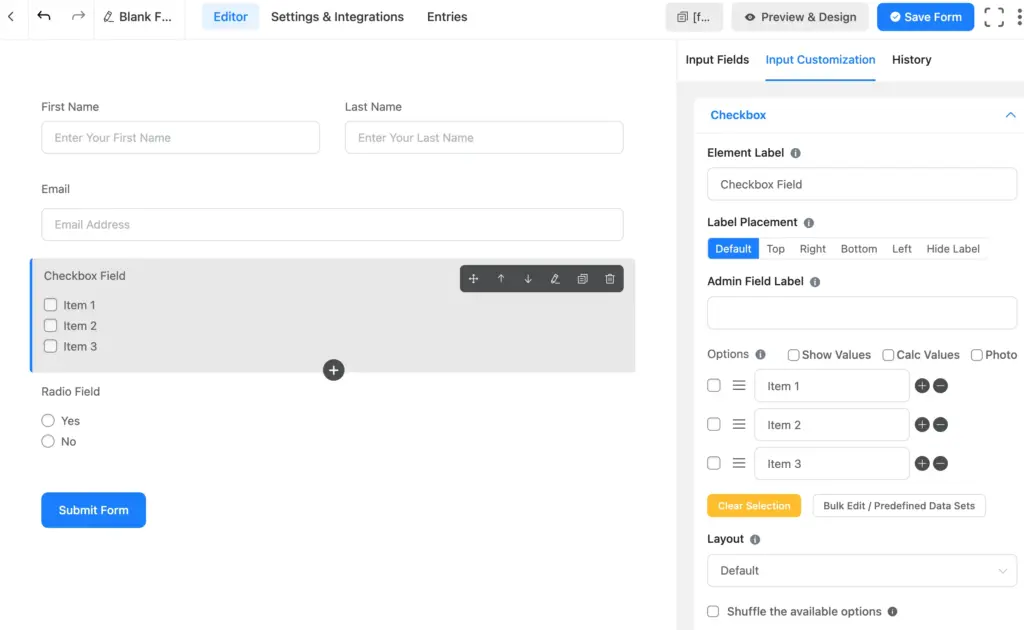
Two purposeful customization options of Fluent Forms are Conditional Logic and Numeric Calculations, which enable the user to get their forms to the next level. Anyway, Numeric Calculation is only for the Pro user, whereas Free version users get the Conditional Logic.
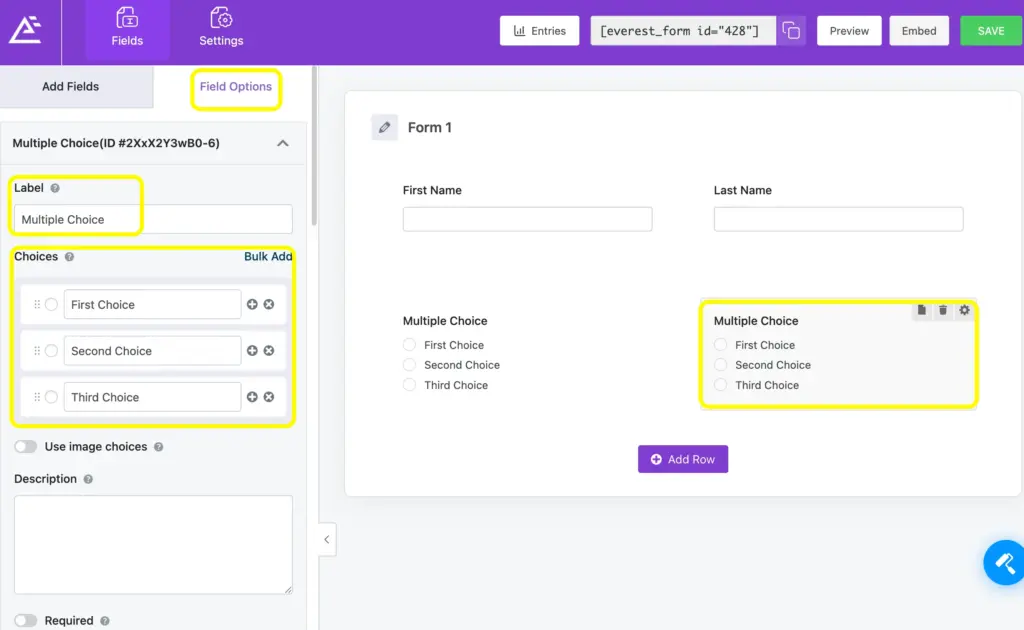
As you can see, Fluent Forms presents itself to users with a long list of customization options, whereas Everest Forms has quite limited options for customizing the form fields. It provides users with customization options in the Placeholder text, Meta Key, Default Value, CSS Classes, custom required message, etc.
Everest Forms also allows you to customize labels and other relevant points.
Settings and integrations
Whereas Fluent Forms has 60+ integrations, including 17 in the free version, Everest Forms has a limited number of integrations available. Fluent Forms provides every integration of plugins owned by WP Manage Ninja, and a long list of integrations that include Mailchimp, Hubspot, Trello, Notion, PayPal, Stripe, etc. You will recieve integrations categorized for customer support, project management, automation, email marketing, etc.
While Everest Forms has many integrations, such as Telegram, Google Calendar, Sheets, Drive, Trello, and WooCommerce, it is well-known for its page builder integrations. The integrations of Everest Forms seem more useful when the users have coding knowledge.
Simplicity and specificity are the keys to possessing a seamless setting, whether it’s a particular form’s settings or a plugin’s global settings. Fluent Forms comes with particular setting options for payment, security, admin approval, double opt-in, and more. The navigation of the settings is also user-friendly, and it includes an adequate number of documentation and video tutorials.
In Everest Forms, the settings are also categorized, such as General, Email, Anti-spam and Security, Custom CSS and JS, etc.
Security and Payments
Fluent Forms is a WordPress form builder plugin that meets multiple needs of a business, having several payment methods integrated, including PayPal, Razorpay, Mollie, Paddle, Paystack, Square, and Stripe. By the way, Stripe payment is free with Fluent Forms.
Fluent Forms, designed with unlimited forms and submissions, also addresses security concerns, too. In Fluent Forms, you will get hCaptcha, reCaptcha, CleanTalk, Akisment, and Turnstile at a time.
Everest Forms also has security measures powered by Akismet, Cleantalk, and Honyepot.
Both plugins are uncompromised in terms of security.
Prebuilt forms and AI form builder
The fast form-making experience is not only about getting the fields filled faster. It’s more about how fast the entire process is done. Concentrating on the process, Fluent Forms comes to you with 100+ pre-built form templates and allows you to get a perfect form with the AI Form Builder.
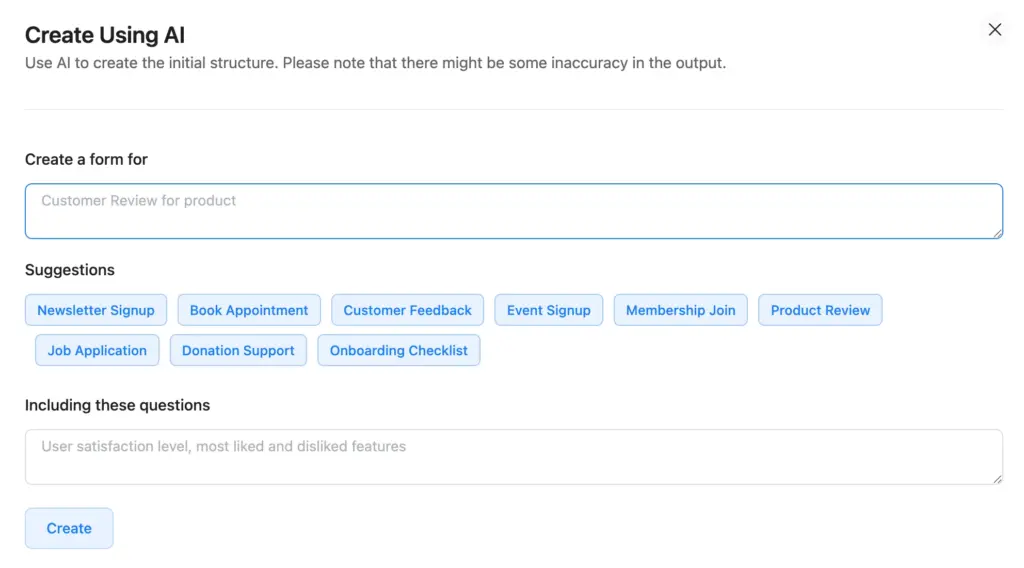
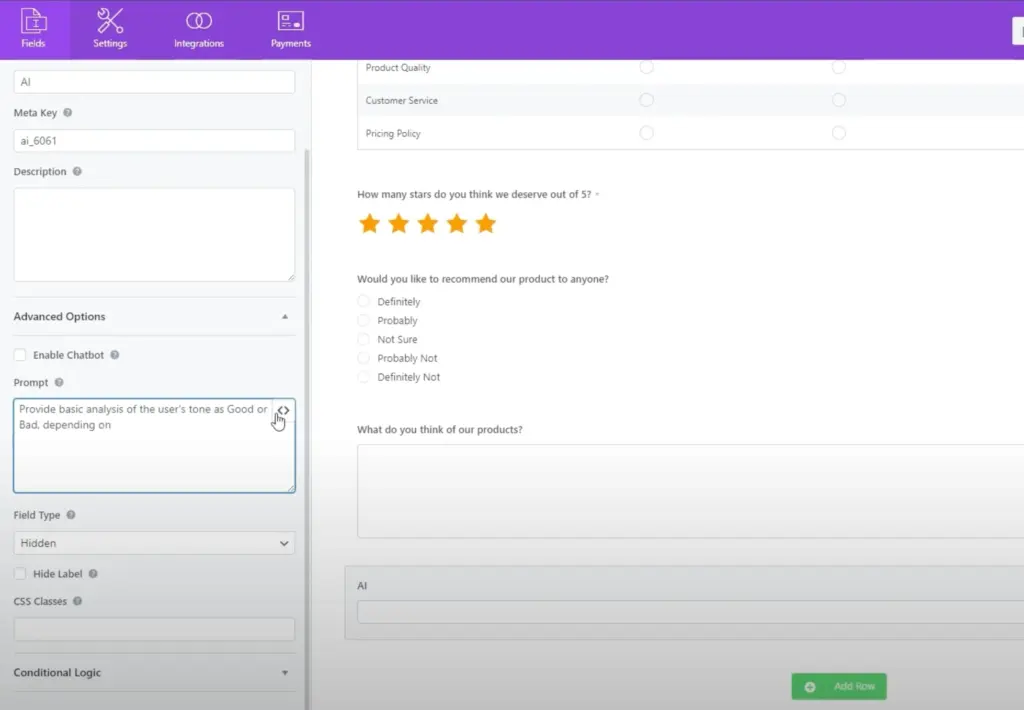
Everest Forms also comes with an AI Form Builder requiring a free add-on. While Everest Forms users need to enable an API key, Fluent Forms keeps the AI Form Builder built-in, making it quick and easy to use.
Form-building scopes
Fluent Forms is designed for a variety of purposes to support an extended user base. Although it has tailored features that can be intensely used to reach a specific set of business goals, the plugin, as a whole, is built to fit into a diversified strategic value. You can consider it as your payment form plugin, quiz builder, contact form, lead generation plugin, survey, or registration form builder, etc.
As it has 60+ integrations, you can get access to the CRM, project management, data analysis, payment, automation, and other business-relevant tools, which eventually help you get your tasks done like never before. If there is one massive fact that Everest Forms cannot surpass the scope of it’s the limitation of integrations compared to Fluent Forms, which makes Fluent Forms irreplaceable.
Overall impression
Fluent Forms and Everest Forms are the plugins that are ready to start providing you with the scopes for every form-building need. These two forms are also decorated with numerous form templates from which you can select any and start customizing in the simplest ways.
Still, you can make informed choices by scrutinizing the integrations, payment methods, form building simplicity, and customization options. Both form-building plugins give you access to the AI Form Builder.
While considering the integration, advanced fields, and payment options, you can see the differences.
We always suggest checking with the integrations, pricing, fields, free vs pro features, etc. It’s also better if you can check at least once how the free version works.

Hi, this is Aparup. I am a Literature postgraduate, mixing my creative thoughts with my experience in the tech industry to surpass AI. Professionally, I am a content marketer seeking solutions to users’ problems regarding WordPress.



Leave a Reply