
Fluent Forms Free & Pro v6.1.15: Build Forms Faster with Global Default Styles and Dynamic Autocomplete
2026 just started and January is already over! Welcome to Fluent Forms first update of the year.
Fluent Forms is constantly evolving to make form-building faster, smarter, and more accessible. Building on the momentum of our recent major updates, we are excited to introduce Fluent Forms v6.1.15.
This release focuses on refining the user experience, enhancing field flexibility, and giving you more control over how your forms look and behave across devices.
A Quick Look Back: What Happened in v6.1.5
Before we dive into the new features, let’s take a moment to remember the big feature updates from our previous major release (v6.1.5). That version was all about styling and structure:
- Gutenberg Block Styler (Free): We brought full form styling directly into the WordPress block editor, allowing you to customize colors, typography, and spacing without touching CSS.
- Accordion & Tab Input Fields (Pro): A flexible way to organize long forms into expandable sections or horizontal tabs to boost completion rates.
- Authorize.net Integration (Pro): Expanding our payment ecosystem with one of the world’s most trusted payment gateways.
- Conversational Form Upgrades: Added support for shortcodes in the editor and the Net Promoter Score (NPS) field.
Between v6.1.5 and today’s update, we also shipped 8 updates with new improvements and bug fixes; see our changelog here.
What’s New in Fluent Forms v6.1.15
This update brings highly requested granular controls to your favorite input fields and streamlines the workflow for both new and power users.
1. Default Form Style Template (Free)
Tired of re-styling every new form from scratch? Now, when you create a new form, you can choose to inherit or share your default form styles. This ensures brand consistency across your site instantly, saving you from repetitive design work.
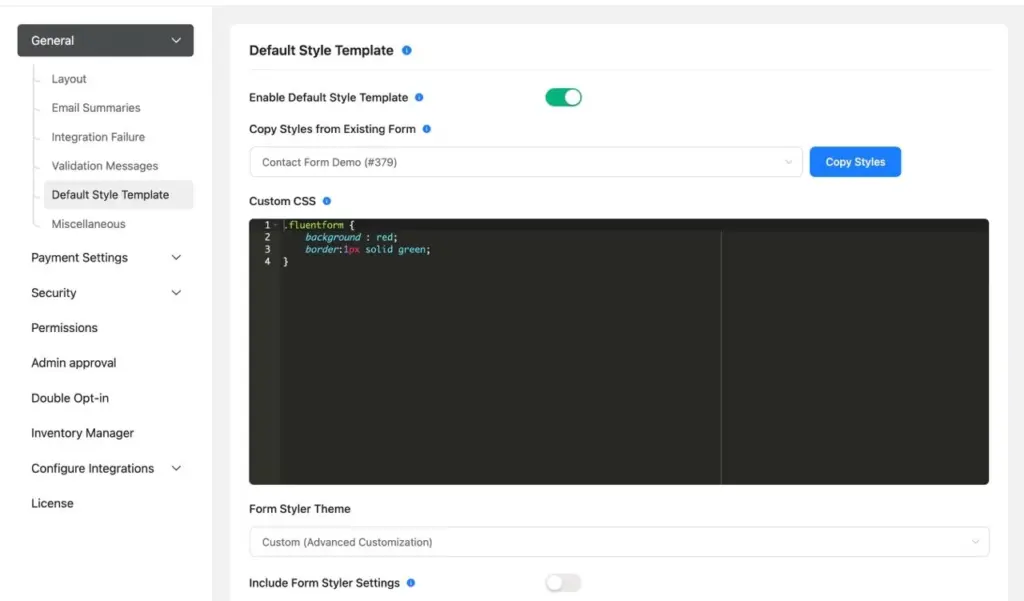
Not only that, you can add Custom CSS and manually update your form in Form Styler Style (JSON).
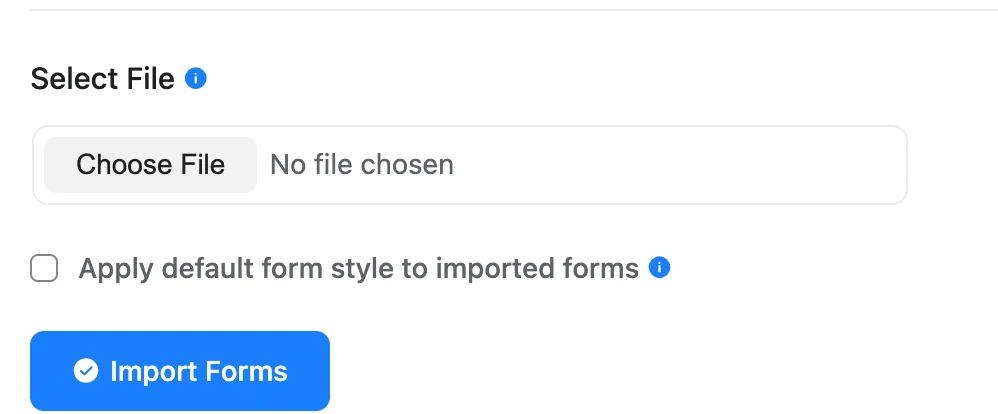
You can apply this Default Style Template to your imported forms, too.
2. Prefix/Suffix for Textarea, URL, and Password Fields (Free)
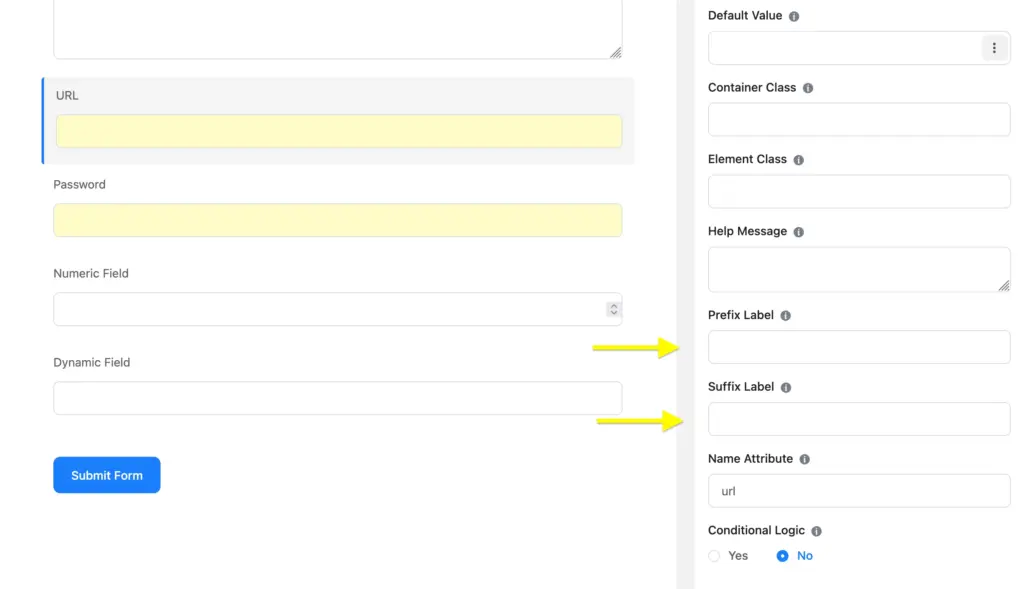
Adding context to your fields just got easier. You can now add visual prefixes and suffixes to Textarea, URL, and Password fields. Whether you want to show a domain hint (e.g., https://) or a character count icon, or SVG, these additions help guide your users more effectively.
3. Dynamic Autocomplete Field (Pro)
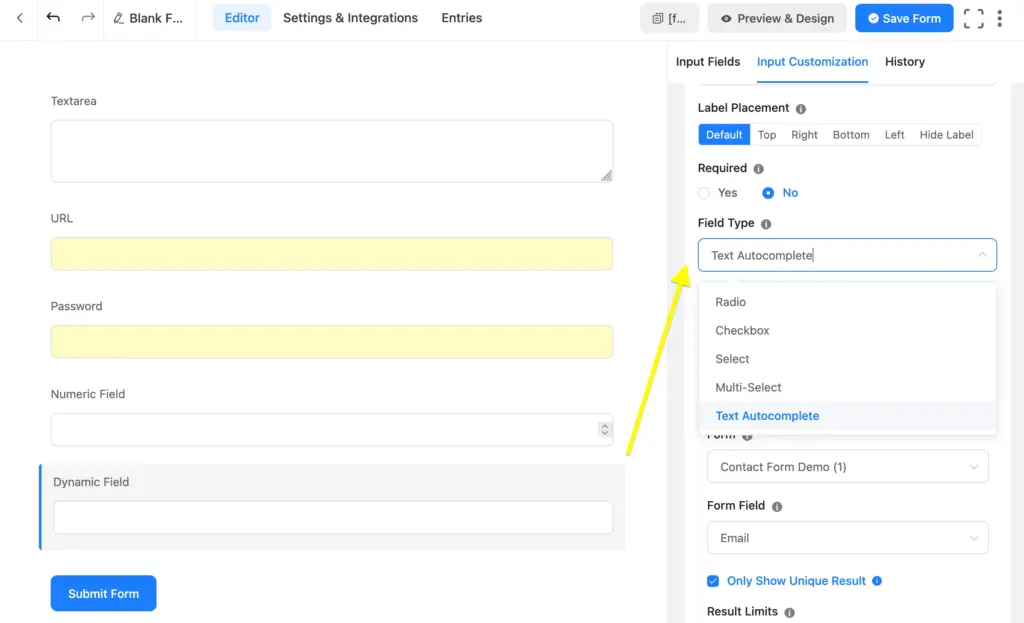
For our Pro users, we’ve introduced the Dynamic Autocomplete field type within the Dynamic Field module. This allows you to pull data dynamically and provide users with an autocomplete search experience, perfect for large datasets or custom post-type selections.
4. Mobile Keyboard Type Options (Free)
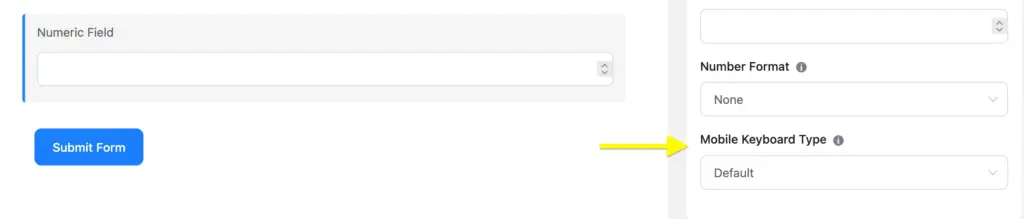
User experience on mobile is critical. With v6.1.15, you can now specify the keyboard type for Number and Mask inputs. This ensures that when a user taps a number field on their phone, the numeric keypad pops up automatically, reducing friction and errors.
5. Verified Plugins Suggestions
To help you build a more robust WordPress ecosystem, we’ve added a Verified Plugins Suggestions page. This curated list helps you find compatible tools that work seamlessly with Fluent Forms to extend your site’s functionality.
Key Improvements & Bug Fixes
We’ve also spent significant time under the hood to polish existing features:
- Improved AI Form Builder Security: We’ve tightened security protocols to ensure your AI-generated forms are as safe as they are smart.
- Enhanced Multiselect Accessibility: Better keyboard navigation and screen-reader support for multiselect fields.
- Form Title Generation: Form history now features improved title generation for better tracking of revisions.
- Repeater Table in PDF (Pro): We fixed an issue where repeater tables weren’t generating correctly in PDF exports, ensuring your data looks professional every time.
v6.1.15 Full Changelog at a Glance
Free Version:
- New: Prefix/suffix options for Textarea, URL, and Password fields.
- New: Mobile keyboard type options for Number and Mask inputs.
- New: Default form style sharing for new forms.
- New: Verified plugins suggestions page.
- Improvement: AI Form Builder security & Multiselect accessibility.
- Improvement: Form title generation in history & Saving UX.
Pro Version:
- New: Dynamic Autocomplete field type in Dynamic Fields.
- Fix: Repeater table generation in PDF exports.
Upgrade both Fluent Forms Free & Pro
Fluent Forms v6.1.15 is now available! Head over to your WordPress dashboard to update both Free and Pro versions and start exploring these new features.
Not using Pro yet? Upgrade to Fluent Forms Pro to unlock the new Dynamic Autocomplete field and advanced PDF reporting.
New to Fluent Forms?Download the free version from here or explore Pro features atFluent Forms Feature.
As always, we’d love to hear your feedback in our community. Your feedback helps us guide new features and updates. If you have time, please share your thoughts in a review here on Fluent Forms WordPress repository page.
Happy form building!

Hello, this is Jewel, CEO & Head of Ideas at WPManageNinja. I am obsessed with WordPress since 2009. My aim is to be a user-centric developer first, and a serial entrepreneur second. You will find me discussing various tech issues and trying to come up with scalable solutions on different forums when I am not busy coding.



Leave a Reply