

Poll vs Survey: What’s the Difference and When to Use Each
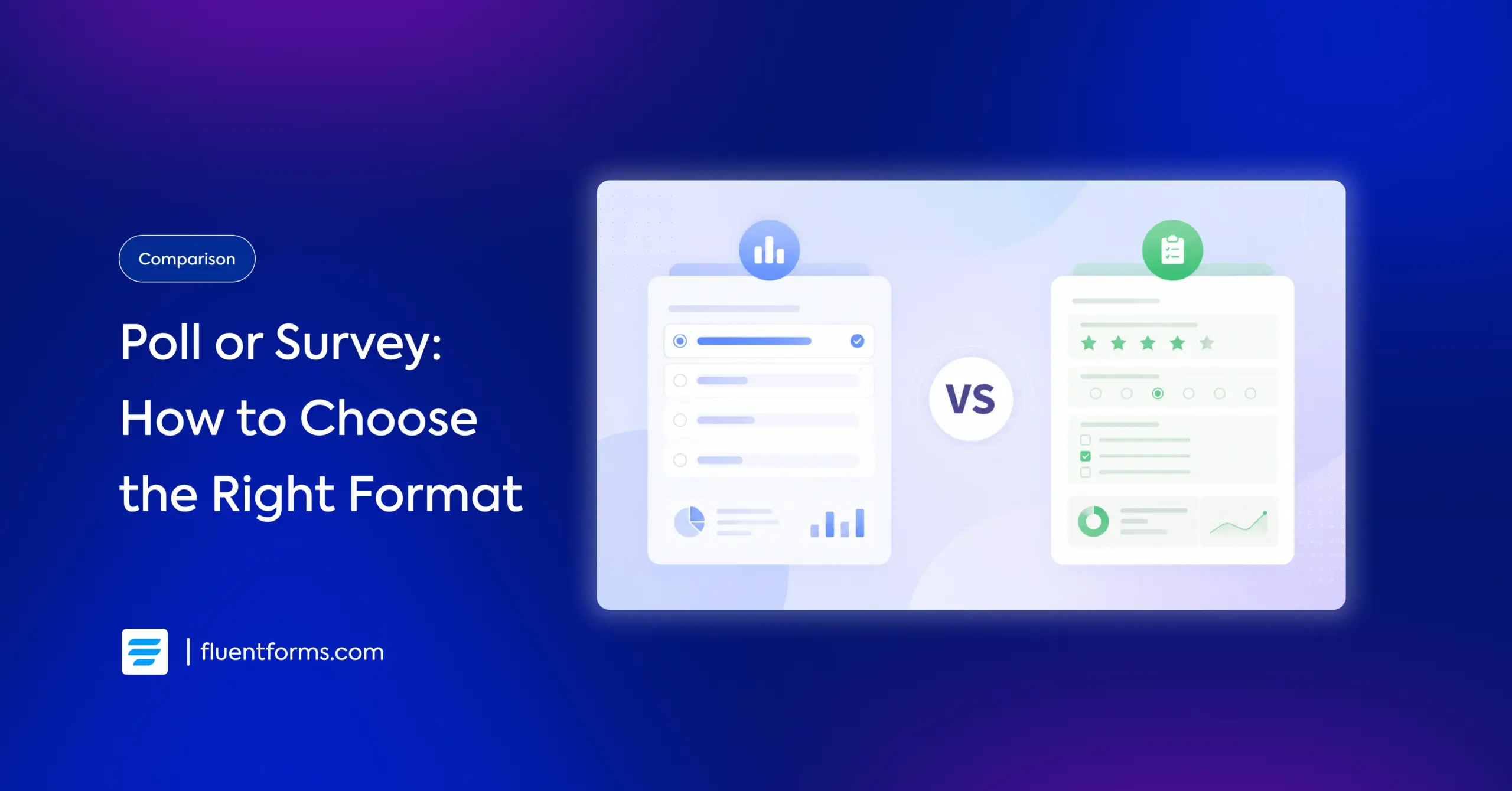
A poll asks one quick question and gives you a fast total or percentage. A survey asks several questions and gives you the context behind the numbers. This guide shows you the poll vs survey difference in one glance, clarifying which format fits real situations like product feedback or event follow-ups. You can try both demos here to see the difference yourself.
TL;DR
- A poll is one question. Quick, closed-ended, reported as a simple percentage or count.
- A survey is many questions. Mixed formats, deeper analysis uncover the why behind opinions.
- Use a poll for instant pulse checks: blog engagement, live events, quick decisions.
- Use a survey for depth: product feedback, customer satisfaction, market and employee research.
- A poll is technically a very short survey, but the two serve different purposes in practice.
- ou can build both in WordPress with Fluent Forms, with real-time results and visual reports.
- Try both formats live in the demo below before you decide.
Poll vs Survey: The Quick Answer
A poll is a single-question tool that captures an at-a-glance result of opinion, reported as a percentage or count. A survey is a multi-question research tool that uncovers trends, motivations, and behavior. Use a poll when you need a quick glimpse. Reach for a survey when you need depth to understand what’s driving the number.
Here’s the side-by-side, so you can decide in seconds.
| Poll | Survey | |
|---|---|---|
| Question count | One (occasionally two) | Several to many |
| Best use case | Quick read, single decision | In-depth research and feedback |
| Response type | Closed-ended (pick one, yes/no) | Mixed: choices, scales, open text |
| Anonymity | Usually anonymous, no personal info | Often collects name, email, or segment |
| Ideal length | Seconds to answer | 2 to 10 minutes |
| Data you get | A percentage or raw count | Trends, averages, sentiment, cross-tabs |
| Example | “Which feature should we build next?” | “How satisfied are you?” (choices) and “why?” (open text) |
What Is a Poll
A poll is a fast, single-question tool used to assess immediate opinion on one specific topic. Someone answers in a click, and you get a result you can read at a glance.
Polls share a few traits:
- One question: They measure the quick opinion on a single topic, not a broad picture.
- Closed-ended: Almost always single/multiple choice or yes/no, so the data is instantly countable.
- Low friction: Because they take seconds, they get much higher response rates than longer forms.
- Anonymous: Polls rarely ask for personal details, so people answer freely.
- Simple to read: Results are a percentage or a raw count, often shown live.
Poll examples: “Which topic should our next webinar cover?” on a blog sidebar, “How are you finding today’s session?” during a live event, or “Which logo do you prefer?” in a community group.
What Is a Survey
A survey is a research tool that collects and analyzes answers to multiple questions, so you can uncover trends, motivations, and behavior across a group of people.
Surveys share these traits:
- Multiple questions: They cover several angles of a topic in one sitting.
- Mixed question types: Multiple choice, rating scales, ranking, and open-ended text all in one form.
- Deeper analysis: More data points mean you can compare groups and track change over time.
- Often identified: Surveys may ask for name, email, or a segment (age, income, new vs returning customer) so you can follow up or filter.
- Quantitative and qualitative: They capture both specific numbers and the reasons behind them.
Survey examples: a post-purchase customer satisfaction survey, a Likert scale measuring opinion, an annual employee engagement survey, or a market research survey testing a new product concept.
Poll vs Survey: The Key Differences
The table above lists the differences. Here’s what they mean.
Depth versus speed
This is the core difference. A poll wins responses because it costs the respondent seconds. A survey wins insight because it asks enough to explain the numbers. If you only need to know what people prefer, poll. If you need to know why, survey.
Analysis effort
A poll’s result is done the moment it closes: 62% picked option A. A survey’s data needs work, comparing segments, reading open text, and tracking trends. And that effort is what turns responses into decisions.
Anonymity and trust
Polls feel safe because they’re anonymous and single-click, which is why they suit sensitive or casual questions. Surveys often need identity to segment responses, which can lower completion unless you make fields optional.
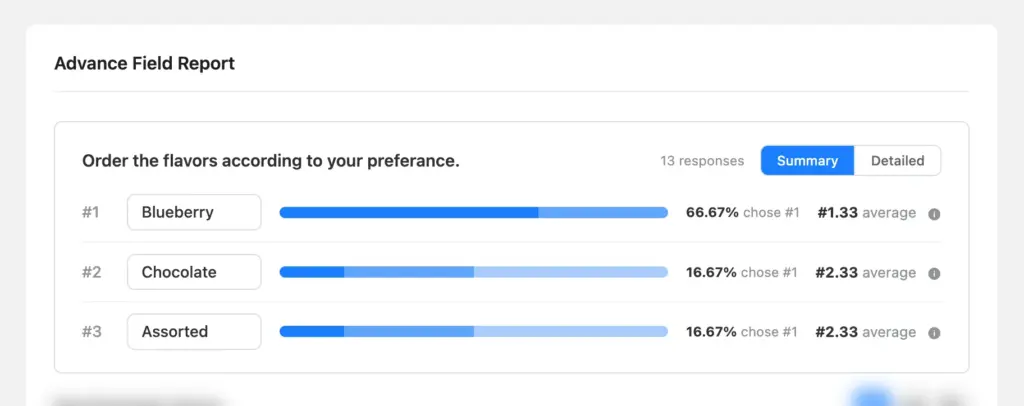
Surveys can compare how two different groups answered the same question, so you can spot patterns you’d miss in the overall total of a poll.
Example: your survey asks “How satisfied are you?” Overall, 70% say satisfied. A cross-tab breaks that by another field, say device:
Satisfied Not satisfied Desktop users 85% 15% Mobile users 55% 45% Same question, but now you see mobile users are unhappy while desktop users are fine. That’s the insight the 70% average hid. Similarly, you can cross-verify any question against another variable (device, age, plan, location) to reveal how segments differ.
When to Use a Poll vs a Survey
Here’s how the choice plays out in practical situations.
You want product feedback
Use a survey. You need more than a thumbs-up. Ask what people use, how satisfied they are, and what’s missing, mixing rating scales with one open-ended question. A single-question poll can’t tell you why a feature underperforms.
You’re running an event and want an NPS score
Use a short survey. A net promoter score question (“how likely are you to recommend this?”) plus one follow-up asking why gives you a trackable number and the reason behind it. If you truly only want the score with no context, a poll works, but you’ll lose the why.
You’re qualifying leads
Use a survey. To sort good-fit leads from the rest, ask about budget, team size, role, or use case, so you know which leads are worth chasing and where to route them. A poll falls short, since it’s anonymous and stops at one question.
You want an employee pulse check
Use a poll for frequent, low-friction check-ins (“how’s your workload this week?”) and save the survey for the deeper quarterly or annual review. Polls keep pulse checks fast enough that people actually answer them every time.
You want to boost blog or community engagement
Use a poll. One quick question in a sidebar or after a post invites interaction without asking for a time commitment, and showing live results gives readers a reason to click. A survey here would kill the momentum.
Choose a poll when the goal is participation and a fast read, and a survey when the goal is understanding. When in doubt, ask whether one answer is enough. If it isn’t, you need a survey.
Is a Poll Just a Short Survey
Technically, yes. A poll is a survey with a single question, so every poll is a survey. But not every survey is a poll.
Call it a poll when the job is a quick, public pulse: one question, instant result, high participation. Call it a survey when the job is research: multiple questions, segmented data, and analysis over time. Simply match the format to what you actually need to learn.
How to Build a Poll or Survey in WordPress
You can build both a poll and a survey on your own site with Fluent Forms, the form and survey builder plugin for WordPress, without paying per response the way hosted tools charge.
The free plan covers the basic fields for a simple poll, with choice fields like radio, checkbox, and dropdown. More advanced survey fields, such as star rating, net promoter score, checkable grid, and ranking, along with the visual reports (multicolor charts, percentage distribution) and real-time frontend results display, are part of the Pro version.
Build a poll
1. Create a new form and add one choice field with your options:
- Radio: shows all options at once and lets people pick one. Best for a quick single-choice poll.
- Dropdown: hides options in a menu and lets people pick one. Good when you have a long list and want to save space.
- Checkbox: lets people pick more than one option. Use it when “select all that apply” fits your question.
- Multiple choice: a menu-style field that also allows more than one selection, with a cleaner look than a long checkbox list.
2. Keep it to that single question so it stays a true poll.
3. Publish it with the block or shortcode, or start from the polling form template.
4. Display real-time poll results to users when they submit their response.
Build a survey
1. Create a new form and add several fields: mix rating scales, choice fields, and one open-ended textarea.
2. Keep it to 3 to 5 questions (combining quantitative and qualitative questions) and make most fields optional.
4. Read responses in Entries, or upgrade to Pro for charted visual reports.
Learn More: How to create a survey in WordPress from Scratch.
Poll vs Survey: Pick the One that Fits the Job
The choice comes down to one question: is a single answer enough? If it is, run a poll. You’ll get fast participation and a number you can read at a glance. If you need to know what’s behind that number, run a survey and give people room to explain.
Most teams end up using both. A quick poll to spot people’s opinions, then a survey to understand why. Whichever you need, you can build it in minutes with Fluent Forms’ drag-and-drop builder, publish it anywhere on your site, and start hearing from your audience today.
Start with a Fluent Forms template to save time. There are a number of survey templates available in the template library, including evaluation, assessment, interview, feedback, product survey, customer satisfaction, and more. View all survey templates.

Sarika writes for Fluent Forms and loves to offer insights into small businesses. She’s curious and enjoys discussing ideas, interests, and perspectives. In her free time, she’s either marvelling at architectural beauties or trying different cuisines.




Leave a Reply