
How to Migrate from Contact Form 7 to Fluent Forms: One-Click Migration
At WordCamp Asia in India (2026), Contact Form 7’s creator Takayuki Miyoshi confirmed that CF7 will not receive feature updates beyond version 6.2. For users who have been working around its limitations, that is a good enough reason to move to a more flexible WordPress form builder that is still actively developed.
Fluent Forms has a built-in migrator that imports your CF7 forms in one click. No rebuilding, no manual re-entry.
How to migrate from Contact Form 7 to Fluent Forms
Keep Contact Form 7 active during this process. The migrator needs it installed to read your existing forms.
Step 1: Install and activate Fluent Forms
Install Fluent Forms from the WordPress plugin repository and activate it from the Plugins screen.
Step 2: Open the migrator tool
Go to Fluent Forms > Tools from your WordPress dashboard. Select the Migrator tab. The tool automatically detects Contact Form 7 and lists all your existing forms.
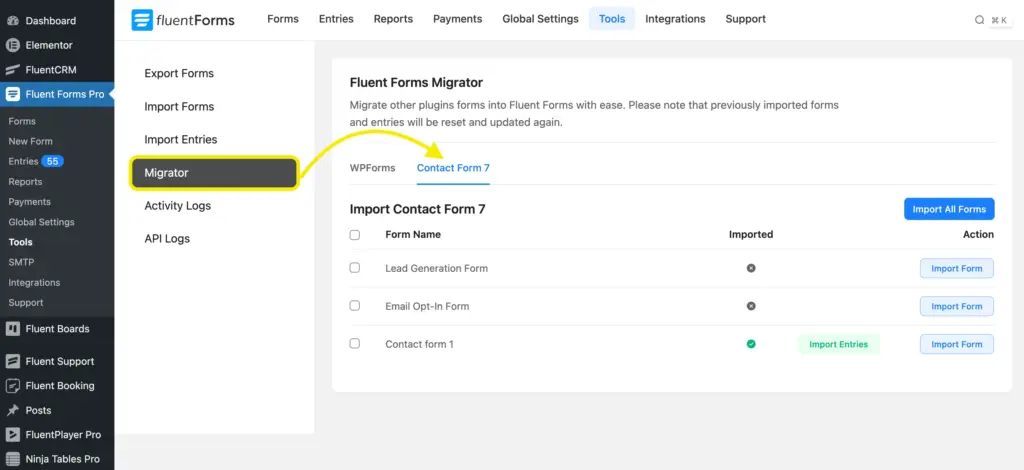
Step 3: Import your forms
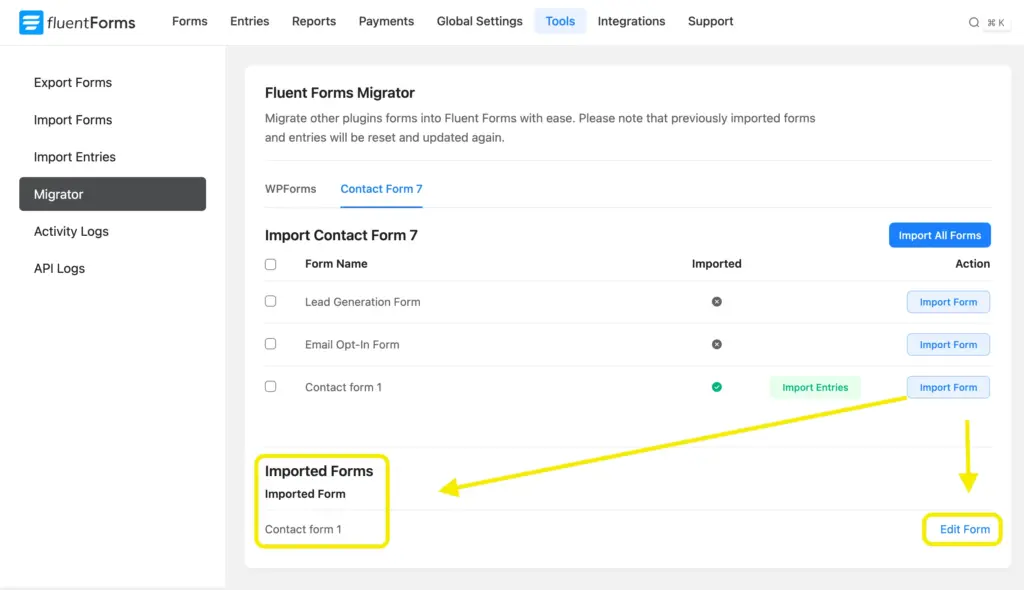
Single form: Click Import Form next to the form you want. It imports instantly and an Edit Form link appears.
Multiple forms: Check the boxes beside each form you want, then click Import Selected Forms.
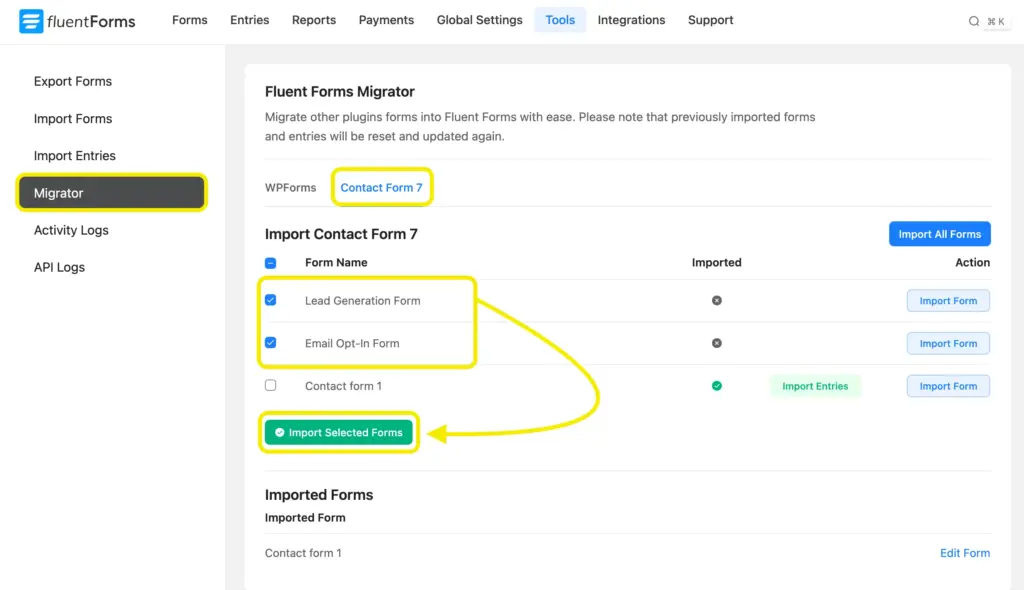
All selected forms are imported at once.
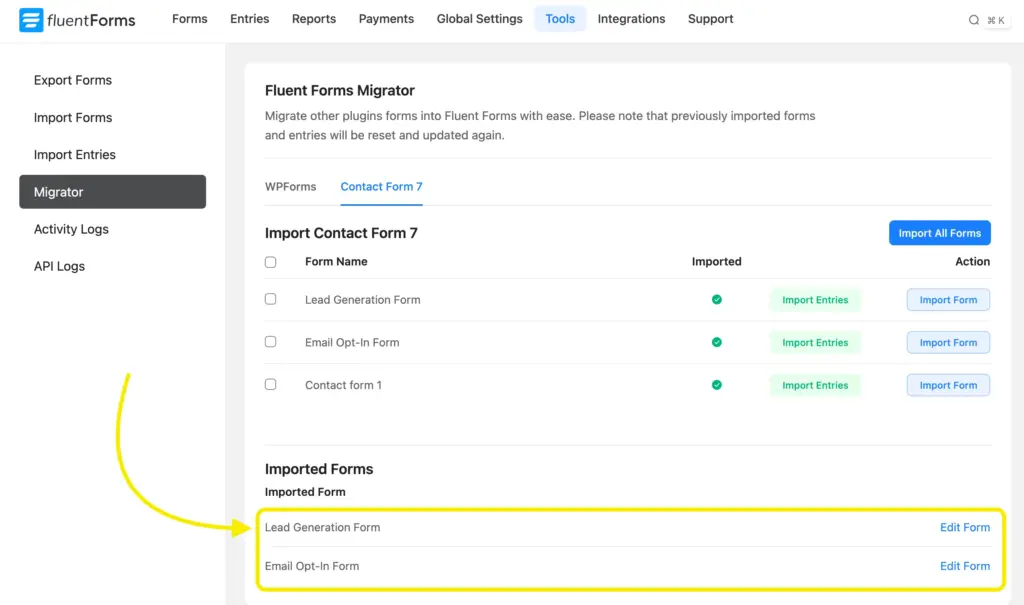
Step 4: Review imported forms
Open each imported form in the Fluent Forms editor and verify the fields match your original setup.
What transfers cleanly: text, email, textarea, dropdown, checkbox, radio, and file upload fields.
What may need manual adjustment: custom shortcode configurations, fields from third-party CF7 add-ons, and complex CAPTCHA setups.
Step 5: Update your pages
Replace CF7 shortcodes on your pages with the Fluent Forms shortcode or embed block. Each form’s shortcode is available in the form list and editor.
Step 6: Deactivate Contact Form 7
Once everything is verified, deactivate and remove Contact Form 7. There is no dependency after migration is complete.
Migrate from other contact form plugins
The Fluent Forms migrator is not limited to Contact Form 7. If you are coming from WPForms, Gravity Forms, or Ninja Forms, the same one-click process applies. Open the Migrator tab under Fluent Forms > Tools, and your existing forms will be listed and ready to import.
Switching form plugins does not have to mean starting from scratch.
Related features
Import form entries
Allows you to import the form entries from previously submitted forms.
Export forms
You can export the JSON file of any form on Fluent Forms, and import the JSON file again to use on other sites.

This is Sumit. He’s a physics major who’s trying to understand both the physical as well as the WordPress worlds. Whenever he’s not busy, plays fifa or spends time with his family.



Leave a Reply