

Inside Paymattic – WordPress Payment Plugin and Donation Management
Writing about this plugin is not pleasant for me. LOL
Once it was WP Pay Form, and we were busy answering how it was different from Fluent Forms. Many of our customers bought both plugins out of their love for WPManageNinja products. Then they got confused with two products since both have payment and form creation options.
I answered this question many times. Here, I came again with a detailed review, and you’ll understand why Paymattic differs from Fluent Forms.
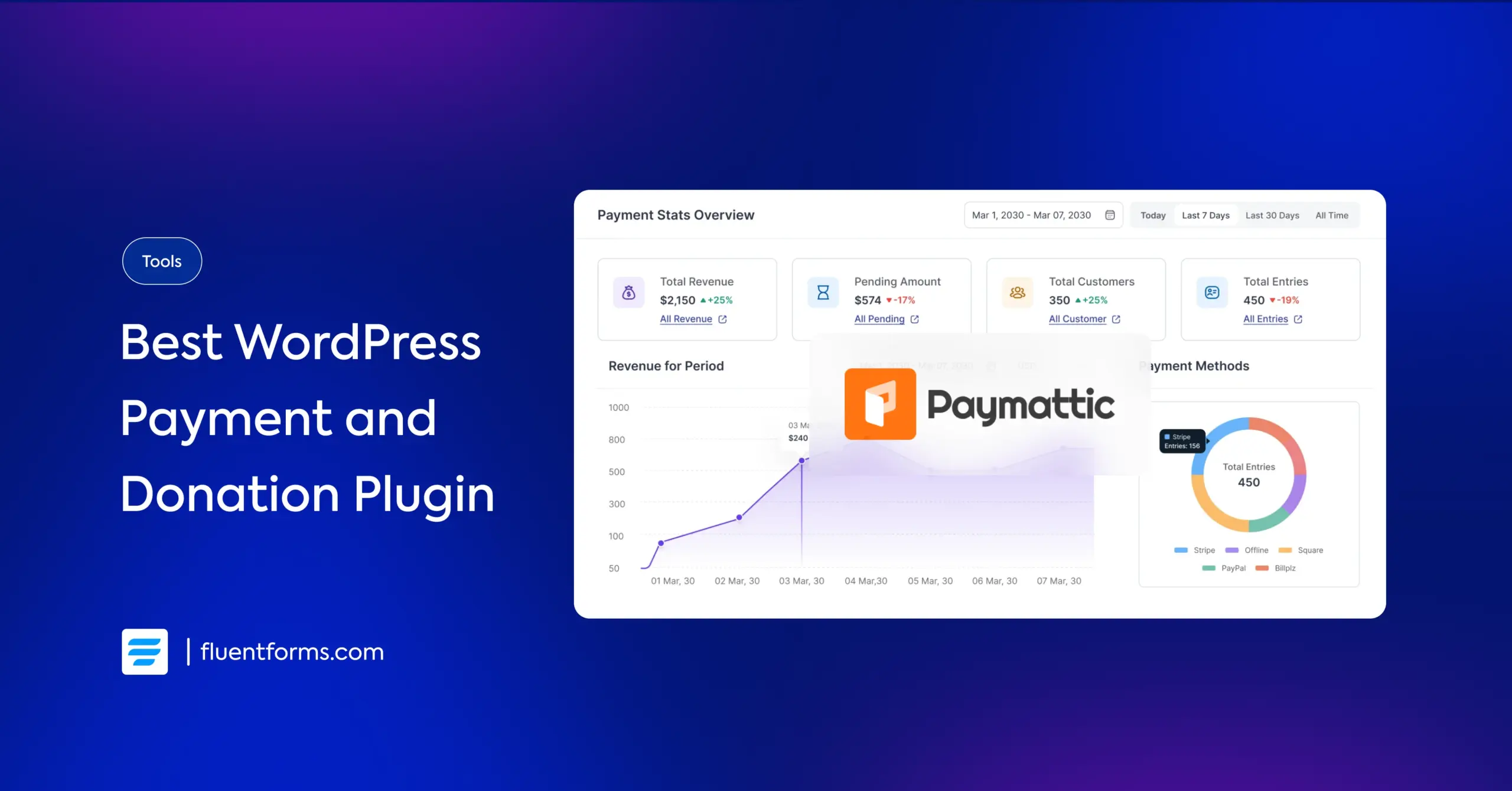
A powerful insight for you: Paymattic supports 157+ currencies and 13+ payment gateways.
Let’s explore. More.
TL;DR
- Paymattic is a dedicated WordPress plugin for collecting payments and donations.
- It’s ideal for small businesses and non-profits seeking an easier, less bulky alternative to heavy tools.
- Supports 157+ currencies and 14+ global & regional payment gateways.
- Offers one-time and recurring payments, coupons, taxes, and PDF invoices and donation tools like progress bars and donor leaderboards.
- Offers integrations with CRM, LMS, Zapier, and email integrations.
- With a generous free tier, it stands out as a stable, budget-friendly alternative to GiveWP.
What’s Paymattic? How Is It Different from Fluent Forms?
Paymattic is a WordPress payment plugin made to collect payments and donations. For small businesses and non-profit organizations, Paymattic made payment easy for all.
I’ll discuss all the amazing features one by one. But now, let me clarify the confusion. So, why is Paymattic different from Fluent Forms?
We have a bunch of powerful WordPress plugins, all for different purposes and for different customers. Users often confuse Paymattic with Fluent Forms because both have options for building forms and collecting payments.
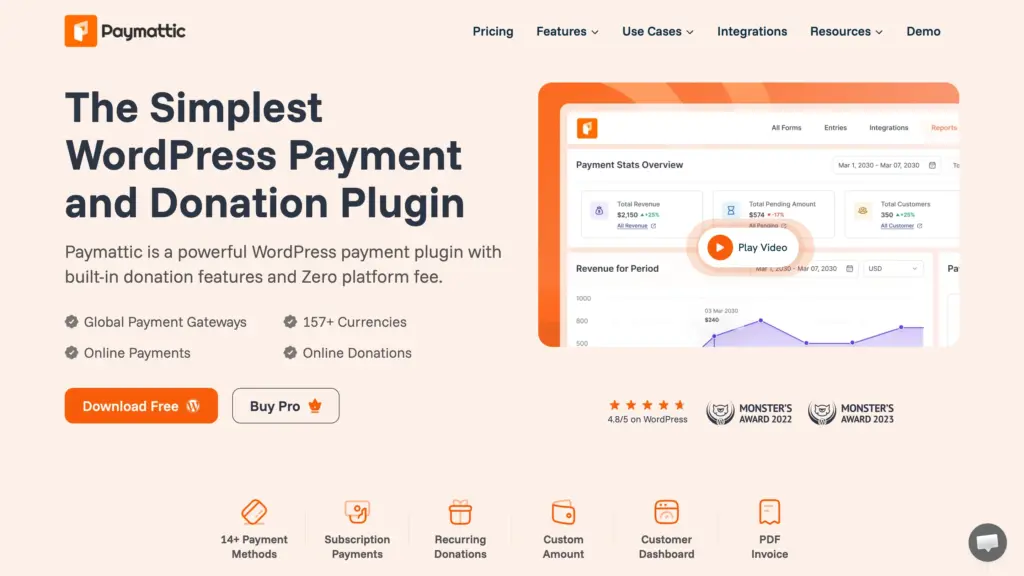
Except for these similarities, they’re way apart from each other. For instance, Fluent Forms has a lot of email marketing integrations, quiz builder, conversational forms, and more.
Paymattic is made solely for payment and donation. When you’re certain about your goal – collecting payments and donations – you can easily select Paymattic.
When you want to do a lot more beyond collecting payment, you need Fluent Forms. That includes PDF submission, patient intake form, data collection, market research survey, and whatnot!
I hope I have made it clear.
In brief, Paymattic is a dedicated plugin for collecting payments and donations in WordPress.
What Paymattic Does and Who Needs It
There are many fully fledged shopping systems like WooCommerce and Shopify. With them, you can organize your store and sell products where you don’t have to worry about payment processing. At the same time, configuring these systems is a heavy task. That’s not a challenge when you have a business plan on a large scale.
But the most common scenario is that people want to start small. Often, it’s overkill to use large systems in that scenario. That’s where a tool like Paymattic comes in handy.
What do you want to sell? A book? Digital products? Online courses?
Yes, Paymattic is a great tool to start small businesses where you’ll sell products for one-time payments or recurring payments.
Selling online products is one part of Paymattic. Another great feature is donations. For collecting donations, Paymattic has dedicated options so that you can run your charity smoothly. But what exactly is there that can make you succeed with your ventures?
Let’s have a look at all the features in a nutshell:
- 157+ currencies
- Intuitive drag-n-drop builder with 35+ custom input fields
- 14+ global payment gateways
- One-time and recurring payments & donations
- Donation progress bar
- Anonymous donation option
- Donor leaderboard
- Currency switcher for donations
- Customer and donor dashboards & profiles
- Coupon codes for discounts
- Tax calculated amount
- PDF invoice generation
- Export and import forms
- Third-party integrations including CRM and LMS
- Advanced reporting for payments and fundraising
- reCAPTCHA v2, v3, and Cloudflare Turnstile for security
- Honeypot & advanced fraud protection
- Roles and permissions
- Pre-built templates
- Redo and undo options
- Form scheduling & restrictions
- REST API and webhook support
Now you’ve got an idea of who may need Paymattic. Simply put, it’s for the people who want to start small and take payments or donations online without being overwhelmed.
Paymattic is beneficial for:
- Small business owners
- Non-profit organizations
- Online course builders
- Subscription-based services
Multiple Payment Methods
Paymattic brings 13+ payment methods to ease receiving payments and donations. They smartly chose the gateways among the tons of choices so that the benefit could be more prolific.
While Stripe and PayPal are available worldwide, Mollie covers the European region, and Paystack is popular in Africa. They also started implementing local payment gateways specific to a country or a small region.
- Stripe
- Paypal
- authorize.net
- Mollie
- Vivawallet
- Moneris
- Razorpay
- Billplz
- Paystack
- Square
- Payrexx
- Xendit
- Flutterwave
- SSLCOMMERZ
- Direct Transfer
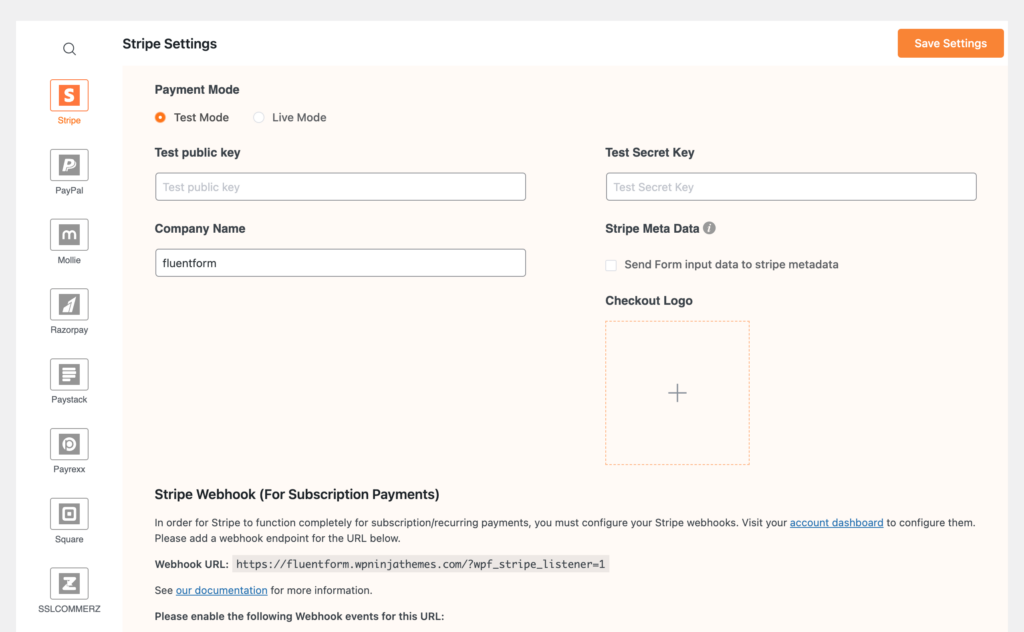
Alongside the online payment gateways, you can collect payments directly to your bank.
157+ Currencies
The large number of payment gateways lets you accept a wide range of currencies. You can receive payments in 157+ currencies, covering customers across 195+ countries. Whether your business is local or global, your customers can pay in the currency they’re most comfortable with.
An Amazing Gutenberg-style Builder
The intuitive form builder is smart and simple. All you have to do is type “/”. That’s it. Now you’ll get the list of fields from where you can choose the one you need.
The idea is to type the field name after the slash sign. But that’s not always possible, right? I mean, you can easily write the name, address, and these types of common field names. But you may not guess what an HTML field name or quantity field name would be. That’s when the list will help you out.
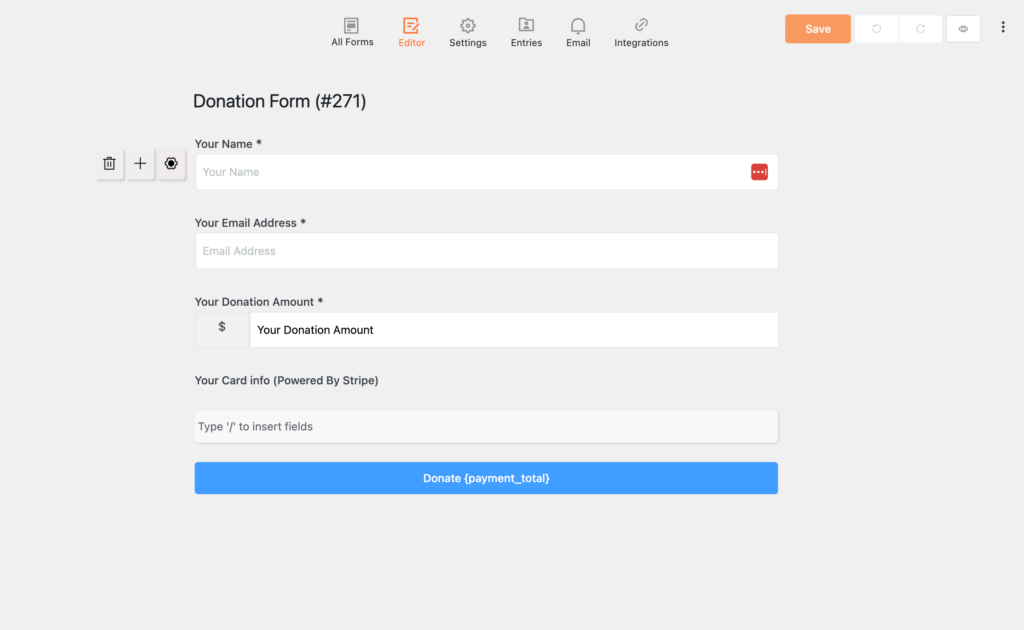
Right upon adding a field, you’ll see three icons appear on the left. The bin icon will help you trash the field. Use the plus if you want to add more fields. And gear icons will take you to the settings related to that field. Awesome, isn’t it?
The editor is clean, and you don’t require a tutorial to operate it. Other fantastic options are the Redo and Undo buttons. They’re surely helpful, you’ll get it in time.
You can see the preview of your forms, switch the editor (there’s a classic editor for drag-and-drop fields), and go to the design options.
Third-party Applications
Paymattic also comes with 14+ native integrations, so your business can be managed in a comprehensive manner.
The integrations with FluentCRM, Mailchimp, and ActiveCampaign let you connect this tool to follow up with your customers. Once they subscribe to your offers, you can communicate with them easily. There are tons of ways to utilize email marketing tools – Sending customers offers, reminding them of due payments, and asking them to support your cause.
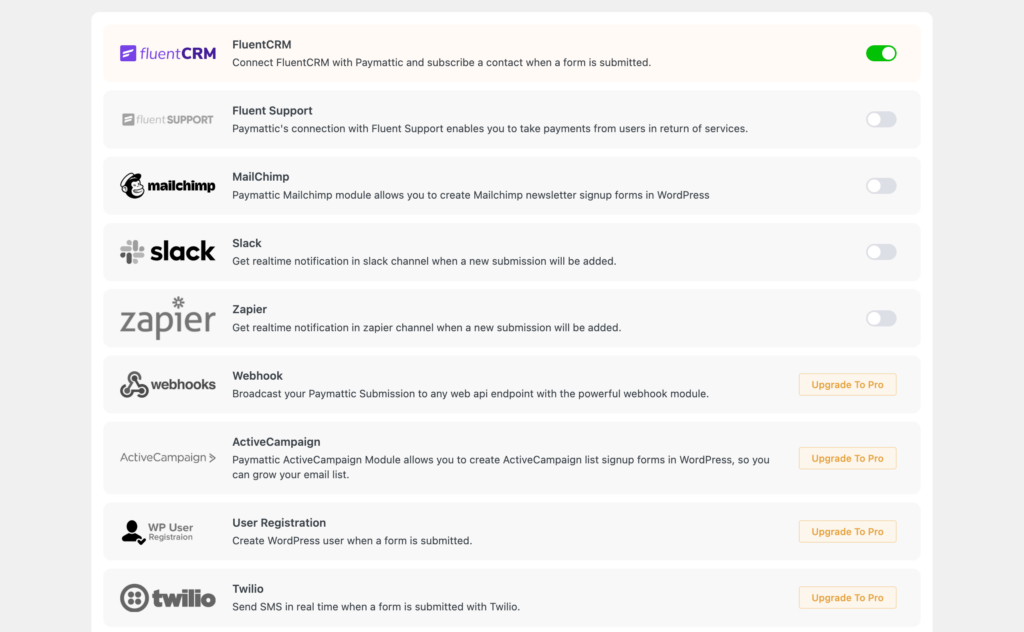
Since the plugin has Webhook compatibility, you can integrate any tools you want using Zapier. FYI, Zapier is a powerful connectivity platform with 7000+ apps in its store.
Why can’t you use Paymattic to send messages to your customers with popular tools like Slack and Telegram? Yes, you can because it has integrations with the mentioned tools. Oh, you want an option to get to your customers’ phone numbers? Twilio integration made it easy. Now send an SMS when a payment is made. Happy?
This is an era of online learning, and that’s why there’s a rise in learning management systems (LMS). Paymattic is sincerely focused on that part, so you can smoothly collect payment from your students. Whether your lessons are on LifterLMS, Tutor LMS, or LearnDash, Paymattic connects them with ease.
Connect with Google Sheets
Right upon form submission, data can be sent to Google Sheets. From there, you can easily analyze data and create reports as you want. This way, you can export data from your dashboard before uploading it to Sheets.
This One is Made for Donation
Of course, you can collect donations with any WordPress payment plugins. What about having dedicated options for donations? If you think that’s amazing, then Paymattic wins your heart.
Donation management with Paymattic is easier than you think. You can set donation goals and show users the progress bars. Set a donation amount to encourage users to support your cause. Custom donation amount, recurring donations, displaying stats, there are many options with Paymattic.
Paymattic Free vs. Pro
At this point, I’ve told you a summary of what’s inside Paymattic. Since there’s a free version and it has so much power to let you kickstart your online business, you should know the difference between the pro version and the free option.
I’ll add a table with the most popular features.
| Features | Free | Pro |
|---|---|---|
| Input Fields | 24+ | 35+ |
| Stripe | ✔️ | ✔️ |
| Region-Wise Payment Gateways | ❌ | ✔️ |
| Multi Column Form Fields | ✔️ | ✔️ |
| Donation Progress Bar | ✔️ | ✔️ |
| PDF invoice | ✔️ | ✔️ |
| Pre-Built Templates | ✔️ | ✔️ |
| Recurring Payments & Donations | ❌ | ✔️ |
| Spam Protection (Three Layers) | ✔️ | ✔️ |
| Import-Export Form Entries | ✔️ | ✔️ |
| Currency Switcher | ❌ | ✔️ |
| User Dashboard | ❌ | ✔️ |
| Donor Leaderboard | ❌ | ✔️ |
| Basic Reporting | ✔️ | ✔️ |
| Advanced Reporting | ❌ | ✔️ |
| Custom Coupons | ❌ | ✔️ |
| Anonymous Donations | ✔️ | ✔️ |
| Tax Calculation | ❌ | ✔️ |
| Step Form | ✔️ | ✔️ |
For starters, Stripe is available on the free version, while 13 more payment options are available on the pro. From all 35+ fields, you can use 25 with the free version.
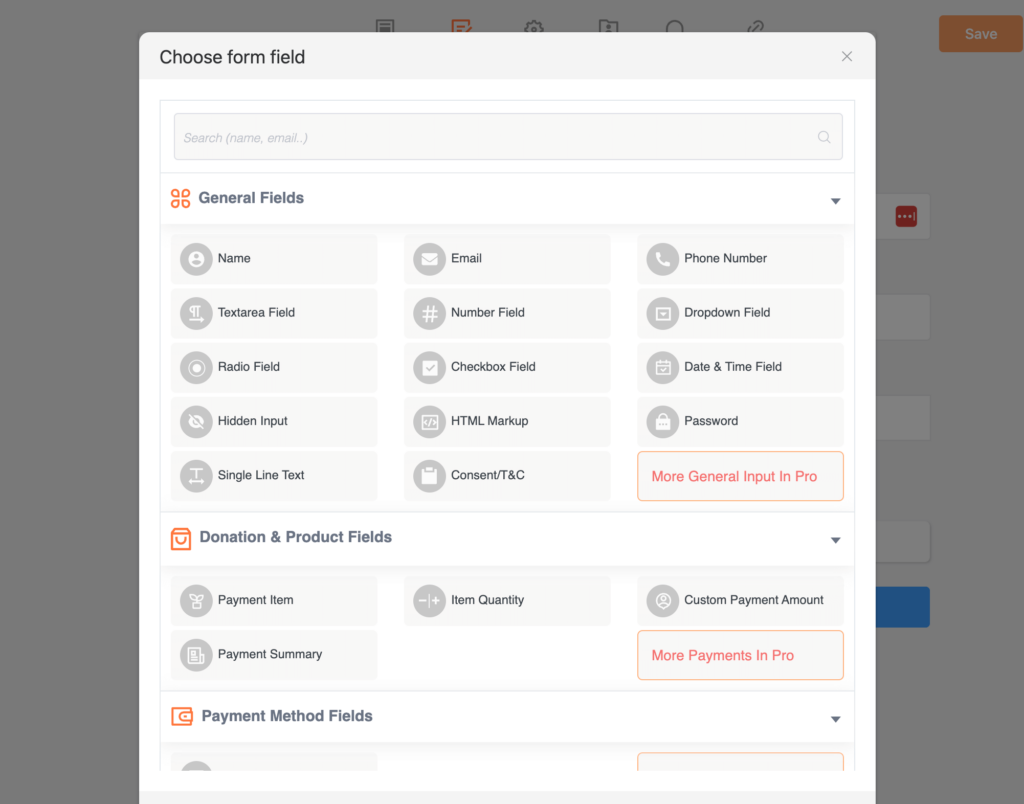
If we go to the Settings, some parts are available with the premium plans. Individual payment settings are a pro feature, while confirmation and currency settings are free. Form scheduling and custom CSS/JS are available in the paid plan.
Well, the best part is that you can design your forms with the free version. Paymattic also comes with tons of ready templates, which will make your work easier.
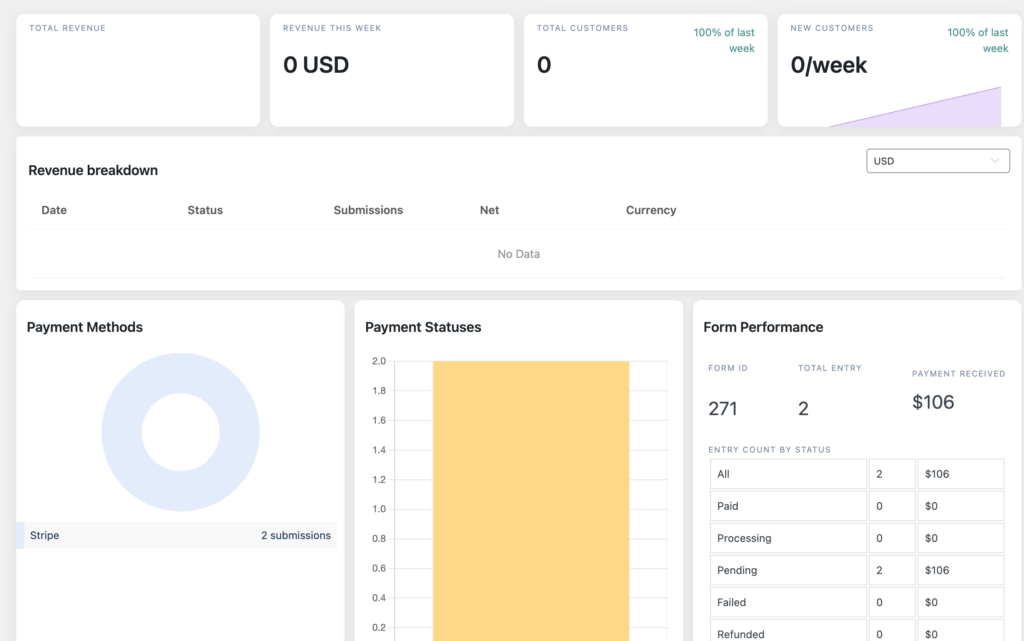
Some significant modules, like customers and reporting, are also for pro users only. Webhooks, Twilio, and LMS platforms like LearnDash and TutorLMS are other pro integrations. The list of free integrations is not poor, though. Slack, Mailchimp, FluentSupport, Zapier, and FluentCRM are available inside the free pack.
FluentCRM and Paymattic can be a powerful combination here. You can kickstart your business or donation by utilizing free versions for each. Once you start growing, you can opt for the premium packages for both tools and enjoy more power.
All the Settings: Design, Currency, Payment, and More
Settings are available inside Paymattic to control your forms. Some are global, and some are form-specific. I want to give you an idea of what these settings offer.
General Settings: Here, you can define currency settings, currency sign positions, separators, etc. Moreover, you can enable Honeypot security to add an extra layer of protection for your forms.
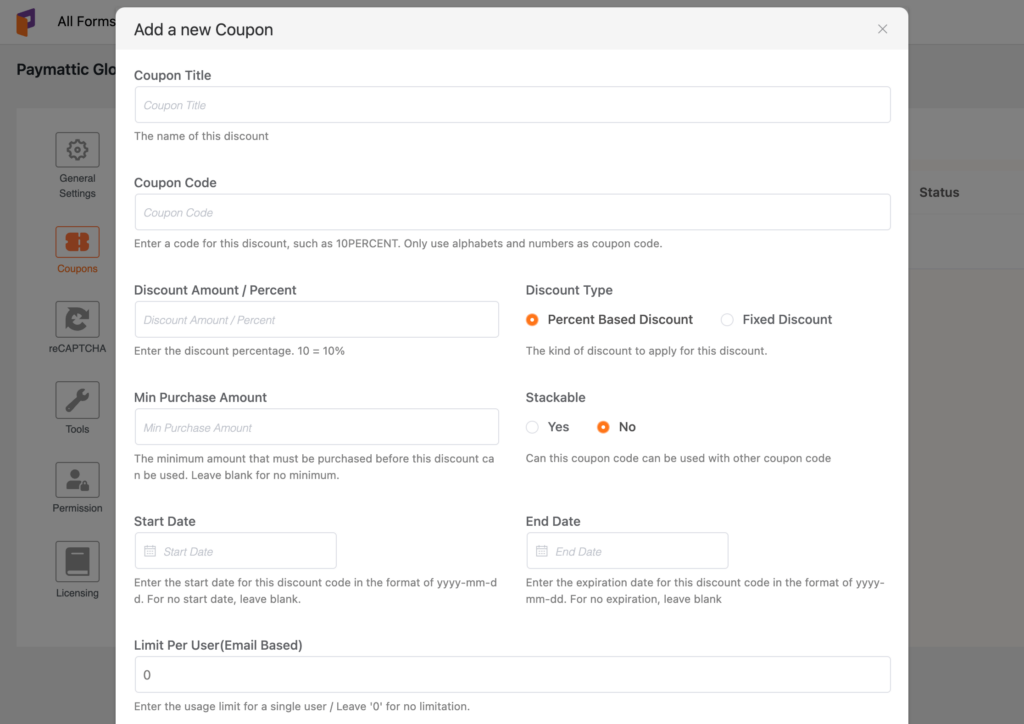
Coupon: Adding a coupon to your form can help it convert faster. With Paymattic’s Coupon settings, you can decide whether the discount will be fixed or percentage-based. Minimum purchase amount, start date, end date, and other options are available.
Confirmation: Besides form confirmation, you can customize receipts and confirmations. To ensure the form’s security, configure the reCAPTCHA setting.
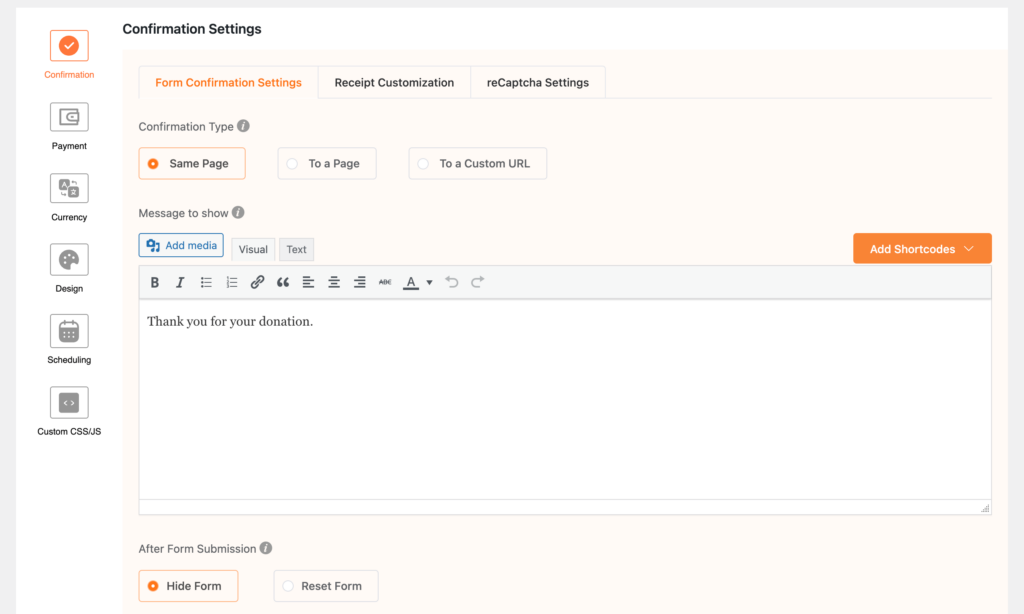
Payment: First, decide whether you receive payment for products or donations. Then, go for some general settings related to payment methods.
Currency: If you go with the global settings, then you don’t have to do anything here. Otherwise, select Custom Settings, and choose the Currency and Stripe Locale.
Design: From label alignment to asterisk positioning, you can play with your form’s design until you’re satisfied with the style.
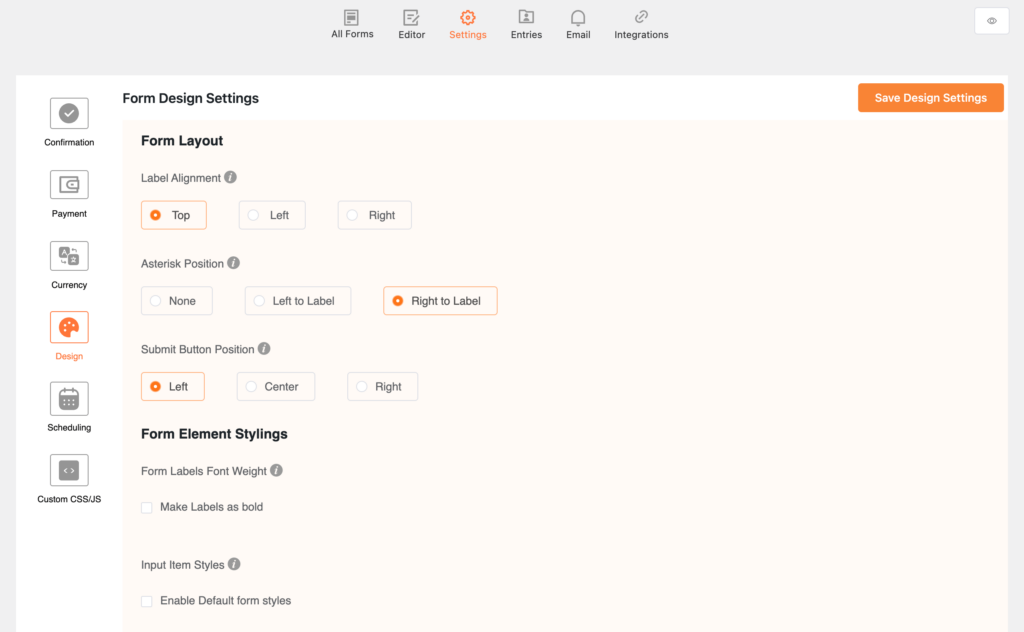
Scheduling: Scheduling forms will help you prepare your forms for submission at a certain time. Similarly, you can restrict the number of entries and limit forms by payment.
Paymattic vs GiveWP
GiveWP has been a well-known name in the WordPress donation space for years. A lot of nonprofits and fundraising campaigns were built on it. But recently, GiveWP went through a significant ownership and structural change.
StellarWP folded its independent brands into Liquid Web, where GiveWP now redirects. The plugin continues for now, but the domain users know, and the team structure behind the product has shifted. Understandably, many organizations are asking what this means for them.
If you are one of those people, here is an honest side-by-side look.
What changed with GiveWP
Many organizations that built their fundraising campaigns on GiveWP are now feeling uncertain. When a core fundraising tool changes structure or ecosystem direction, it naturally raises concerns about future updates, support priorities, and pricing models.
Beyond the ownership change, GiveWP also had existing limitations that were already pushing some users to look elsewhere:
- Many essential features require paid add-ons, which can increase the total cost significantly
- The setup can feel complex for users without technical experience
How Paymattic compares
| Feature | Paymattic | GiveWP |
|---|---|---|
| Payment methods | 13+ | 15+ (in different tiers) |
| Currency support | 157+ | Depends on gateway |
| One-time payments | Yes | Yes |
| Recurring donations | Yes | Yes |
| Custom donation amounts | Yes | Yes |
| Donation progress bar | Yes | Yes |
| Donor dashboard | Yes | Limited |
| Donor leaderboard | Yes | No |
| Anonymous donations | Yes | Yes |
| Product Fields | Yes | Limited |
| PDF invoices | Yes | Yes |
| Coupon codes | Yes | Yes |
| LMS integrations | Yes | Limited |
| reCAPTCHA v2, v3, Cloudflare Turnstile | Yes | Yes |
| Free plan available | Yes | Yes |
Paymattic is also a product of WPManageNinja, the same team behind Fluent Forms, FluentCRM, and FluentBooking. The product is actively developed, the team is the same one you already know, and the pricing is straightforward.
If you are a non-profit or fundraising organization currently using GiveWP and weighing your options, Paymattic is worth a serious look. You can start with the free version and get a feel for the builder and donation features before committing to anything.
Try Paymattic to easily accept payments and donations in WordPress.
Where is Paymattic Headed
If you’ve come this far and are eager to know about Paymattic’s future, I’d say you can trust this product. Money-wise, it’s affordable. Feature-wise, it’s invincible compared to other existing payment plugins.
But that’s not all. The team is continuously working to make it more feature-rich and business-friendly. And with each update, Paymettic is more in sync with your venture and non-profit.

I am a fan of ‘WordPress’ and ‘Haevn.’ After spending one-third of my life with WordPress, I can advocate, this CMS lets you create anything you could imagine. Build. Expand. Grow. Hi, my name is Sadiq. I write about WordPress while listening to Haevn.


2 responses to “Inside Paymattic – WordPress Payment Plugin and Donation Management”
-
HI, Can Paymattic support Fluent form?
-
No need for support because both are form builders: one for payment and donation and the other for various business activities.
-


Leave a Reply