

25 Practical Business Workflows You Can Build with Fluent Forms
Most Fluent Forms users start with a contact form. That makes sense: it’s the fastest win. But the community keeps asking a deeper question: “Can Fluent Forms actually handle my business process?” The answer, almost every time, is yes. Here are 25 workflows to show you what that looks like in practice.
Key Takeaways:
- Fluent Forms handles far more than contact forms: from payments and approvals to user registration and CRM automation
- Each workflow below starts from a real business problem, not a feature list
- Many of these workflows are already running across small businesses, agencies, nonprofits, and membership sites in the Fluent Forms community
- Most workflows connect to a CRM, helpdesk, or project tool automatically once the form is built.
How Fluent Forms Powers Complete Business Workflows
Before diving into the workflows, it helps to understand what Fluent Forms actually brings to the table. Each workflow below is built by combining a handful of core capabilities, and understanding those capabilities makes it much easier to imagine your own.
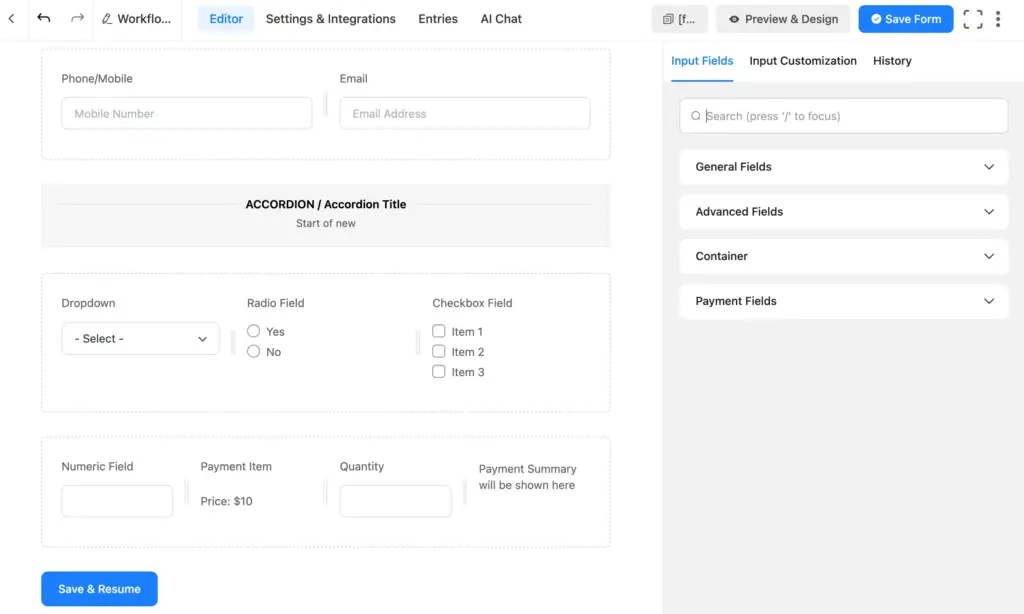
Smart form fields with user-ready customization
Fluent Forms includes over 65 input fields: from standard text and dropdowns to specialized fields like the Repeater Field (for dynamic multi-row entries), Signature Field, Date/Time, Rating, Net Promoter Score, and more. Whether you’re collecting applicant details, product configurations, or medical history, there is a set of fields designed for it.
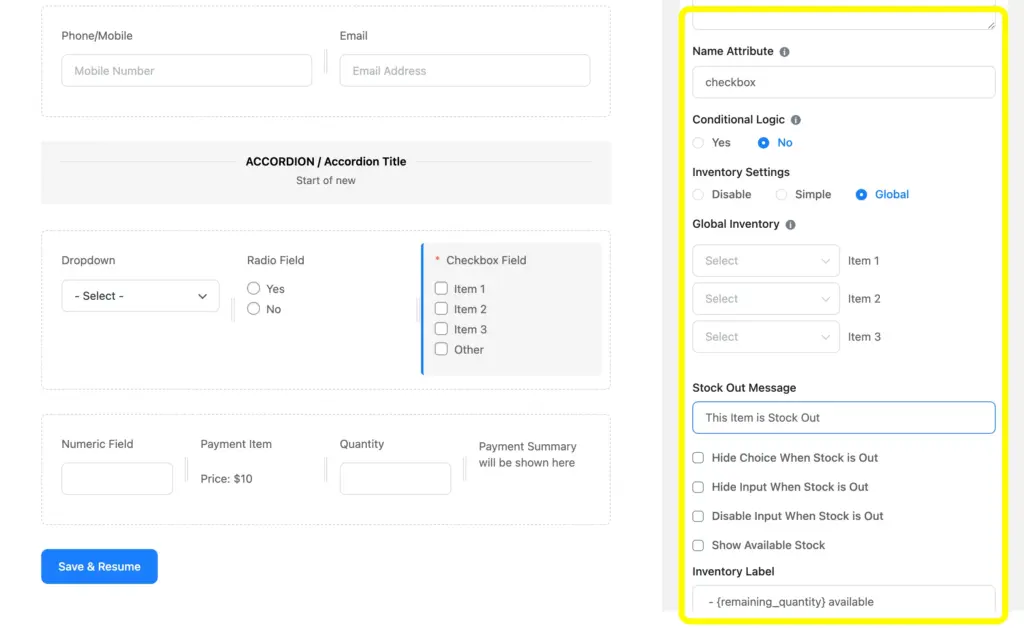
Advanced styling for purposeful branding
Forms don’t have to look generic. Fluent Forms gives you full control over layout, color, spacing, and typography, so your form feels as polished as the rest of your site. Conversational Forms take this further, presenting questions one at a time for a guided, distraction-free experience that consistently improves completion rates.

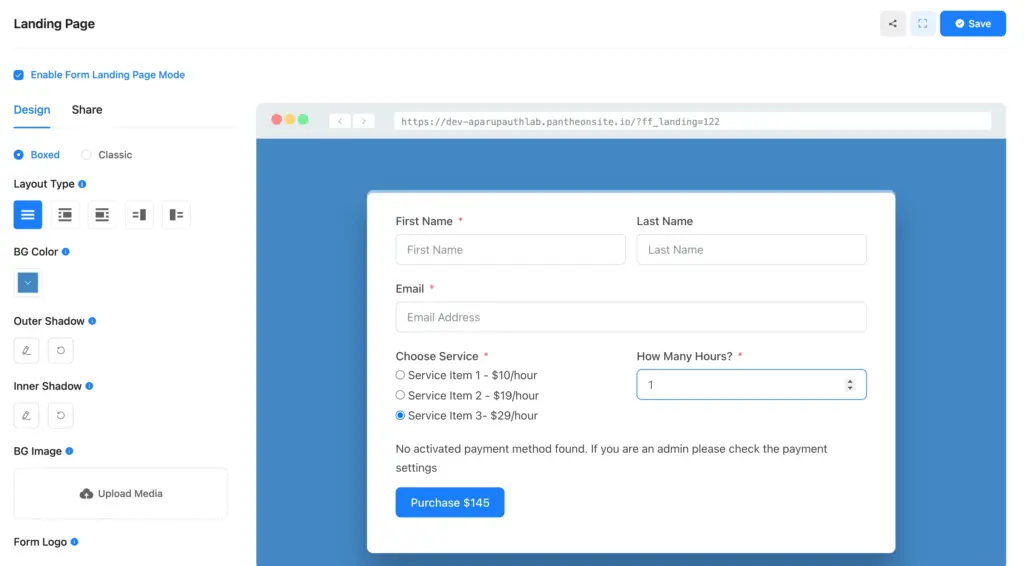
Fluent Forms’ Advanced Form Styler lets you customize the look once the form is built, and the Landing Page Module makes it brand-specific for a single, focused action.
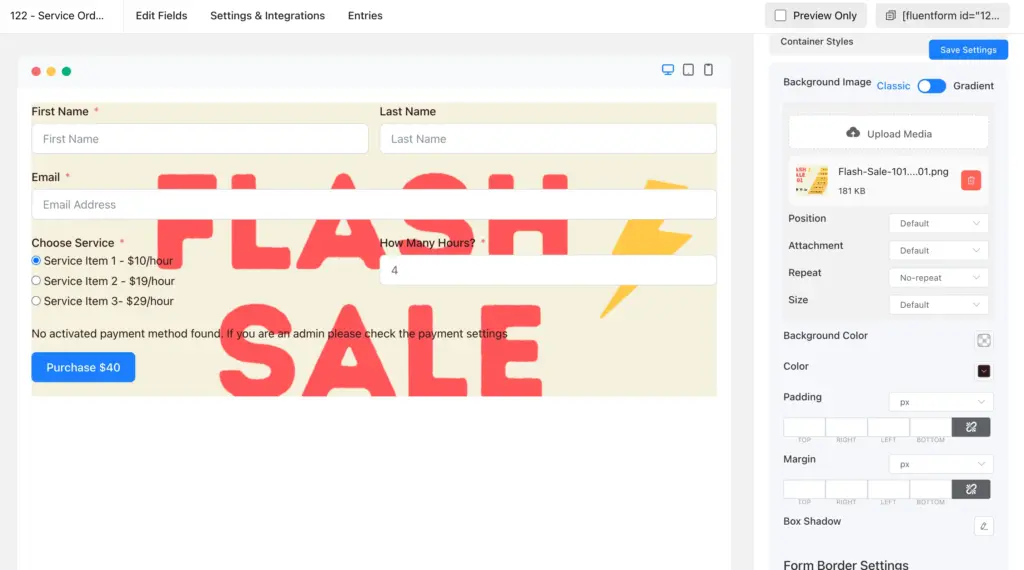
Order and payment collection, along with inventory management
Payment Forms in Fluent Forms connect directly to Stripe, PayPal, Razorpay, Mollie, and other gateways, allowing you to collect one-time payments, subscriptions, and donations right from the form. The Inventory Field lets you set stock limits and automatically close submissions when capacity is reached, so you never oversell an event or product.
Automation, notifications, and entry management
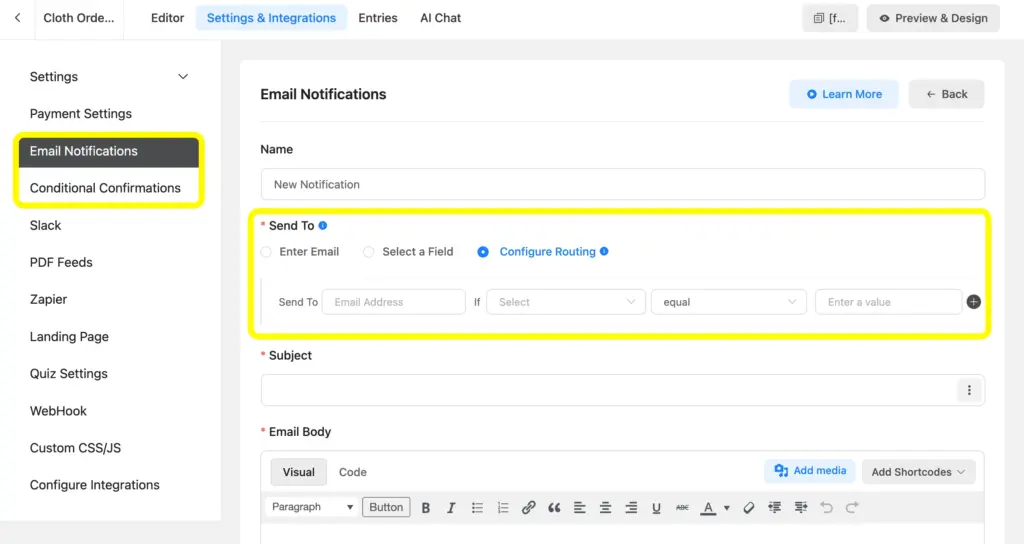
Conditional email notifications mean the right person gets notified when the right thing happens. Not everyone gets everything. You can trigger different confirmation emails based on form values, route submissions to different team inboxes, and set up multi-stage approval chains entirely through notification settings. Entry management in the dashboard lets you review, filter, export, and act on submissions without leaving WordPress.
CRM & marketing integrations
Fluent Forms connects dozens of CRMs and email platforms including HubSpot, Salesforce, Zoho, ActiveCampaign, Mailchimp, FluentCRM, and more. Submissions can automatically create contacts, add tags, trigger automations, and segment leads based on the submissions.
User registration and spam protection
The User Registration module lets forms create WordPress accounts upon submission, assigning roles, sending welcome emails, and automatically kicking off onboarding. Built-in spam protection (hCaptcha, reCAPTCHA, Akismet, and honeypot) keeps your entries clean without creating friction for real users.
File upload management and add-on-backed cloud storage
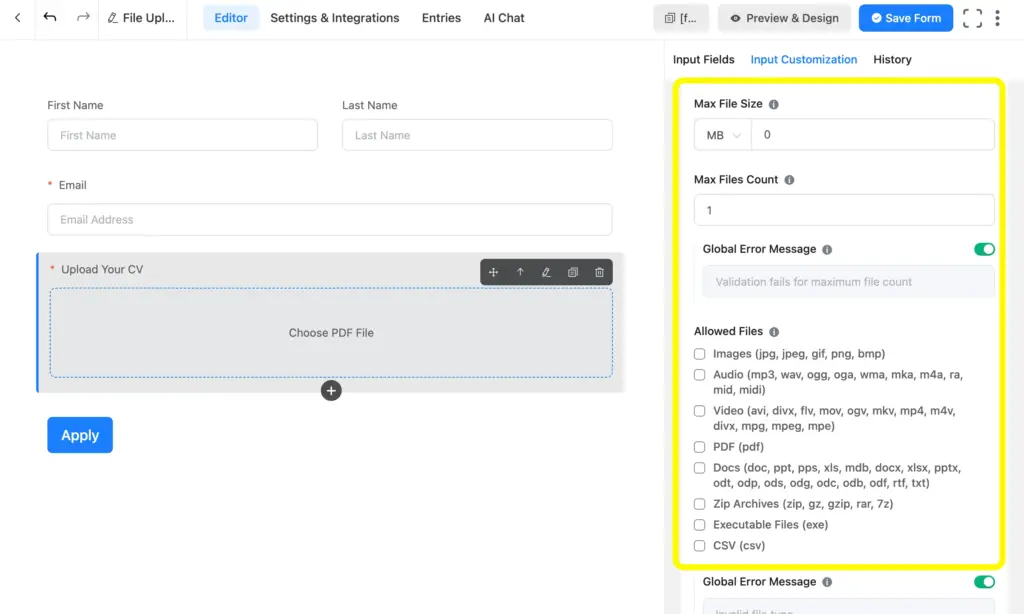
File Upload fields let you collect documents, images, and media of any type directly through the form. The Cloud Storage Pro Add-on by Fluent Wiz extends this by routing uploads to Amazon S3, or Google Drive automatically, keeping your WordPress server lean and your files organized exactly where your team already works.
PDF & document generation
The PDF Add-on converts form submissions into formatted documents automatically. You can generate branded contracts, confirmations, application summaries, and invoices, and attach them to confirmation emails so the submitter and your team both receive a clean document record immediately.
Third-party integrations for dynamic operations
Beyond native CRM connections, Fluent Forms connects to virtually any tool through Zapier, Make, and direct Webhooks. This means your form can connect countless tools using the Fluent Forms Zapier Integration. This includes project management tools, accounting software, and more, often with zero custom code.
Apply These 25 Fluent Forms Workflows Today
1. Lead qualification and routing workflow
When every lead lands in the same inbox, your sales team spends hours sorting instead of selling. A growing SaaS company or service business typically has multiple segments that include different deal sizes, regions, or use cases, and treating them all the same wastes capacity on both sides.
A multi-step form collects company size, budget range, industry, and timeline across focused steps so it never feels overwhelming. Conditional logic routes the submission automatically. Enterprise leads go to senior reps, SMB leads go into a nurture track in FluentCRM, and poor-fit inquiries get a polite auto-response. Your team only handles leads that are worth their time.
Ideal for: SaaS companies, agencies, consultants, service businesses with tiered offerings
2. Customer consultation booking requests
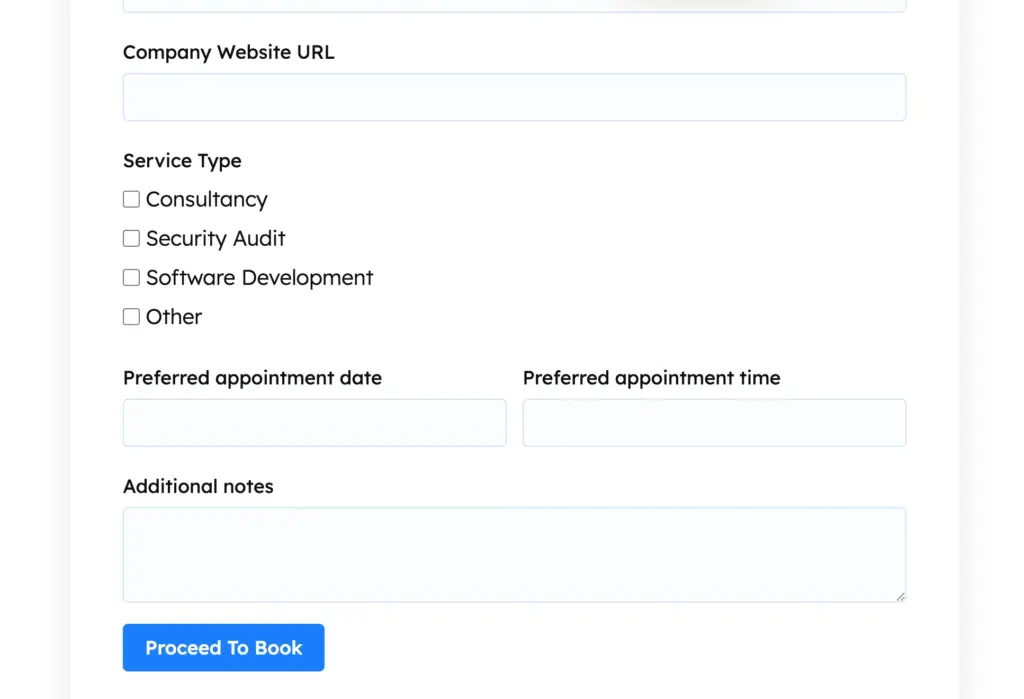
A pre-booking intake form collects project goals, current tools in use, estimated budget, and key challenges before the prospect ever reaches a calendar. Based on their answers, conditional logic surfaces the right service package or routes them to the most relevant team member. When integrated with FluentBooking, the appointment is created only after the intake is complete, so every call starts with context already on the table.
Ideal for: Doctors, consultants, agencies, professional service firms
3. Service quote request system
Quote requests that arrive by email almost always lack the information needed to respond. The result is multiple rounds of clarification before a number can even be drafted.
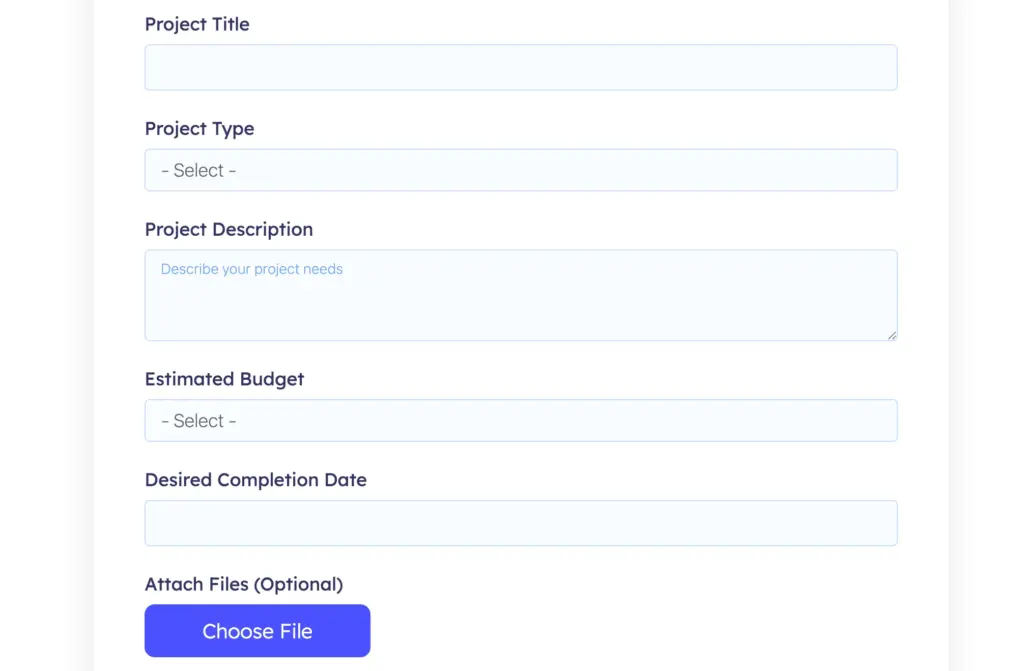
A structured quote form walks prospects through project type, desired deliverables, timeline, and reference uploads in a logical order. Calculation fields estimate a price range dynamically as they fill in the scope. Once submitted, the PDF Add-on generates a formatted scope summary that goes to both the prospect and your team, so your first real conversation starts at the proposal stage, not discovery.
Ideal for: Agencies, contractors, print and production businesses, and custom manufacturers
4. Product customization order forms
Standard WooCommerce variation fields break down fast once a product has more than a handful of options. Custom engraving, material choices, size combinations, and personalization fields need a different approach.
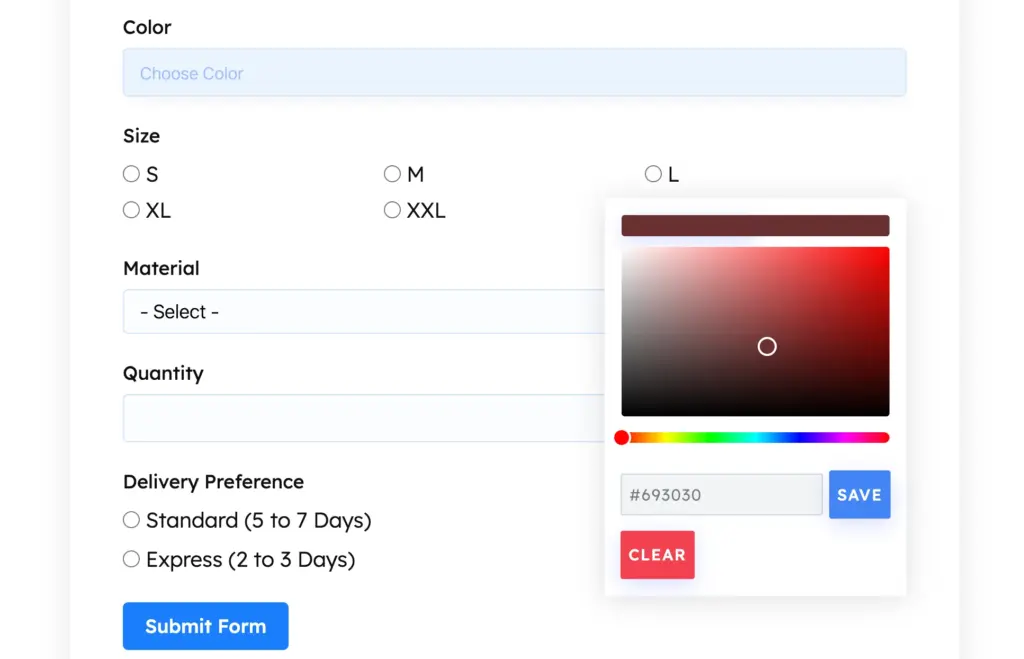
A product configuration form lets customers build their order step by step, choosing options and seeing real-time price calculations update as they go. Stripe or PayPal collects payment in the same flow. The Inventory Field enforces stock limits per variant automatically, so you never oversell. The fulfillment team receives a production-ready order summary without any manual data entry.
Ideal for: Custom product shops, print-on-demand businesses, gifts and merchandise retailers
5. Client onboarding workflow
After a contract is signed, most agencies send a flood of follow-up emails asking for logos, brand guidelines, access credentials, and key contacts. Things get lost in threads, and projects stall before they start.
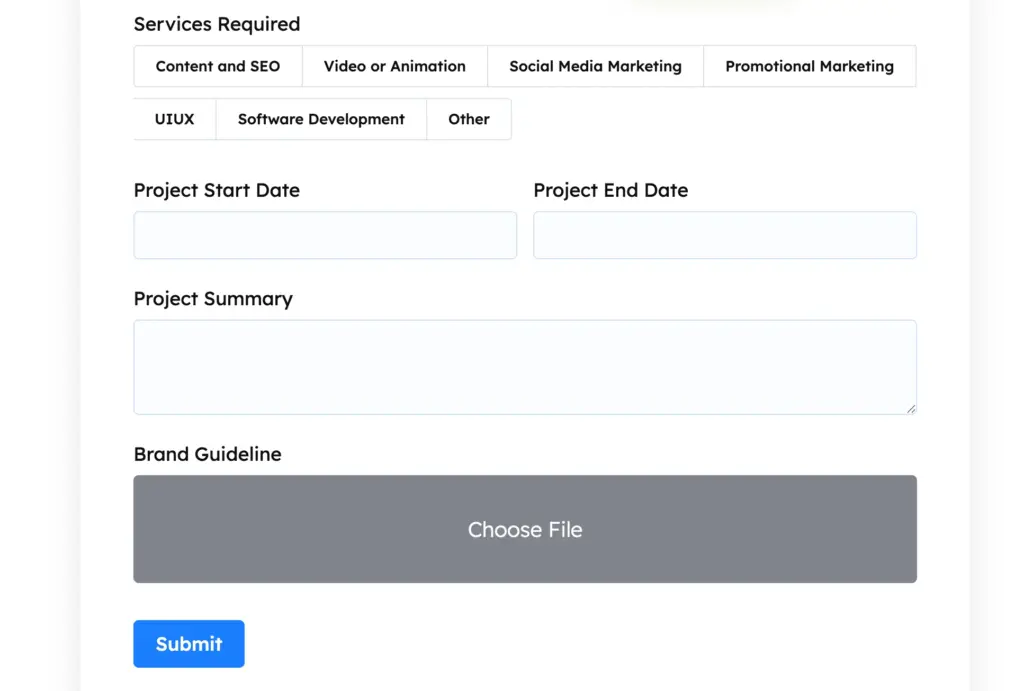
A single client onboarding form collects brand assets via file upload, login credentials through secure fields, style preferences, and stakeholder contacts, all in one organized submission. The Cloud Storage Manager Add-on by Fluent Wiz routes uploaded files directly to a designated Google Drive, Amazon S3, Dropbox, Cloudflare R2, or Microsoft OneDrive folder. The PDF Add-on generates a client dossier that your team can reference from day one.
Ideal for: Creative agencies, web designers, marketing teams, freelancers
6. Employee job application system
Job applications that arrive by email, LinkedIn message, and shared folder create a chaotic review process with no consistent format and no audit trail. Comparing candidates becomes a manual chore.
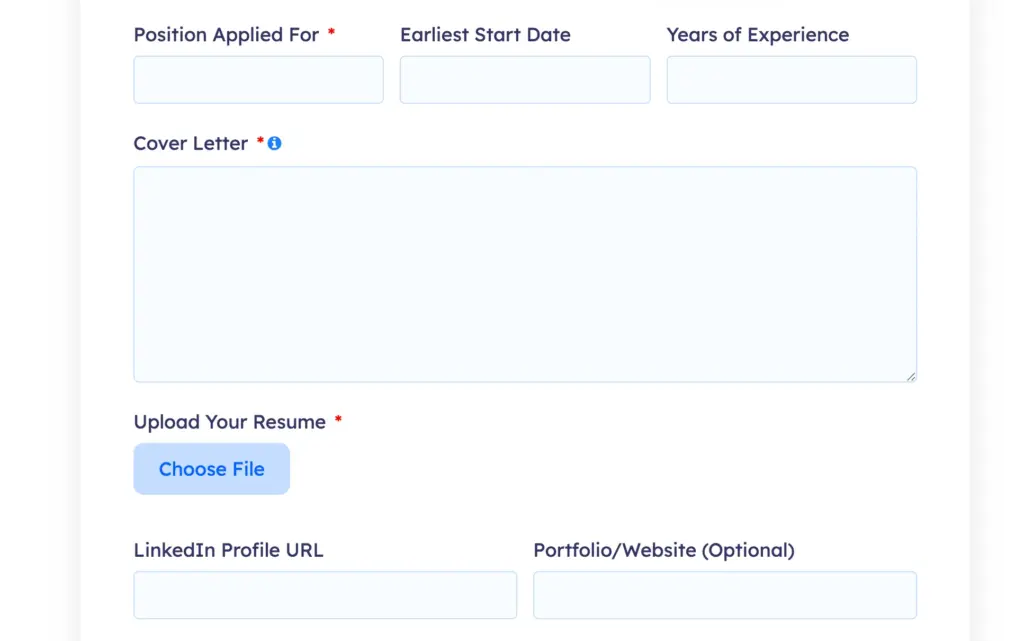
A job application form collects the position applied for, work history, portfolio or GitHub links, and a resume upload, with conditional logic revealing role-specific questions based on the job selected. All submissions land in the Fluent Forms entry dashboard, where your hiring team can filter by position, export to a spreadsheet, or tag candidates for follow-up without leaving WordPress. No inbox archaeology required.
Ideal for: Small businesses, startups, HR departments, recruiting teams
7. Employee onboarding process
New hire paperwork is one of the most persistent paper-based holdouts in small businesses. Documents get emailed, printed, signed, scanned, and lost, and HR spends hours chasing completion.
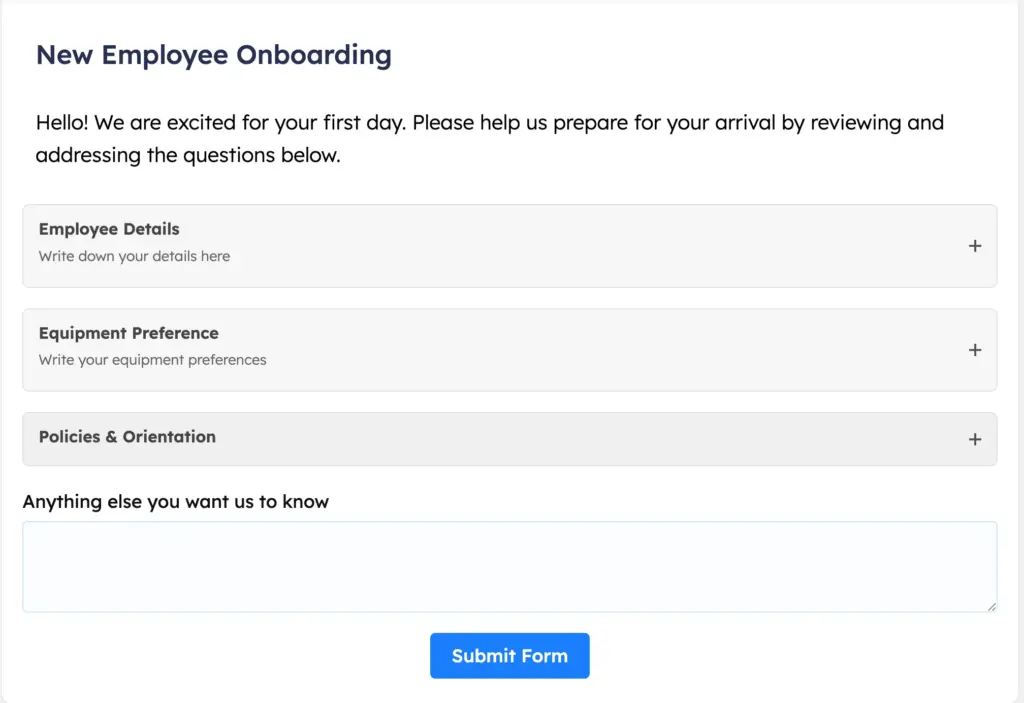
A digital onboarding form collects emergency contacts, bank details for payroll, equipment preferences, and policy acknowledgments in a single flow. The Signature Field captures digital sign-off on contracts and handbooks without any printing. The Pro PDF Add-on assembles a completed onboarding packet instantly and files it as an email attachment, ready for records from the moment the form is submitted.
Ideal for: Small businesses, remote-first teams, HR departments without dedicated HRMS software
8. Internal leave request management
Leave requests handled over Slack, email, or sticky notes create conflicts nobody sees coming. There’s no central record, no audit history, and no reliable way to check who’s already out on a given week.
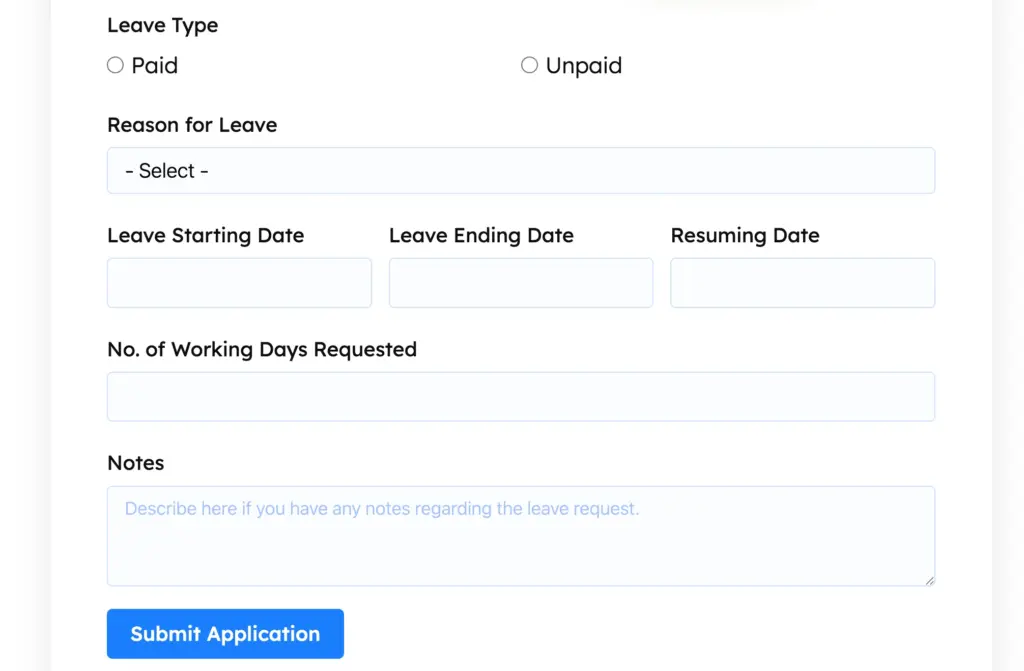
An internal leave request form captures date range, leave type (vacation, sick, parental, personal), and an optional note. The submission triggers a conditional notification directly to the employee’s line manager, not HR, not a shared inbox. Once approved or declined, a follow-up email goes back to the employee automatically. All entries are logged in Fluent Forms with timestamps, giving HR a clean record without a dedicated absence management system.
Ideal for: Small businesses, distributed teams, operations managers
9. IT support ticket submission
Support requests scattered across Slack, email, and corridor conversations are impossible to prioritize fairly. Urgent issues get buried, and low-priority requests consume the same amount of attention as critical ones.
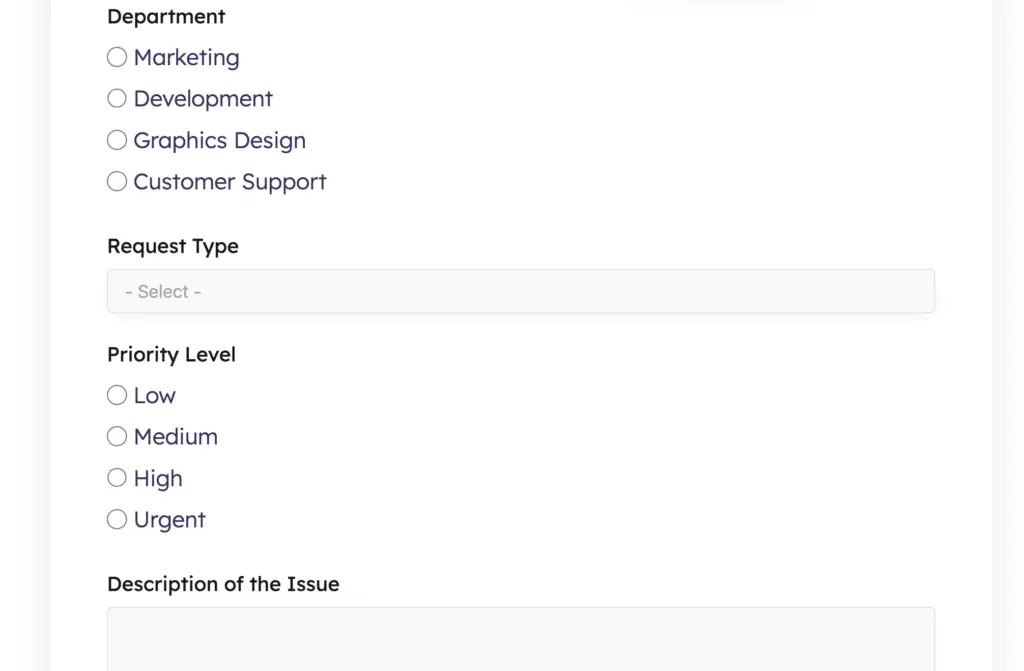
An internal IT request form captures issue category, urgency level, affected systems, and a description. Conditional logic routes high-priority submissions to an immediate Slack notification via Webhook. Every submission is logged with a timestamp in the entry dashboard, giving your IT team a structured queue with full context and no inbox required. For small teams, this entirely replaces a dedicated ticketing system. You can also use Fluent Forms’ Twilio integration for quicker SMS notifications.
Ideal for: Internal IT teams, operations managers, remote-first companies
10. Customer feedback collection
Informal feedback via email or social comments is hard to act on at scale. You need structured, comparable data across a consistent set of questions before patterns become visible.
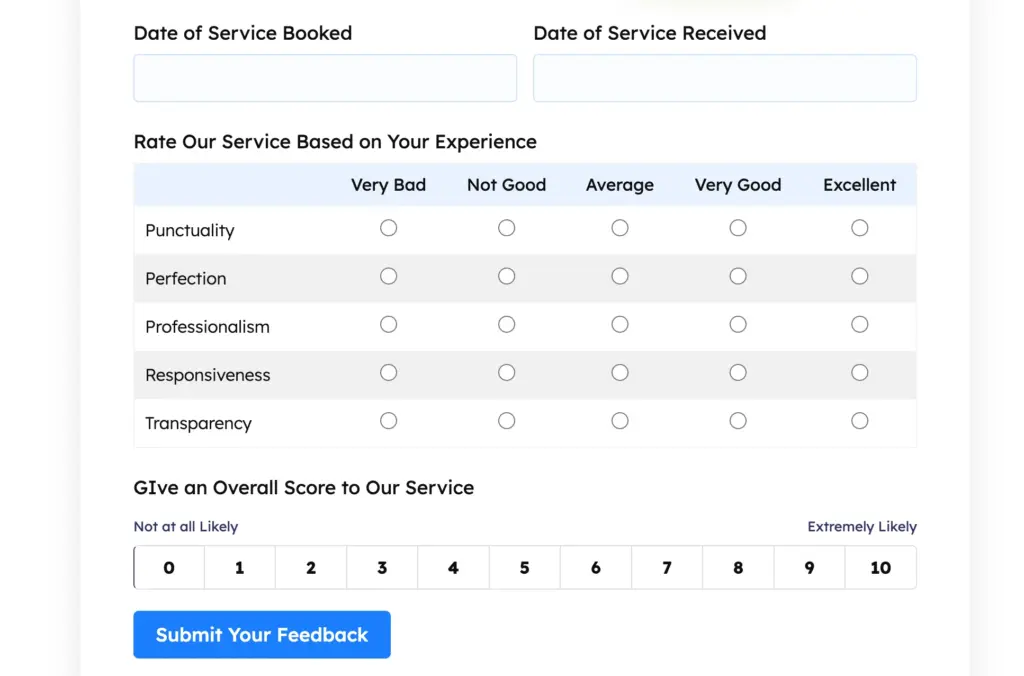
A post-purchase or post-service feedback form uses NPS scoring, star ratings, and targeted open-ended questions, presented one at a time through Conversational Forms to improve completion rates. The Reporting Dashboard aggregates responses into visual charts automatically, so you can track NPS trends and satisfaction scores over time without exporting to a spreadsheet every month.
Ideal for: E-commerce stores, SaaS products, service businesses, restaurants
11. Event registration and ticketing
Managing event sign-ups through a spreadsheet or a general-purpose booking tool adds cost and fragmentation to what should be a streamlined process, especially for businesses running recurring events.
An event registration form collects attendee details, session preferences, dietary requirements, and payment in a single flow. Early-bird pricing applies automatically based on the submission date using conditional logic. The Inventory Field closes registration once capacity is reached without manual monitoring. Confirmation emails include event details, and the entry dashboard provides organizers with a clean attendee list ready to export at any time.
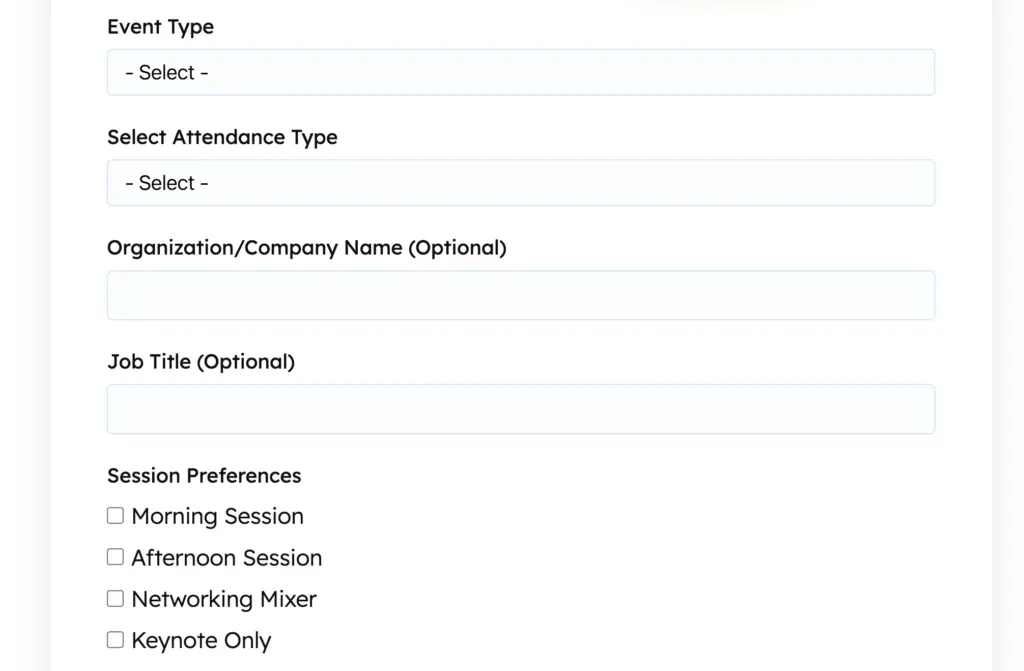
Ideal for: Event organizers, local businesses, workshop hosts, conference teams
12. Multi-attendee event registration
One of the most common pain points in event management: a team admin signs up six colleagues, but the form only handles one attendee at a time. The result is six separate submissions, six separate confirmation emails, and a fragmented attendee list.
The Repeater Field solves this cleanly. One lead registrant adds as many attendee rows as needed, each capturing name, email, dietary preference, and session choice. Total cost is calculated dynamically as rows are added. One submission captures the full group, and the PDF Add-on generates a formatted attendee manifest that event staff can use on the day.
Ideal for: Corporate event coordinators, schools, professional associations, training providers
13. Workshop and training enrollment
Enrollment for workshops usually involves a booking link, a separate payment step, and a follow-up email with logistics, three different tools doing what one form could handle.
An enrollment form presents available session dates with seat counts managed by the Inventory Field. Attendees select their session, confirm their experience level or prerequisites (shown conditionally based on the course selected), and pay in the same flow. When seats fill, that session closes automatically. A confirmation email includes the schedule, location, or Zoom link, and any pre-reading: everything the attendee needs without a follow-up required.
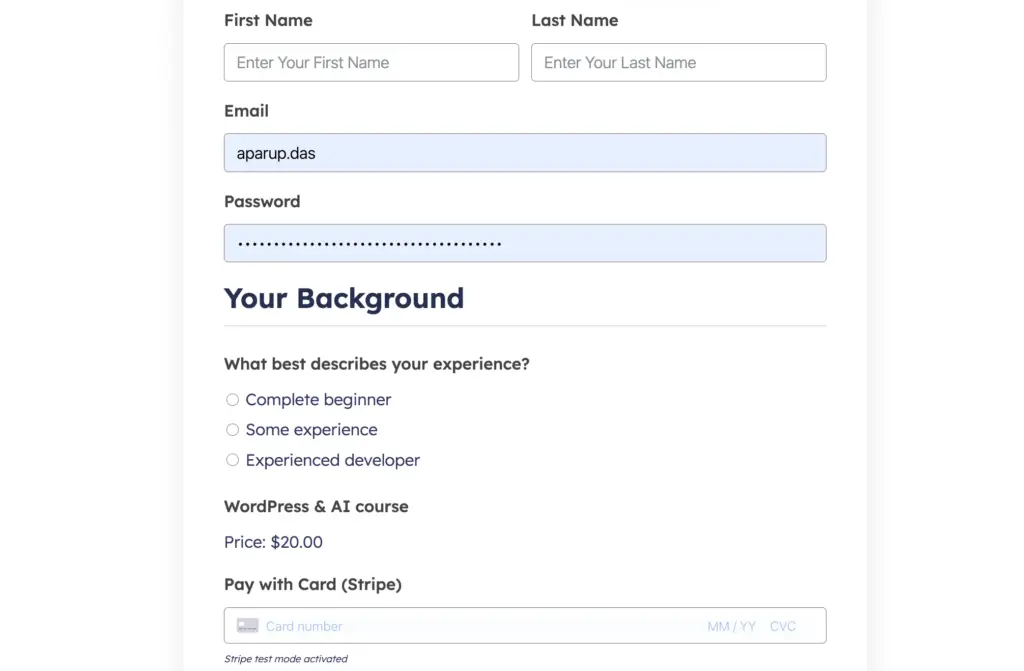
Ideal for: Trainers, coaches, educators, fitness studios, professional development providers
14. Student admission applications
Educational institutions collecting applications through email end up with inconsistent submissions; some applicants send PDFs, others paste text, and almost everyone leaves something out. Comparing applications without a standard format is slow and error-prone.
A multi-step admission form guides applicants through personal information, academic history, a statement of purpose, and document uploads across focused stages. Conditional logic surfaces program-specific fields based on the course applied for. All submissions are collected in the entry dashboard, where admissions staff can filter by program, review documents in-line, and export shortlists, without managing an email folder per applicant.
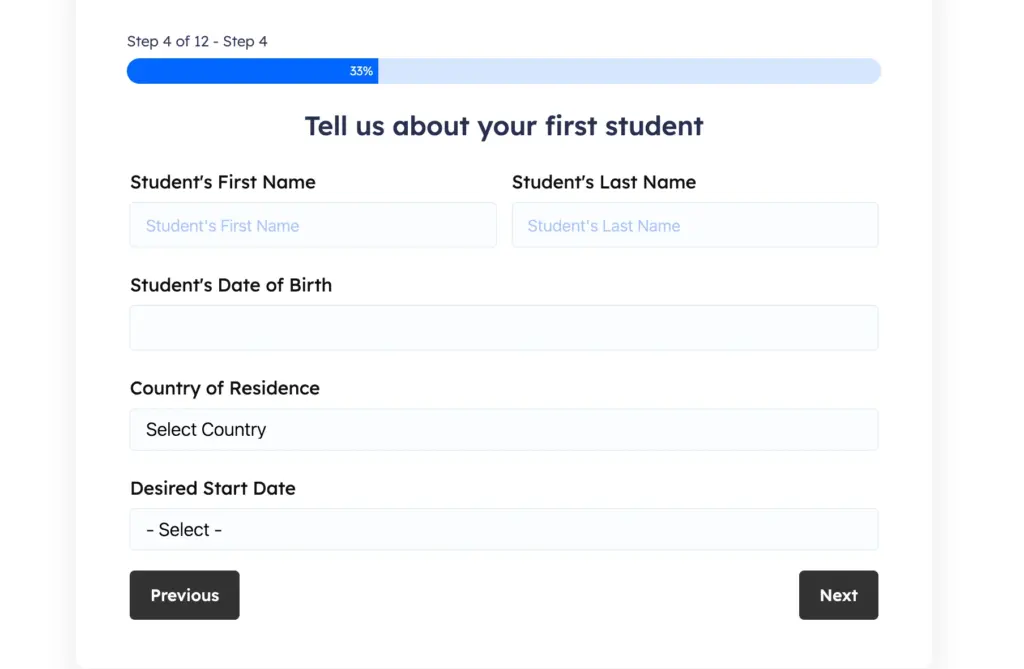
Ideal for: Schools, universities, tutoring academies, professional training programs
15. Assignment and project submission
Collecting student work by email creates a disorganized instructor inbox, requires manual receipt confirmation, and provides no timestamped record for dispute resolution.
An assignment submission form captures the student’s name, student ID, course, assignment title, and the uploaded file. A timestamp is recorded automatically with each entry. Instructors receive a structured notification. All entries can be filtered by course and exported in bulk for grading, no inbox management, no missing files.
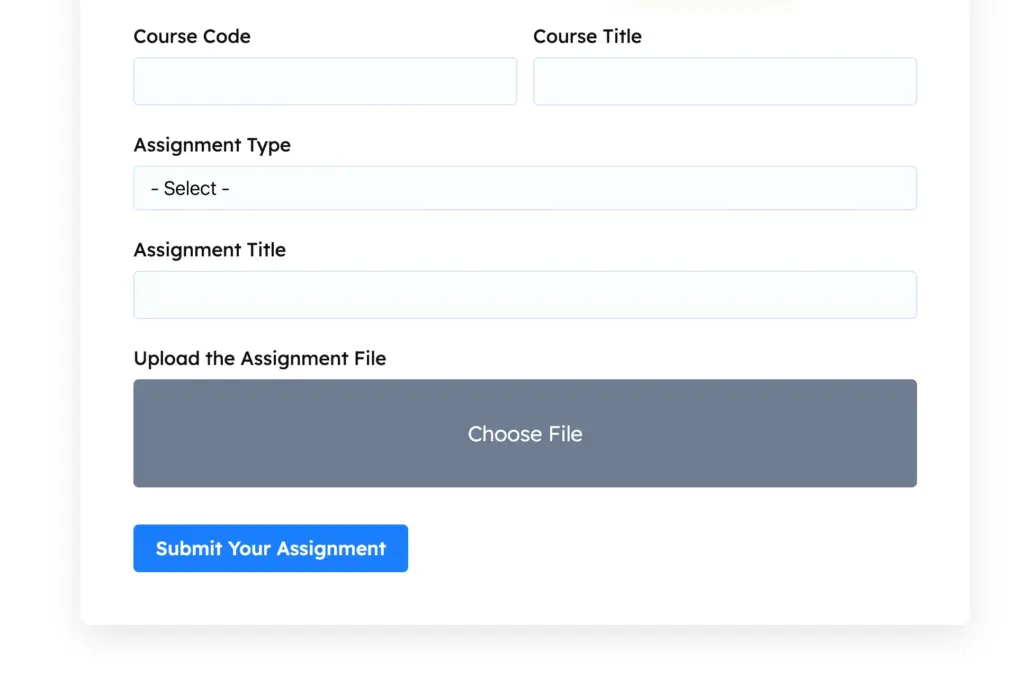
Ideal for: Schools, universities, online course creators, corporate learning programs
16. Membership registration workflow
Creating member accounts manually after payment is one of the most common sources of delay in membership businesses. The gap between “paid” and “has access” damages first impressions and generates support requests.
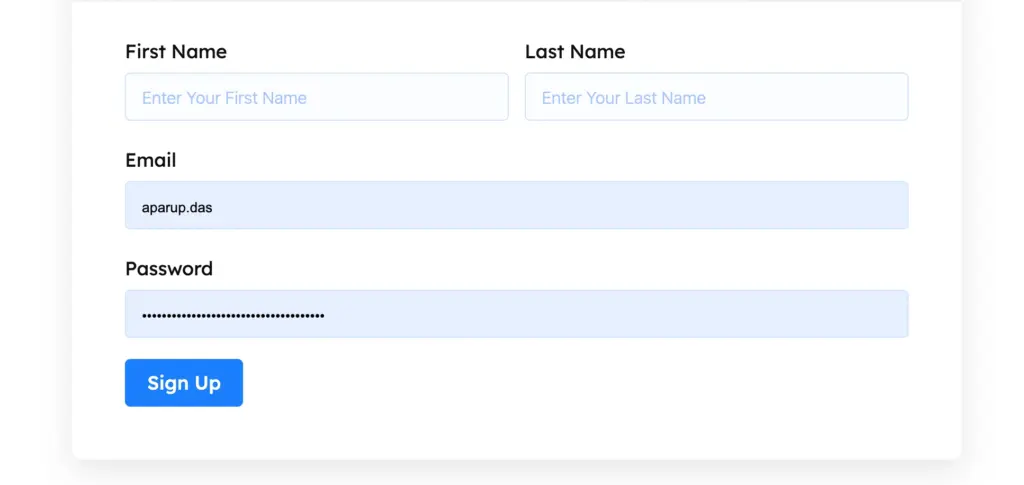
A membership sign-up form collects user details and processes payment. On successful submission, User Registration creates a WordPress account automatically with the correct member role assigned. A welcome email with login credentials goes out immediately. FluentCRM tags the new member and triggers an onboarding automation, so the relationship starts moving before anyone on your team has touched the submission.
Ideal for: Membership sites, online communities, subscription businesses, professional associations
17. Volunteer registration system
A common challenge for nonprofits: you have volunteers, but you don’t know their availability, skills, or location until you need them, and by then it’s too late to coordinate well.
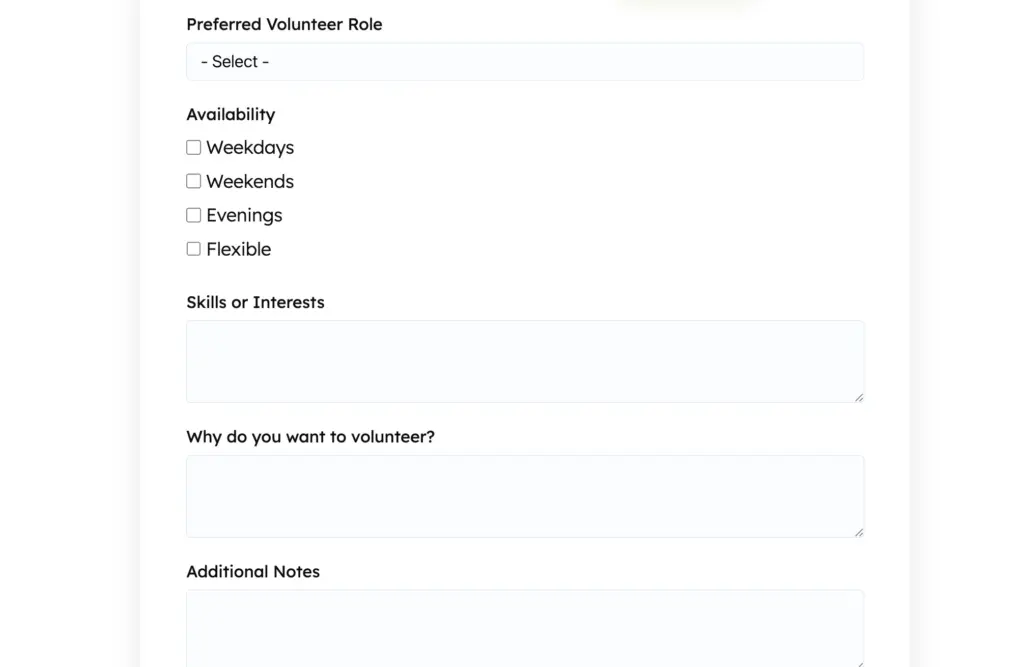
A volunteer registration form collects availability by day and time, skills and certifications, preferred service areas, and emergency contacts. Conditional logic reveals relevant fields based on the volunteer category selected (event support, administrative, outreach, etc.). Submissions sync to FluentCRM, where volunteers are tagged by availability, skill set, and location, so when you’re assembling a team for a weekend event, you can filter and email exactly the right people in minutes.
Ideal for: Nonprofits, community organizations, religious institutions, NGOs
18. Donation collection workflow
Third-party donation platforms charge transaction fees, apply their own branding, and route donors away from your website at the most important moment of their decision to give.
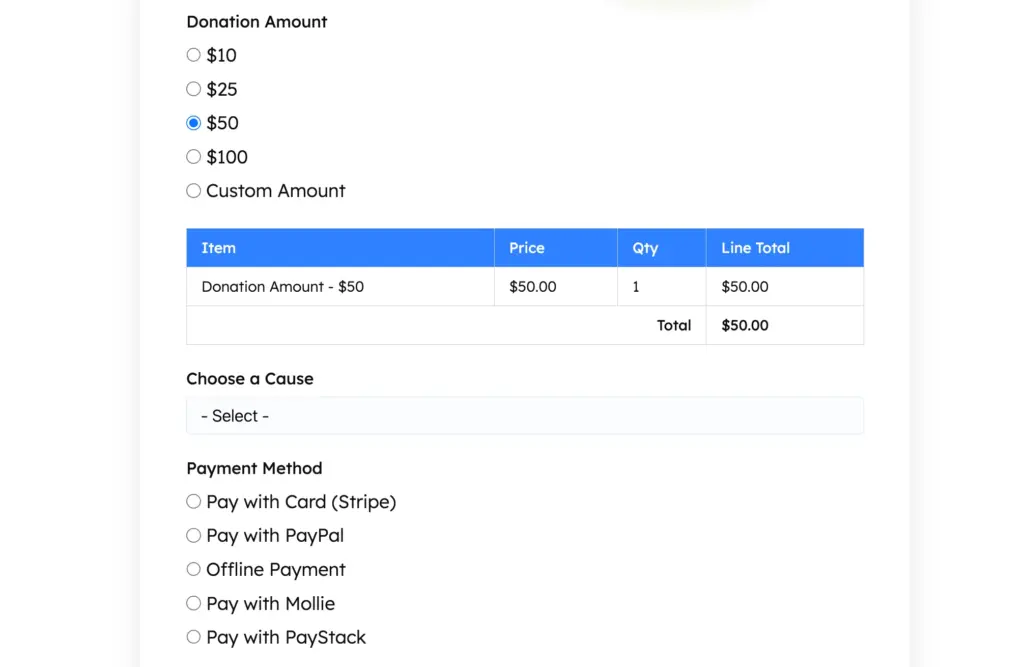
A donation form lets supporters choose a preset amount or enter a custom figure, select a specific fund or campaign, and give securely via Stripe or PayPal, without leaving your site. A branded donation receipt with the contribution amount and campaign designation is generated by the PDF Add-on and emailed automatically. Donors are added to FluentCRM for stewardship and future appeals. Many nonprofits find that this recaptures a meaningful share of donations previously lost to platform friction.
Ideal for: Nonprofits, charities, religious institutions, community foundations
19. Sponsorship application management
Sponsorship inquiries that arrive by email are hard to evaluate fairly. There’s no standard format, key information is always missing, and following up with 20 applicants manually consumes hours of staff time.
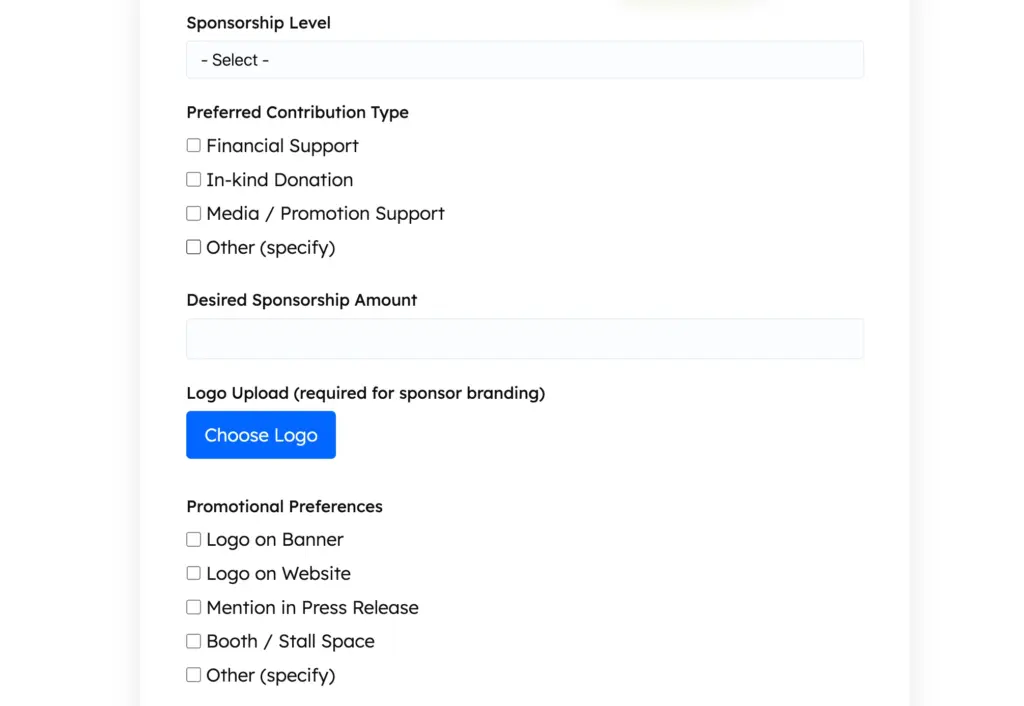
A sponsorship application form collects organization details, proposed tier, audience alignment, past sponsorship history, and supporting materials via file upload. Conditional logic adjusts the visible fields based on the sponsorship level selected; a Gold-tier applicant sees different questions than a Community-tier applicant. Submissions generate a formatted PDF summary that goes to your partnerships team for internal review, with every applicant evaluated against the same criteria.
Ideal for: Nonprofits, event organizers, media companies, community sports teams
20. Medical appointment requests
Phone-only booking creates bottlenecks during peak hours and leaves no option for after-hours requests. But online medical intake needs enough structure to be clinically useful without overwhelming patients.
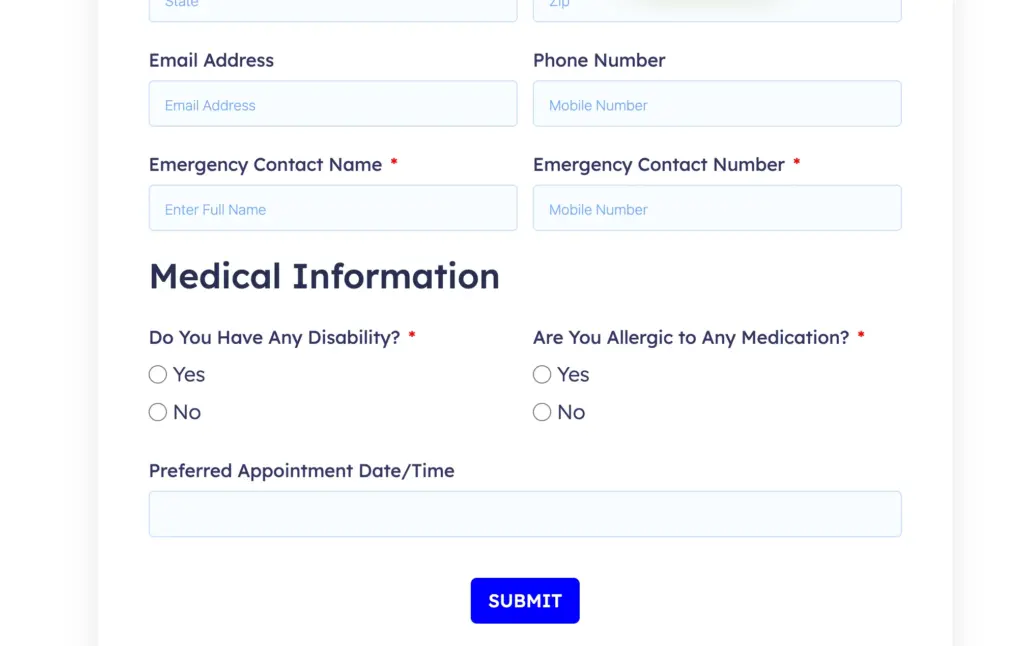
A patient intake form collects contact details, insurance information, reason for visit, and relevant medical history, with conditional logic revealing follow-up questions based on the visit type. A confirmation does not automatically confirm the appointment; instead, it sets expectations for response time while staff reviews the submission. All entries are stored in WordPress with access controls in place. The form captures everything a receptionist would need to prepare the patient file before the first visit.
Ideal for: Medical clinics, dental practices, physiotherapy centers, mental health providers
Note: For healthcare use cases, confirm your hosting and storage configuration meets applicable data protection requirements before collecting patient information.
21. Wellness program enrollment
Health coaches and fitness studios often manage enrollment across three or four separate tools: a booking system, a payment processor, an intake form, and an email platform. Each handoff is a potential drop point.
A single enrollment form collects health goals, current fitness level, any injuries or contraindications, and preferred session format. Conditional logic presents relevant program options based on what the client is trying to achieve. Payment is collected in the same flow. A welcome email with the full program schedule, access links, and first-week instructions goes out automatically. The client record is created in FluentCRM with tags that trigger a 30-day onboarding sequence, no manual follow-up needed.
Ideal for: Personal trainers, health coaches, yoga studios, wellness centers, nutritionists
22. Agency project intake workflow
Many agencies lose weeks at the start of every project because the brief is incomplete. The client fills out a vague contact form, a discovery call happens, and then weeks of email go by before everyone agrees on what’s being built.
A multi-step intake form walks new clients through project type, target audience, competitive context, key success metrics, budget range, and timeline. A file upload step collects reference materials and existing assets. Each step covers one topic, so it never feels like a wall of questions. The submission generates a formatted project brief PDF that your team can reference immediately, so the kickoff call skips discovery and starts at strategy.
Ideal for: Creative agencies, web studios, marketing teams, freelancers managing multiple clients
23. Client content collection workflow
Content collection is consistently cited as the biggest project delay in web design and campaign work. Clients send assets piecemeal: a logo in one email, copy in a Google Doc link, photos via WhatsApp, and nothing is where it needs to be when production starts.
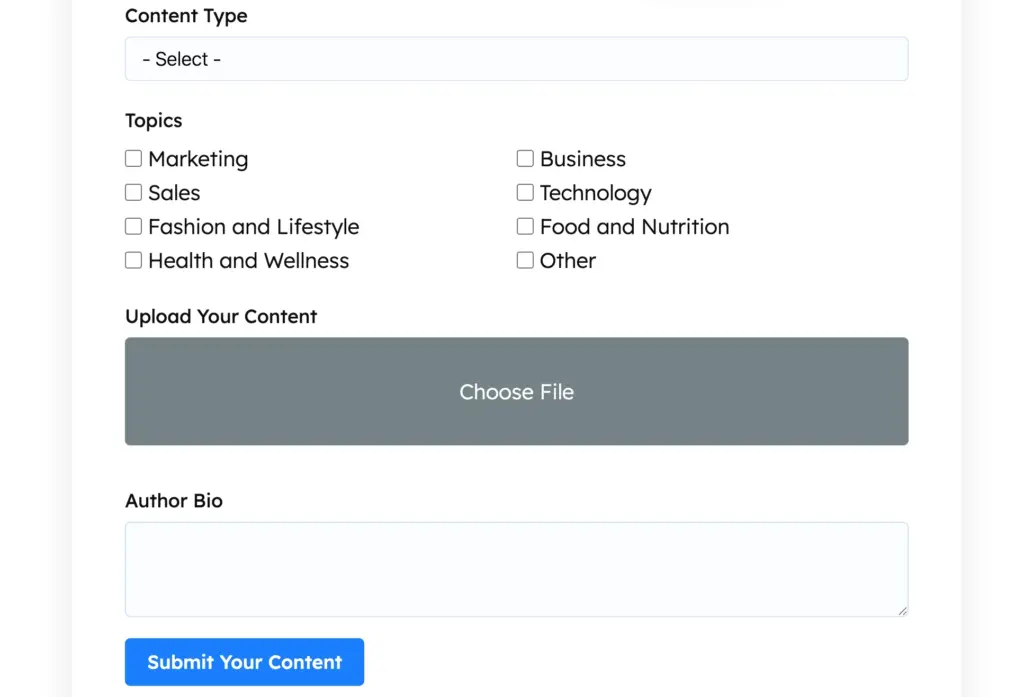
A structured content collection form walks clients through each page or deliverable in sequence, prompting uploads of copy, imagery, logo files, and brand guidelines in the right order. The file upload field supports several file types, and the Cloud Storage Add-on routes everything to a designated folder, organized by client and project automatically. The creative team gets a single, organized source of truth instead of an inbox archaeology project.
Ideal for: Web designers, content agencies, video production teams, marketing consultants
24. Vendor registration workflow
Onboarding a new supplier usually means chasing the same set of documents across different inboxes, tax certificates, insurance documents, banking details, and product catalogues. Nothing is in the same format twice, and the information ends up scattered across email threads.
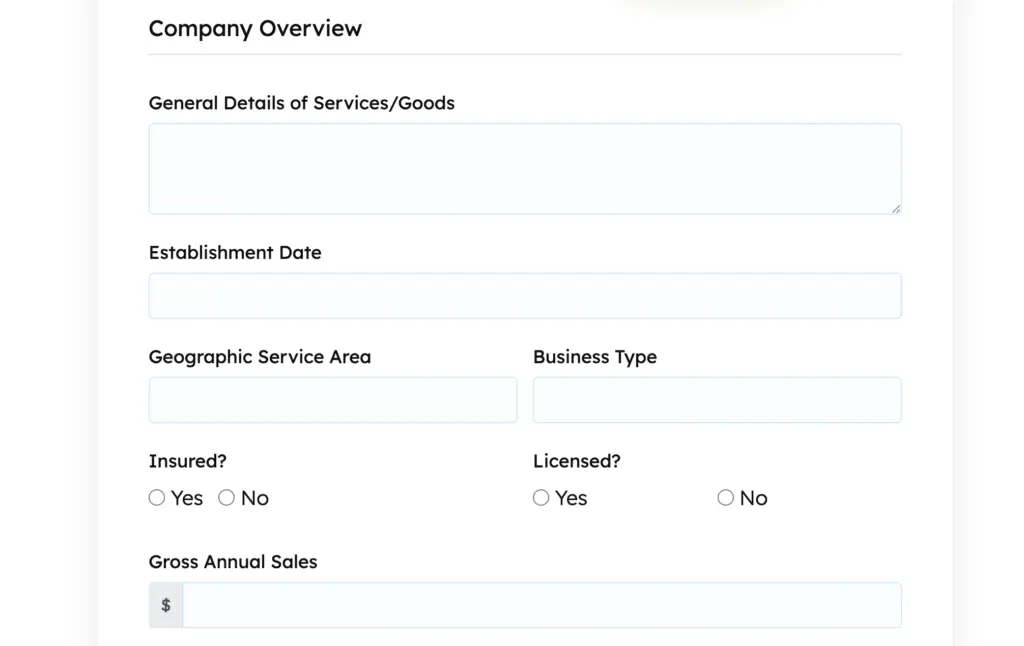
A vendor registration form collects business details, service or product categories, payment terms, key contacts, and required compliance documents via file upload. Conditional logic shows different document requirements based on vendor type; a goods supplier sees different fields than a service contractor. All submissions are logged centrally, and a notification goes to the procurement team with everything needed to begin the approval process.
Ideal for: Manufacturers, retailers, construction businesses, hospitality groups, procurement teams
25. Partner and affiliate application system
Growing businesses that manage partnership programs by email quickly hit a ceiling. Applications come in at different times, in different formats, with different levels of information, and there’s no consistent way to evaluate them.
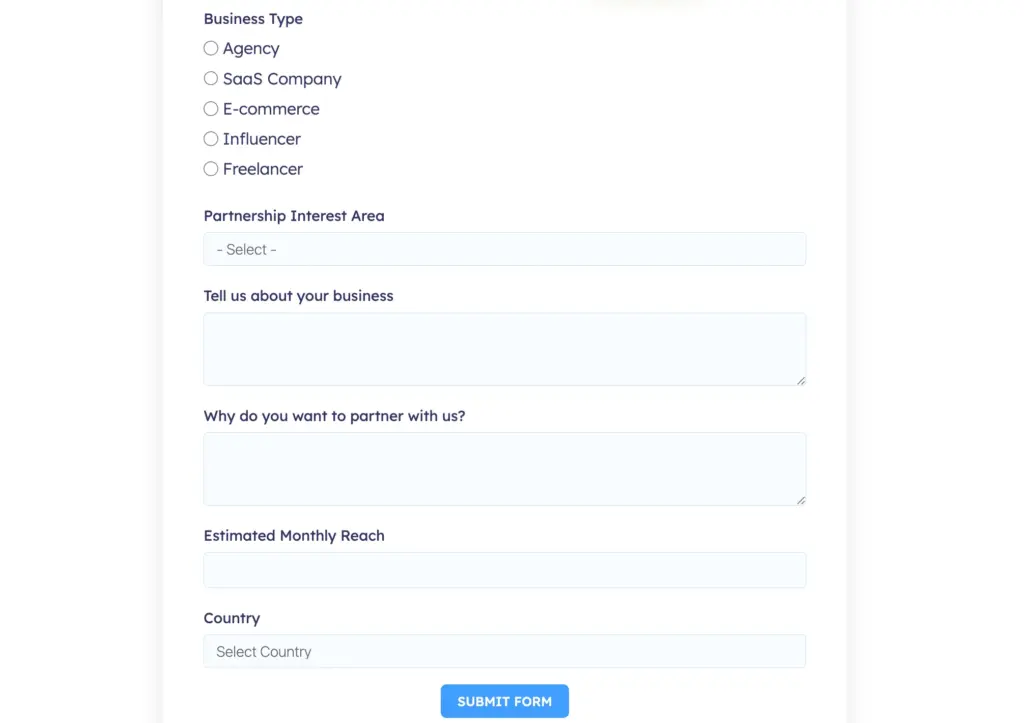
A partnership application form captures audience size, primary platform, niche, traffic sources, and promotional approach. Conditional logic routes affiliate applicants through different questions than reseller or agency partners, so each type provides exactly the context your team needs. High-quality applications trigger an immediate notification; others are batched for weekly review. Accepted partners are tagged in FluentCRM and enrolled in an onboarding automation that the program scales without adding headcount.
Ideal for: SaaS companies, e-commerce brands, course creators, service businesses with referral programs
Which Workflow Should You Build First
The most useful starting point is whichever process is costing you the most time right now. But if you’re looking for a place to begin, here’s what works well by business type.
For small businesses
Start with lead qualification. It’s the workflow with the most immediate impact: better-qualified leads mean less wasted time in sales conversations. Once that’s running, add a quote request form to replace the back-and-forth emails. A client onboarding form rounds out the trio and sets a professional first impression right after a deal closes.
Have a look at the complete workflow summary: Fluent Forms for Small Business
For agencies
Project intake is the highest-leverage starting point. A thorough brief form does more to prevent scope creep than any contract clause. From there, client onboarding and content collection create a smooth handoff process that clients notice and appreciate, and that keeps your team moving without chasing information.
Have a look at the complete workflow summary: Fluent Forms For Agencies
For educational institutions
Student admissions is typically the most complex and highest-stakes workflow to get right. Build that first, then add assignment submission to clean up the instructor inbox, and workshop enrollment for any continuing education or event programming you run.
Have a look at the complete workflow summary: Fluent Forms for Education
For nonprofits
Donation collection has the most direct revenue impact, so start there, especially if you’re currently relying on a third-party platform taking a percentage. Add volunteer registration once you have a CRM integration in place to make good use of the data. Sponsorship management becomes valuable as your organization grows and partnership inquiries increase.
Have a look at the complete workflow summary: Fluent Forms for Nonprofit Organizations
For event management
Event registration is the obvious starting point, but the Inventory Field is what makes it genuinely useful. Sessions close automatically when capacity is reached, so you’re never manually monitoring seat counts. Multi-attendee registration is worth adding early if you regularly handle group bookings from corporate clients or schools. Workshop enrollment rounds out the setup for organizers running recurring programming across multiple dates.
Have a look at the complete workflow summary: Fluent Forms for Event Management
For health and wellness
Medical appointment requests or wellness program enrollment are the right entry points, depending on whether your primary need is intake or conversion. Medical intake form captures clinical context before the first visit; the enrollment form combines goal-setting, payment, and onboarding into a single flow. Many wellness businesses add a feedback form after the first few sessions to track client progress and catch issues before they become cancellations.
Have a look at the complete workflow summary: Fluent Forms for Health and Wellness
Go Beyond Just Building Forms
Every workflow in this list starts with a form, but none of them end there.
The real shift happens when you stop thinking of Fluent Forms as something that collects data and start thinking of it as something that acts on data. A form submission triggers a notification, creates an account, sends a PDF, updates a CRM, routes to a team member, and logs a record, all without manual intervention.
Most businesses already have processes that could work this way. They’re being handled manually or spread across tools that don’t talk to each other. The 25 workflows above are starting points, not a complete list. Once you see how Fluent Forms features connect, you’ll start spotting the opportunities in your own operations.
Which workflow are you already running, or planning to build next?

Hi, this is Aparup. I am a Literature postgraduate, mixing my creative thoughts with my experience in the tech industry to surpass AI. Professionally, I am a content marketer seeking solutions to users’ problems regarding WordPress.



Leave a Reply